Trending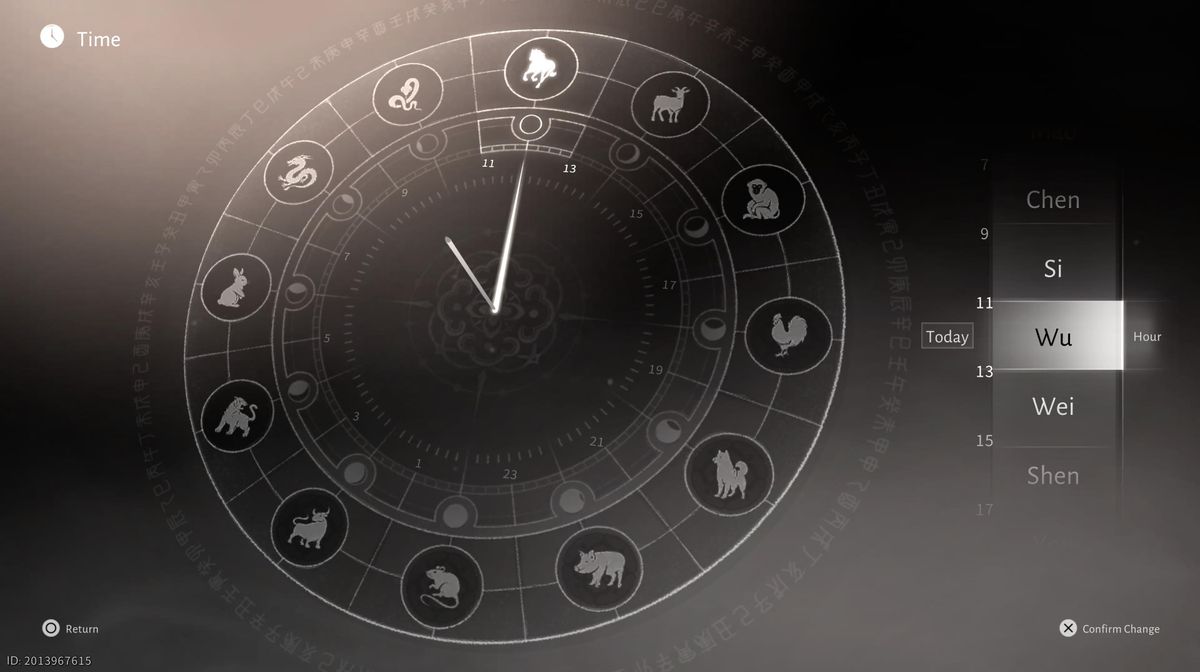
Where Winds Meet features so many mechanics that one can easily lose themselves in all that mess, and without a proper guide, even the simplest mechanics can become hard to comprehend.
Sometimes, some quests will require you to do them during a specific period of time, and sometimes, you'll just want to enjoy the light of the day instead of wandering around during the dark.
For that, you'll have a dedicated mechanic where you'll be able to change the time of the day any time you want. If you don't know how to do it, here is a guide for that.

Day and night cycles
The beauty and splendour of Where Winds Meet's world are equally amazing during day and night, and it will be entirely up to you which scenery you enjoy more. According to your preferences, you'll always be able to change the time of day.
If you let the game play out as it is supposed to, day and night will change naturally, even though sometimes it will feel far from it because the time of day will change in a matter of seconds. Our subjective opinion is that the day and night cycle is too fast, but we cannot do anything about that, of course.
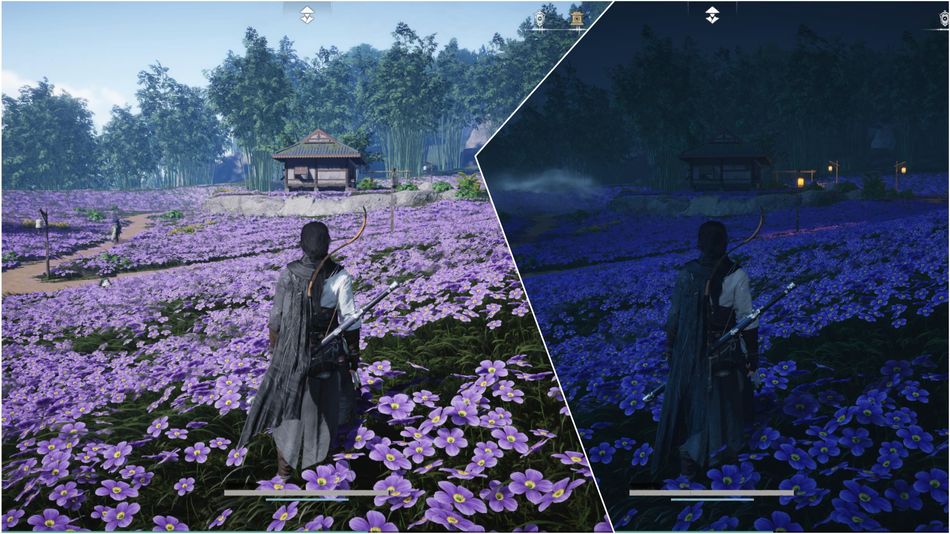
How to switch between day and night
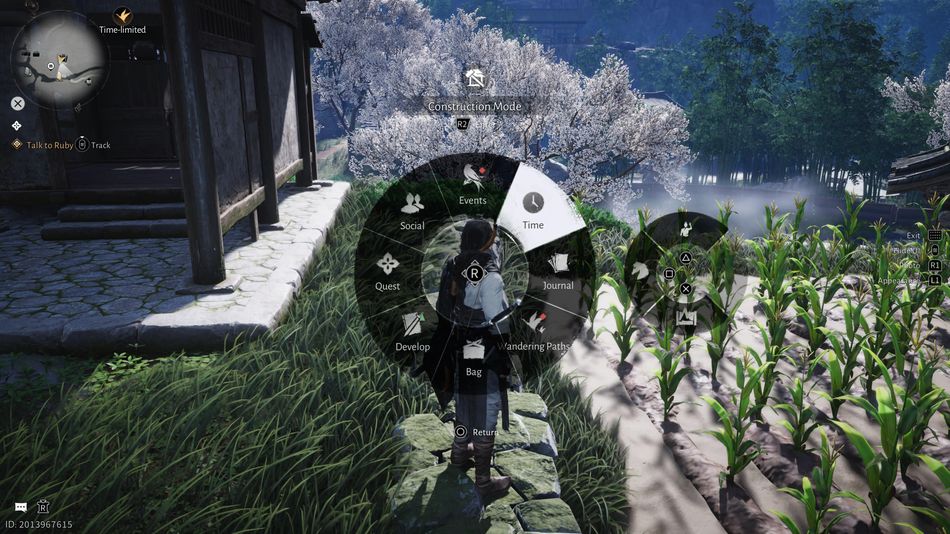
This mechanic is as simple as pressing a couple of buttons. To change the time of day, press the touchpad (PS5 controller) and choose the option 'time'. Once you do that, a huge clock will pop up featuring animal symbols, where each symbol represents one period of the day.
This clock is divided into 12 parts, and if you're not familiar with Chinese terms, simply observe the inner circle that is similar to the ones used in the rest of the world, featuring numbers, even though on this clock, only odd numbers are shown, but you'll get the point of where to set the clock if you want to switch to a certain time of day.
Why switch the time of day
There are many reasons why you'll need this mechanic in the game. The first one is your personal preference: during which period of the day do you want to play the game? I personally love playing during the day, but that's just me; maybe you'll like the night.
The second reason is quests, or time-sensitive quests, to be more precise. Some quests will require you to start them at night, while others will be done during the day, so you'll need to change the time of day according to those requirements.
Does changing the time of day affect weather conditions?
Weather effects are present in Where Winds Meet, and you won't be able to change them at your will. If it is raining, it's raining; you won't be able to do a thing to change that. However, advancing time on the clock will make the weather change, but for better or worse, it won't be up to you to decide.
Limitations and cooldowns
Time can be changed whenever you want while free-roaming the world; however, once on a mission, the game won't exclude the function, and you'll still be able to change the time on paper, but it won't take effect.
Also, no cooldowns or anything of the sort; if it pleases you, you can change the time all day long; it will only affect the time of day and nothing more.

DON'T MISS!
- Where Winds Meet: How to Recustomise Your Character
- Where Winds Meet: All You Need to Know About Animals and Pets
- Where Winds Meet: Mounts Explained (How to Get a Horse)
- Where Winds Meet: How to Go Invisible (Veil of Stillness Skill)
- Where Winds Meet: Achievements Explained (Everything You Need to Know)