Trending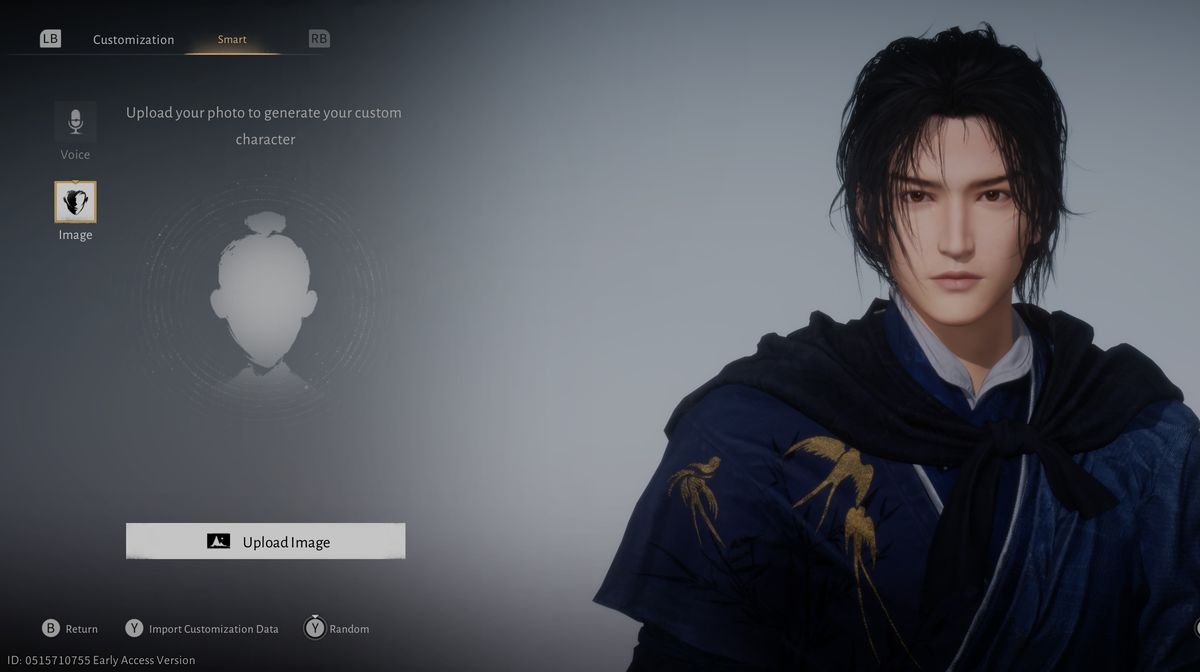
The character creator in Where Winds Meet, the latest MMO action RPG from NetEase Games, is a serious tool, allowing you to fine-tune your character to the smallest detail.
The developer of this game went even the extra mile and allowed you something no other game has ever offered before - to upload your own picture, and the game's integrated AI will make sure your character will resemble the one from the picture as closely as possible.
You can also upload your voice pattern, and the game will try to create the character according to your voice - pretty neat features, we must admit. If using all those options was too much for you and you did it quickly, without making enough effort, fear not; the game will allow you to recustomise your character at some point in the game.
How to recustomise your character
For this to happen, you'll need to finish more than a couple of main missions. Once Aunt Han mysteriously disappears, and you set out on a mission to find her whereabouts, the story will bring you to her clinic, behind which you'll find a well and the path to the underground dungeon beneath Evercare Clinic.
This is all part of the main quest called Still Shore, but if you want to revisit this place at any time, you'll have to retrace the steps from this mission.
After you finish this main quest, you'll fight the manifestation of Aunt Han as a main story boss, after which you'll wake up in reality. The NPC called Cheng Xin will explain to you what just happened and offer you the ability to change your face because it has been their trade forever. Accept this offer and you'll trigger the character customisation once again.
How to locate Cheng Xin after the quest
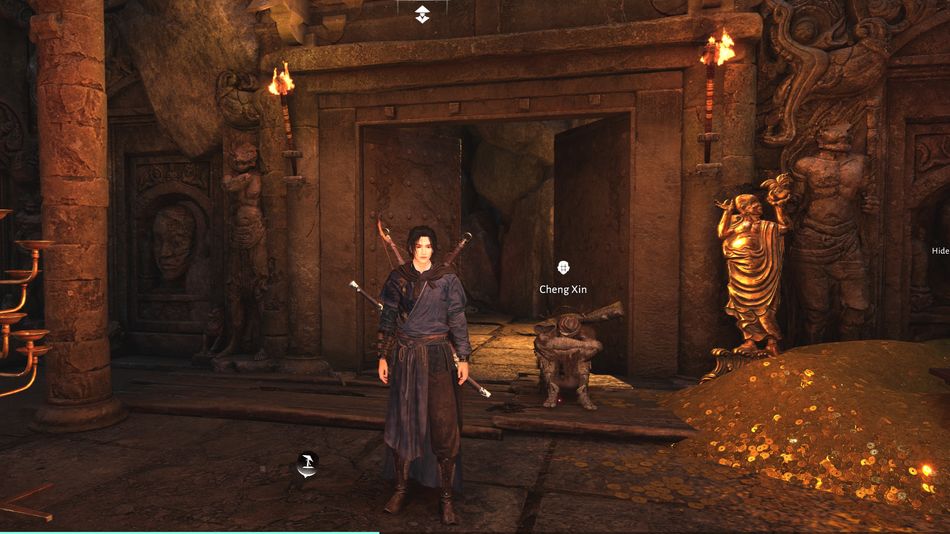
Cheng Xin will stay in the same place the whole game; however, the problem is that the game won't show you his location, and you'll have to rely on your memory to locate him again. If you cannot remember his location, here is how to find him whenever you want and to engage in character customisation.
Open up the map and locate Evercare Clinic inside Still Shores. This place is located in western Qinghe (see the map below for reference). Next to the clinic will be a teleportation stone as well, so you can easily fast travel there, provided you activated it earlier.
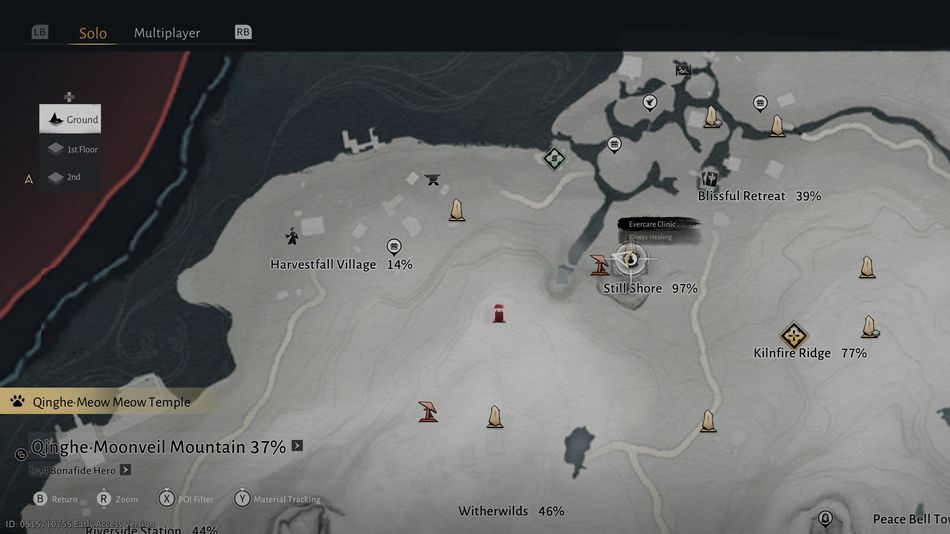
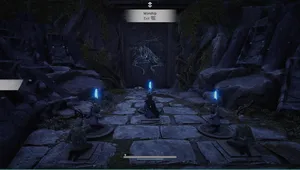
Go behind the clinic and locate the well. Jump into it and follow the hallways, dropping twice to the lower levels until you reach the treasure room; Cheng Xin sits next to the door. Talk to him and start character customisation.
How many characters you can create in Where Winds Meet
From the game's official launch, creating a character became very serious business, meaning once you create a character, you're going to have to stick with it or do some serious steps to get rid of it.
In the Chinese version of the game, it was possible to have up to six characters, but even on Chinese servers, this is now changed, and you can create only one character if you're beginning the game anew.
If you want to delete your character and start the game anew, you're going to need to contact the official support to apply for the profile deletion and wait for a couple of days for the action to take effect.
The other options for recustomisation
There's one more way to recustomise your character, and this one seems even simpler than the previous one. For that to happen, you'll need to own a special item called Water Lady Script. This item can be bought for 200 Jade inside the in-game shop.
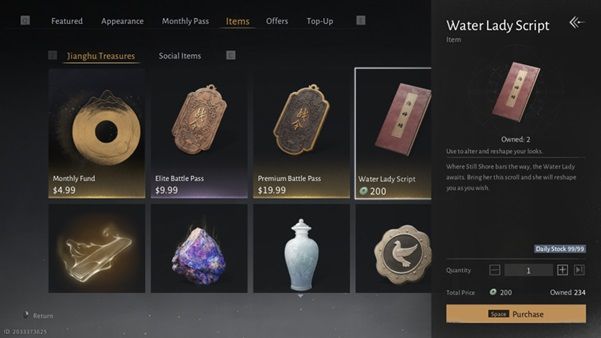
Open the shop by pausing the game and choosing 'shop' from the side panel, and then navigating to the 'items' tab. Jade currency is obtained by doing regular stuff inside the game, like quests and side quests, exploration, and by unlocking in-game achievements.
Once you buy the Water Lady Script, you can go inside the inventory, choose the item and click on it. Once you do, you can use the item to recustomise your character. You can also choose the 'customise' slot from the side panel and recustomise the character from there. Once you choose the new plan, the Water Lady Script will be automatically consumed, and you'll be able to save a new plan for your character's appearance.
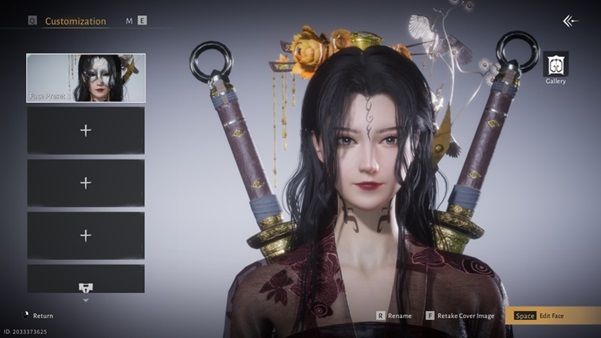
The appearance slots can also be expanded. By default, you'll have four, but you can buy an additional four as well. Each slot costs 50 Jades.
DON'T MISS!