Trending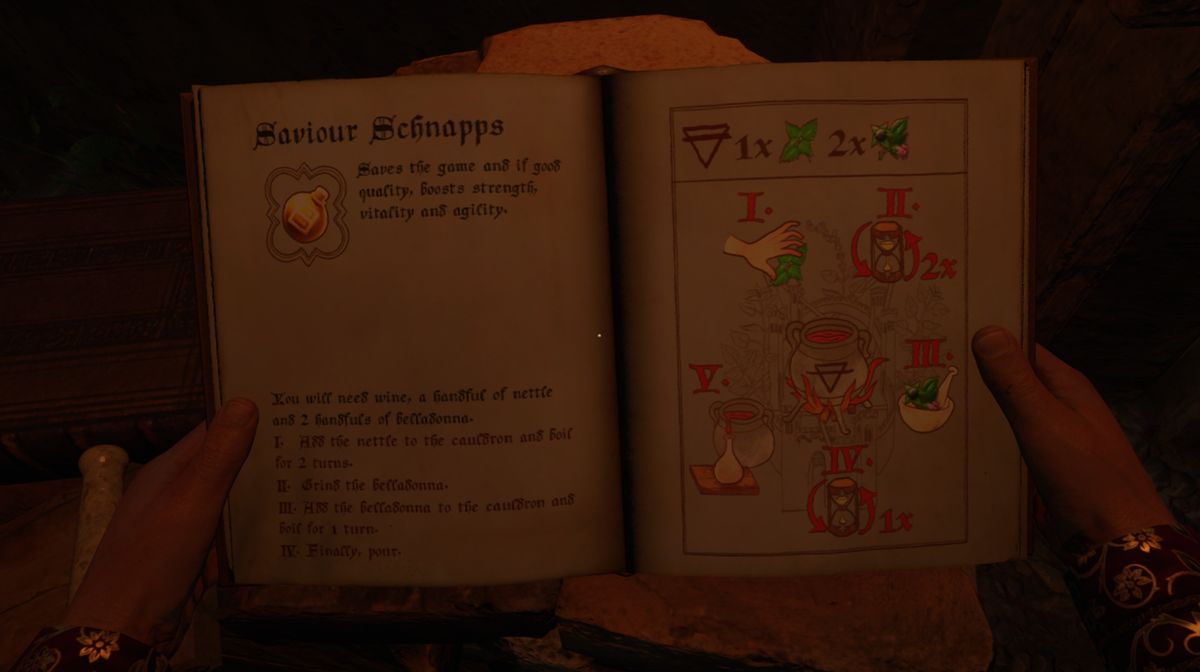

Saving the game to make certain you don't lose too much progress if you get killed or something else happens is a very usual mechanic in games nowadays. Some games with old-school mechanics, like Kingdom Come: Deliverance 2, the latest RPG from Warhorse Studios, use a bit different approach when saving the game. The game will autosave once you accept a quest or once you find a bed and sleep in it.
Apart from that, you can save the game from the main menu, but if you do not meet certain requirements, this option will be greyed out, meaning you won't be able to save the game.
If you want to find out how to make this option accessible to you, we've prepared a guide that will lead you through this process step-by-step. So without further ado, let's jump into it.

How to save the game from main menu
Once you pause Kingdom Come: Deliverance 2, you'll notice that one of the options, just below load game, will be to save the game, but unfortunately, this option will likely be greyed out, meaning you haven't met all the requirements to make saving the game anywhere you want possible.
To be able to save the game any time you like, you'll have to own a special potion called Saviour Schnapps. This potion will be given to you during the prologue, along with the recipe to make more using an alchemy bench, but if this by any chance got under your radar, here is how to do it again.
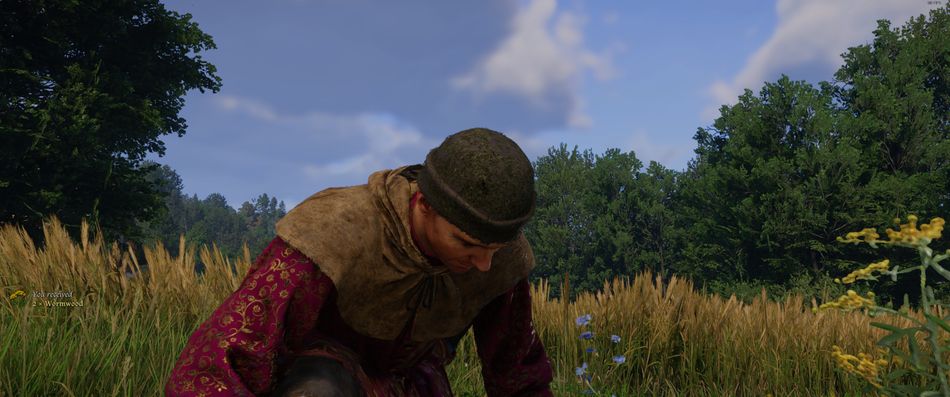
Find an alchemy bench (there are many of them scattered throughout the world), and prepare to make this potion. To make it, you'll need to have two types of herbs: one nettle and two belladonas. Those herbs are easily found by the roads, although nettle is hard to recognise due to its green colour and blending with common grass.
If you cannot find those herbs, or you simply don't want to bother, go to the closest apothecary and buy the herbs—they're not expensive at all. Once you have all the ingredients, start brewing potion like it is explained in the in-game guide. Upon a successful brewing attempt, pour the potion inside the vial, and it will be automatically stored inside your inventory. Now, when you want to save the game, the option will be accessible, but only for as long as you have the potion. Each potion allows two savings, so if you want to save the game more regularly, stock up on the Saviour Schnapps potions and you'll be golden.

There's one more option to save the game whenever you want, even with no Savious Schnapps in your inventory, although this method isn't the fastest one, to be honest. Once you pause the game, you'll notice that the second-to-last option on the list will be 'Save and Quit.'
If you decide to do that, you'll exit the game, and once you start it again, you'll be respawned at the exact same location where you just quit. As we said, not the fastest method, but a very useful one, nonthenless.

DON'T MISS!