Trending
Given that Starfield, Bethesda's most recent RPG, is a game where you'll collect a vast array of items, it's only natural that at some point you'll reach your carrying capacity, resulting in mobility issues due to overweight.
While exploring the expansive world of Starfield, you'll come across numerous items that prove highly valuable, yet there will also be some that simply occupy space in your inventory without offering significant value.
If dealing with an overflowing inventory is causing you headaches, this guide will provide a solution on how to efficiently rid yourself of excess items without resorting to discarding them.
How to transfer items to your ship's cargo and free up space in your inventory
Regardless of how seemingly insignificant certain items may appear, the temptation to collect them persists. However, as our inventory becomes increasingly cluttered, complications arise. An overcrowded inventory leads to our character consuming more oxygen due to excessive weight, causing the CO2 metre to rise and potentially leading to issues.
To avoid this situation, aim to maintain your inventory within the designated carrying capacity. However, in the event of becoming overburdened, there's a solution available, but it's important to note that this method only functions in open environments and won't be effective indoors or in closed levels.
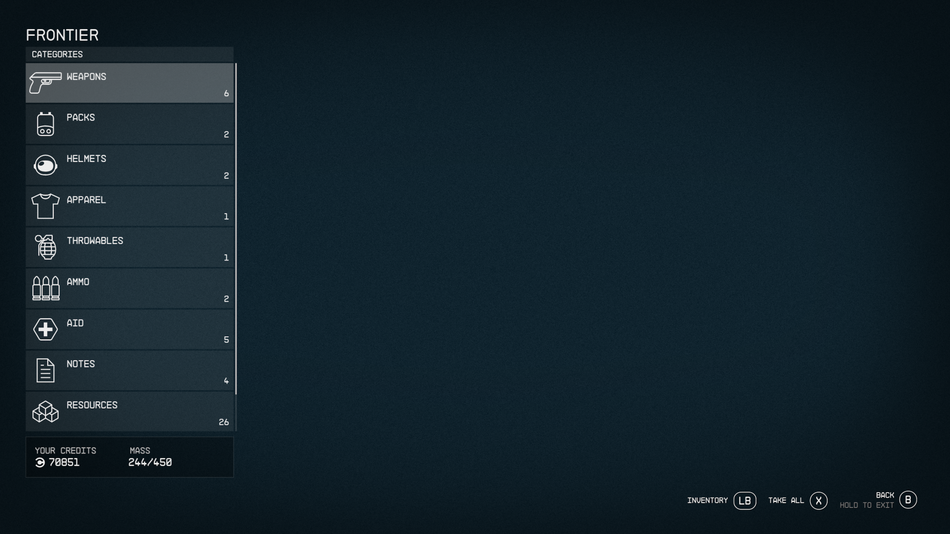
Access the pause menu by pressing the start button, then open the ship menu located in the lower left corner. Inside this menu, press the X button to enter the cargo hold. From there, use LB to navigate to your inventory. Once you've done so, proceed to transfer all excess items, especially those with significant weight, into the cargo hold. This straightforward process will help you clear your inventory and resolve the issue of being overweight.
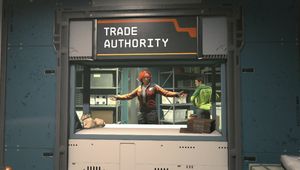
It's worth noting that the cargo hold has a finite capacity, which can be expanded by upgrading your ship. Additionally, when the opportunity arises and you encounter vendors, opt for the option to sell items directly from the cargo hold. This is an effective way to offload less valuable items, particularly the common junk items that you will be able to pick up in almost every in-game location.
DON'T MISS!
- Starfield: How to deal with Terrormorphs
- Starfield status effects - How to heal poison, burns, frostbite and other wounds?
- Starfield encumbrance - Three tips to help you avoid being over overencumbered
- Starfield play button greyed out on Steam? It's an easy fix
- Starfield: All traits explained and how to remove them