Trending

Ubisoft's XDefiant has been a breath of fresh air in the arcade shooter genre. With the game being developed by former Call of Duty devs, XDefiant has managed to gain mass appreciation in the shooter community for its unique gameplay mechanics.
Since its launch a few months ago, XDefiant has improved a lot in terms of server issues and gameplay mechanics. While XDefiant players have not faced significant errors during their playtime, some players are reported to be facing a new Bravo-04 error during their play sessions.
The new Bravo-04 error is preventing players from playing XDefiant. Although the issue might seem like a client-sided one, its actually far from it. Here's a look at some fixes you could consider using to fix the Bravo-04 error in XDefiant.
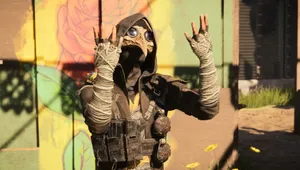
How to fix Bravo-04 Error in XDefiant
The Bravo-04 error is preventing players from getting into XDefiant. The error still persists after restarting the game, making it impossible for players to engage in some shooter action.
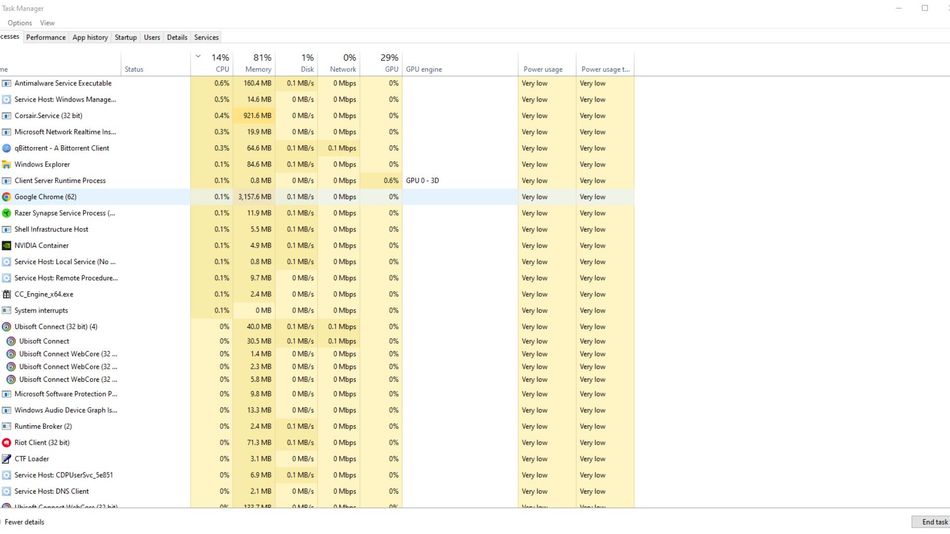
XDefiant's executive producer and spokesperson, Mark Rubin, addressed the issue and provided a cheeky solution for players to use if they are constantly facing the Bravo-04 error. The fix for the Bravo-04 error in XDefiant is:
- Open your Task Manager
- Navigate to Processes tab
- Select Ubisoft Connect
- Click on "End Task"
Now Mark Rubin has told that the error will presumably counter this issue. However, the error might still occur after launching Ubisoft Connect once you have shutdown your PC once. Try to verify game files before launching XDefiant to delete and redownload any corrupt file.
In worst case scenario, if the error is still restricting you from playing XDefiant, try uninstalling and installing the game again. However, if the problem still persists, then be patient and wait for Ubisoft to release a hotfix.
DON'T MISS: