Trending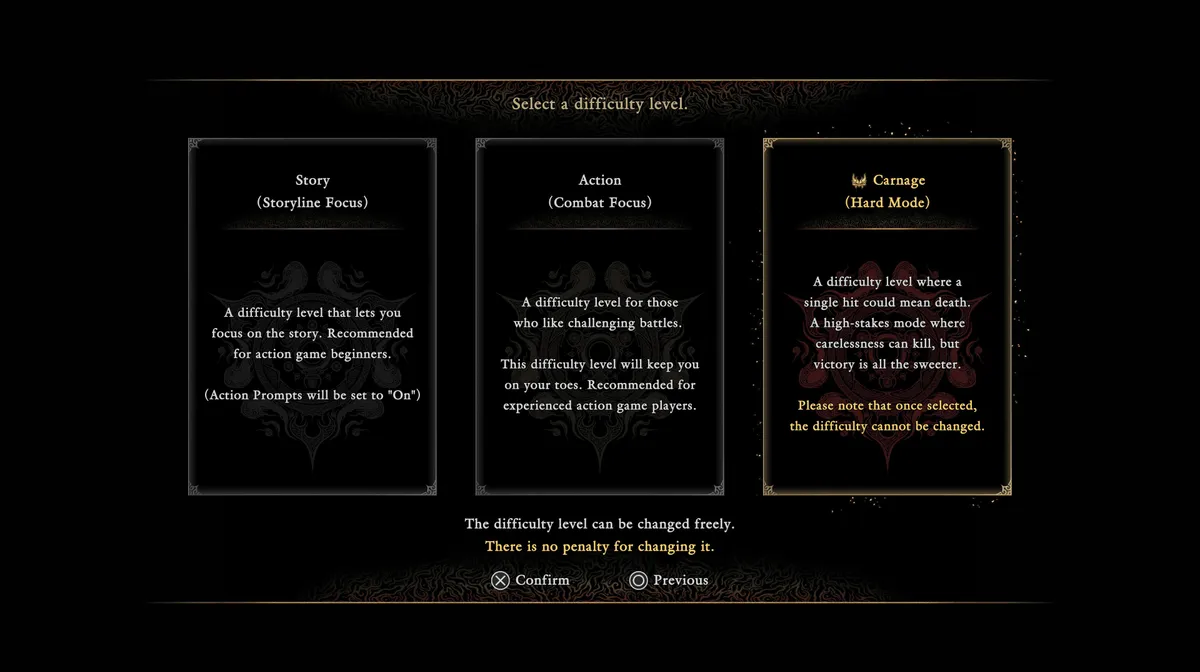
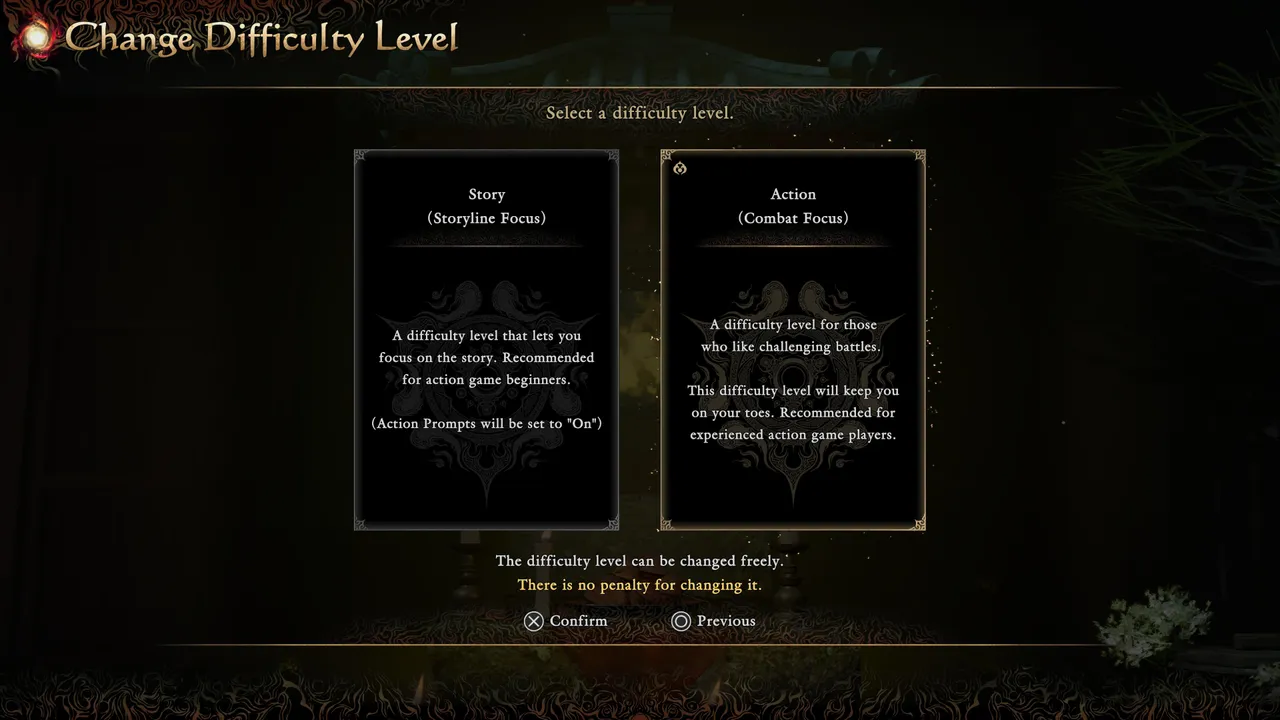
Onimusha: Way of the Sword offers two difficulty options at the start, Story and Action, with a third called Carnage unlocking after your first clear. The game promises you can change your difficulty whenever you like but doesn't put that option anywhere in the settings menu, which trips a lot of players up. There are two separate ways to actually do it, and knowing both matters if you're chasing the Platinum trophy, since that requires a full clear on Carnage.
The three difficulty levels explained
Story is built for players focused on the narrative, with action prompts switched on by default. Action is the recommended starting point for anyone comfortable with action games, offering a proper challenge without action prompts holding your hand. Carnage only unlocks once you've finished the game, and it's a different kind of difficulty entirely: a single hit can kill you, and once you select it, you can't change away from it afterwards.
How to lower difficulty mid-fight
If you're playing on Action and keep dying to the same boss or encounter, the game eventually offers you a way out. After a few retries, the death screen adds a red option at the bottom letting you drop down to Story difficulty on the spot. It's a genuinely useful safety net, though it won't appear on your very first death, so don't expect it the moment a fight starts giving you trouble.
How to raise difficulty back up
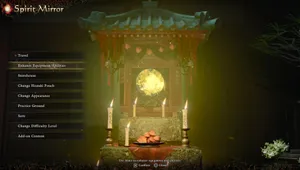
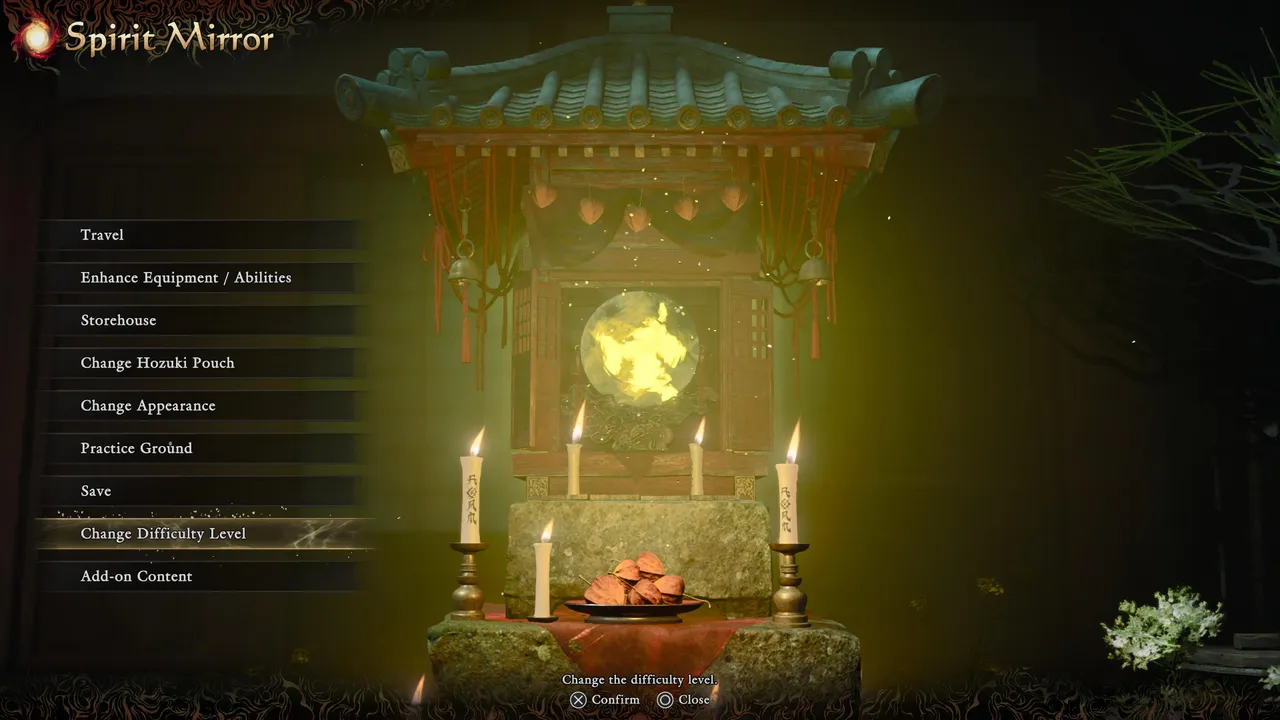
Here's the catch: once you've used that prompt to switch to Story, you can't switch back to Action from the same death screen or from anywhere in the options menu. You'll need to travel to the nearest Spirit Mirror and use the "Change Difficulty Level" option in its menu instead. That's the only place the setting actually lives outside of your initial choice and the death-screen prompt.
Carnage and New Game Plus
After beating the game, you can start a new Carnage playthrough either completely from scratch or by carrying over your finished save into New Game Plus. NG+ brings across your abilities, charms, healing pouches, and Oni armaments, along with most items you've already picked up. What doesn't carry over is any equipment upgrades you've put in, your Oni bow, and your progress on side and story missions, so treat Carnage NG+ as a genuine fresh run rather than a quick victory lap.
Quick tip: Don't restart a boss fight expecting the death-screen difficulty prompt to appear straight away. It only shows up after a handful of consecutive deaths, so if you're just having an off attempt, give it a few more tries before assuming the option isn't coming.
DON'T MISS!