Trending

Crimson Desert launched in a surprisingly good state on PC. The engine scales well across hardware tiers, and for most players the Cinematic preset will run without major issues out of the box, so hats off to Pearl Abyss for the effort. That said, Hardware Unboxed has put together an optimised settings profile that delivers around 18% better performance than Cinematic with almost no visible difference in image quality. Here is how to adjust your settings to get a little bit more performance.
Best PC settings for Crimson Desert
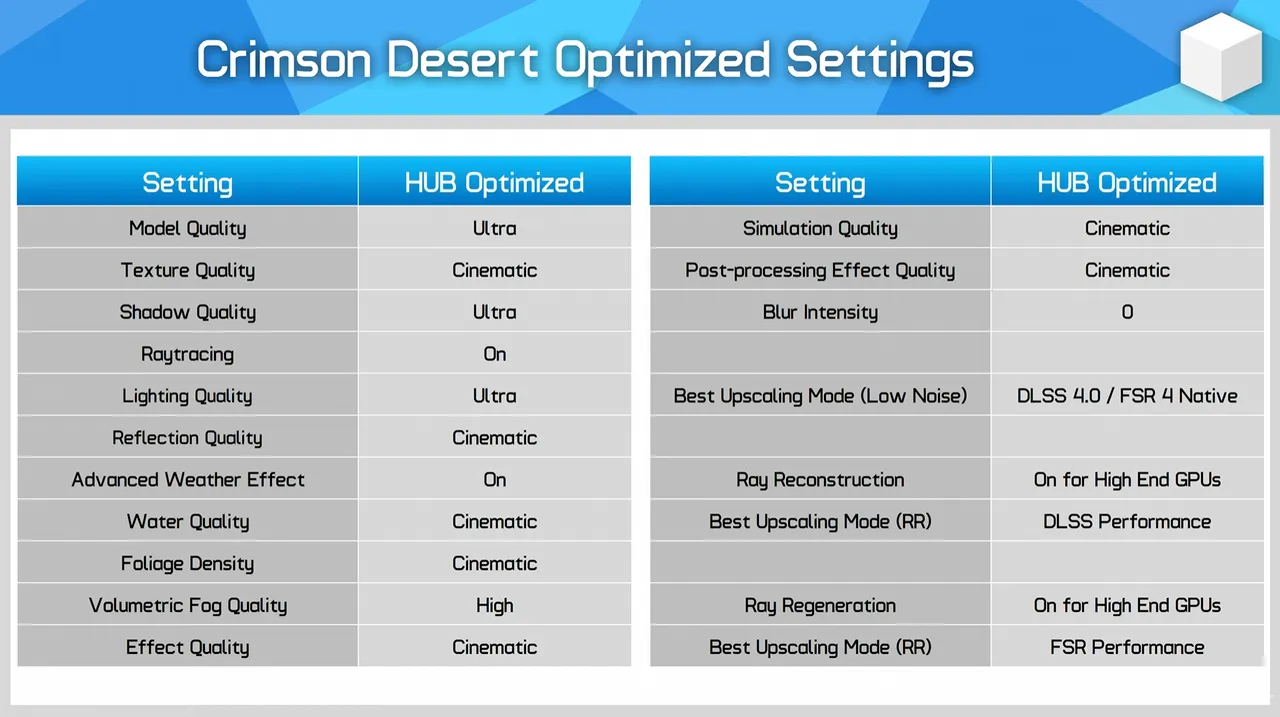
The table below covers Hardware Unboxed's recommended settings. The key changes from Cinematic are dropping Volumetric Fog Quality to High and setting Blur Intensity to 0, the latter being a no-brainer since motion blur rarely adds anything worth keeping. Everything else can stay at Cinematic or Ultra without a meaningful performance hit. For upscaling, they recommend DLSS 4.0 over DLSS 4.5 for better image quality and FSR 4 Native for AMD users. Native rendering is also a valid option given how well the game runs.
Crimson Desert Optimised Settings:
- Model Quality - Ultra
- Texture Quality - Cinematic
- Shadow Quality - Ultra
- Raytracing - On
- Lighting Quality - Ultra
- Reflection Quality - Cinematic
- Advanced Weather Effect - On
- Water Quality - Cinematic
- Foliage Density - Cinematic
- Volumetrix Fog Quality - High
- Effect Quality - Cinematic
- Simulation Quality - Cinematic
- Post-processing Effect Quality - Cinematic
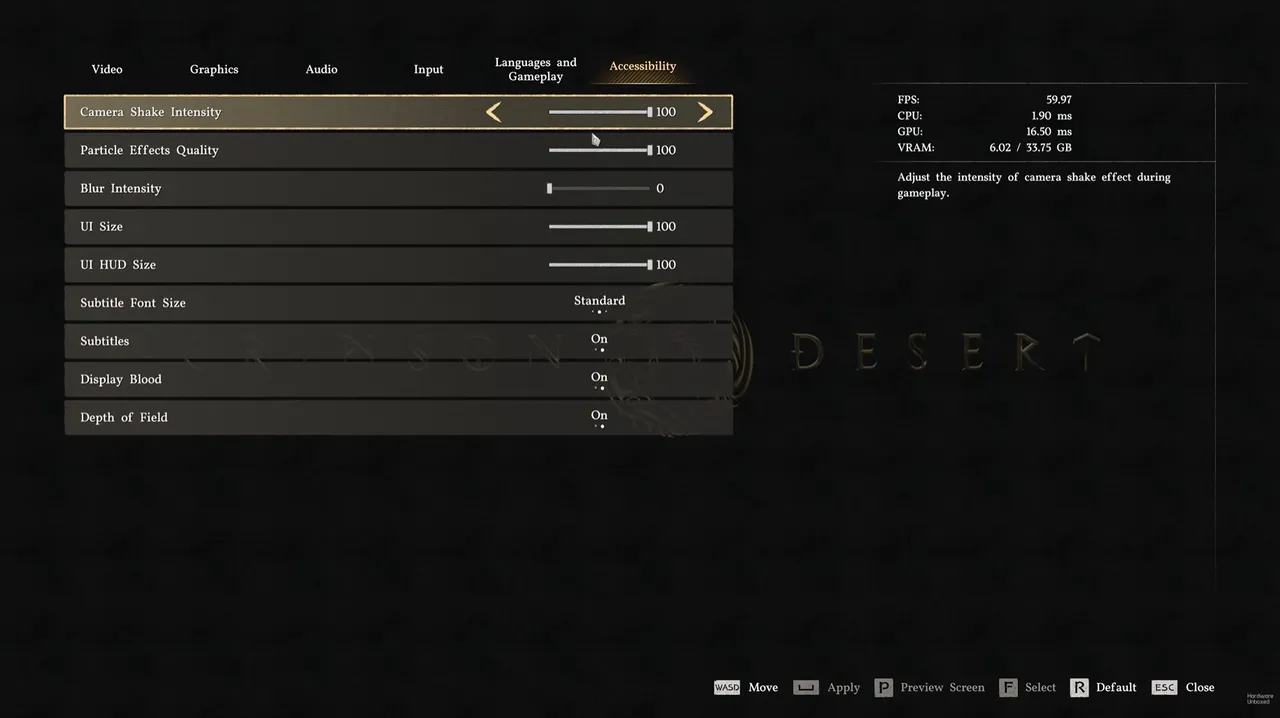
- Blur Intensity - 0
- Best Upscaling Mode (Low Noise) - DLSS 4.0/FSR 4 Native
- Ray Reconstruction - On for High-End GPUs
- Best Upscaling Mode - FSR Performance
Fixing the shadow noise problem
One issue worth flagging is a noise and artefacts problem with shadows in interior spaces, caused by the game's ray-traced lighting. If you are seeing this, there are a few fixes. Set lighting quality to cinematic or ultra, use DLSS 4.0 rather than 4.5, and do not turn off ray tracing entirely since the noise issues actually persist with RT off too. Nvidia users should enable Ray Reconstruction; AMD users Ray Regeneration. Run as high a render resolution as your hardware allows, ideally native.
Should you use ray reconstruction?
If your GPU can handle it, yes. Hardware Unboxed found that Ray Reconstruction mode appears to unlock a graphics tier beyond max settings, notably improving shadows and object quality. It is not a free performance, but if you have the headroom, it is worth enabling. Crimson Desert does not need much intervention on PC. Apply the optimised settings, sort the shadow noise if it bothers you, and enable Ray Reconstruction if your GPU is up to it. Most players will be in good shape.
DON'T MISS!