Trending
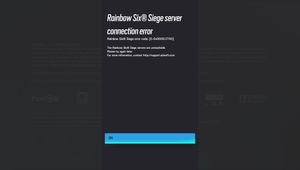
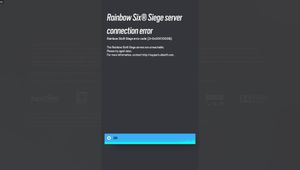
Even though Ubisoft have released Rainbow Six Siege over 8 years ago, the community still comes across issues as simple as errors in matchmaking or connecting to the servers.
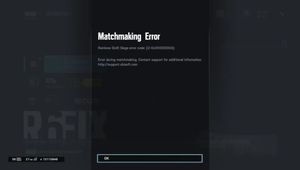
Naturally, most issues can be solved by the good old "turn it off and back on again" but sometimes that is not the case and players are left stuck and not knowing what to do. If you are experiencing error 2-0x0000d013, here is what you can do before you uninstall and reinstall the game.
If running the game as Administrator, restarting your internet router and restarting your computer does not fix the issue, try the following:

Rainbow Six Siege matchmaking error 2-0x0000d013 fix
1. Head over to D:\Steam\SteamApps\common\Tom Clancy's Rainbow Six Siege on your computer and find the files under the name uplay_r1_loader.dll & uplay_r1_loader64.dll.
2. Once the files are located, delete them (yes, you read right).
3. Once the files are located and deleted, head over to Steam and validate them (to do this simply right-click the game, click properties, click Local Files and there you can see the option to verify the integrity of game files...)
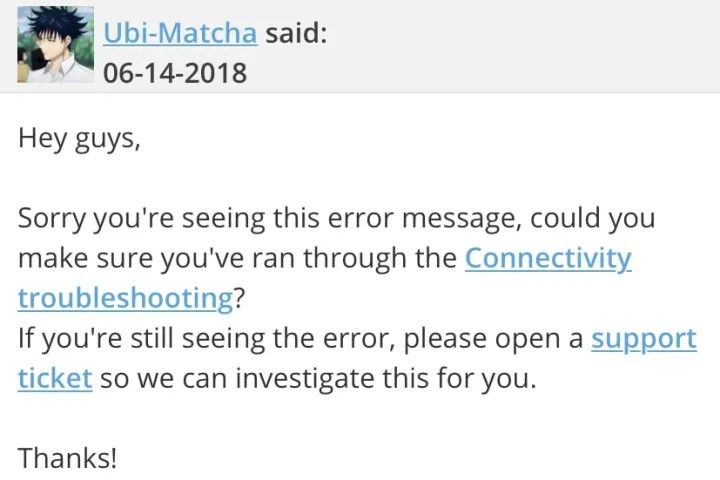
If you own a Ubisoft copy of the game head over to the Games tab and select Rainbow Six Siege. Find the properties in the menu and under Local Files choose the "Verify files" option.
It should detect 2 missed files, and download them. These files should not be larger than 50MB. Restart your launcher (Steam or Ubisoft) and launch the game.

NOTE: If you are prompted to uninstall any additional files, go ahead and do that. Validating the game files will bring back everything that had been previously uninstalled.
- Rainbow Six Siege: What is XIM and does Mouse Trap detect it?
- League of Legends 13.15 Patch Notes: Prestige Soul Fighter Shaco, Kai'sa nerf and more
- Valorant's Champions 2023 Anthem is called Ticking Away
- Valorant 7.02 patch notes: Esports Hub, bug fixes and more
- Valorant: List of all chat commands and shortcuts you can use