Trending

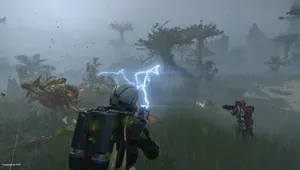
Despite a successful launch on Steam, Helldivers 2 has encountered frequent crashing issues on PC, particularly for AMD users.
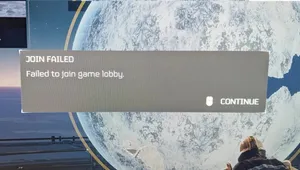
These crashes, often accompanied by black screens and matchmaking problems, are impacting the game's performance. It appears that a bug is likely the culprit behind these issues, although corrupted redistributables or antivirus interference could also play a role.
To address these problems, we've compiled a comprehensive guide with effective solutions to get your game back on track.
Basic Fixes to Try First
Before diving into more complex solutions, consider trying these basic troubleshooting steps to rule out common issues:
- Restart your computer.
- Update your GPU drivers.
- Run Helldivers 2 as an administrator.
- Close unnecessary background programs.
Effective Methods to Resolve Crashing Issues
- Whitelist Helldivers 2 in Your Antivirus: Antivirus software may mistakenly flag game files, leading to their removal and causing crashes. Whitelisting the game directory in your antivirus can prevent interference and ensure smooth gameplay.
- Reset GameGuard: Resetting GameGuard, the anti-cheat software used in Helldivers 2, can help resolve issues caused by antivirus interference. Deleting the GameGuard folder from the game directory and running the game as an administrator can give the program a fresh start.
- Disable Space Global Illumination: Turning off Space Global Illumination, especially for AMD GPUs, can prevent crashes caused by a bug in the in-game setting. Disable this feature in the game's graphics settings to see if it resolves the issue.
- Disable Steam Input: Disable Steam Input to rule out compatibility issues with custom controllers. Since Helldivers 2 already has native controller support, disabling Steam Input should not affect gameplay.
- Repair C++ Redistributables: Corrupted or missing C++ redistributable files can cause crashes in Helldivers 2. Repairing or reinstalling the required redistributables can provide the game with fresh copies of the necessary files, potentially resolving the issue.
- Disable Third-Party Overlays: Third-party overlays can consume resources and disrupt game functionality, leading to crashes. Disable any active overlays to see if they are causing the issue.
- Verify Integrity of Game Files: Use Steam's built-in tool to verify the integrity of Helldivers 2's game files. Corrupted or deleted files can be repaired or replaced, ensuring smooth gameplay.
Our Take
Addressing crashing issues in Helldivers 2 requires a combination of troubleshooting steps, ranging from basic fixes to more advanced solutions. By following these methods, players can mitigate crashes and enjoy a smoother gaming experience.
It's essential to identify and address the root cause of the problem to prevent future issues and ensure uninterrupted gameplay.
DON'T MISS:
- Helldivers 2 - Can you turn off friendly fire?
- Helldivers 2 - How to fix graphics card selection issues?
- Starfield, Hellblade 2 and more Xbox exclusives are coming to PlayStation 5, it's claimed
- God of War and Horizon Zero Dawn live-action scripts are in development, Sony confirm
- Stellar Blade, a new Sony's exclusive, has been delayed for 2024