Trending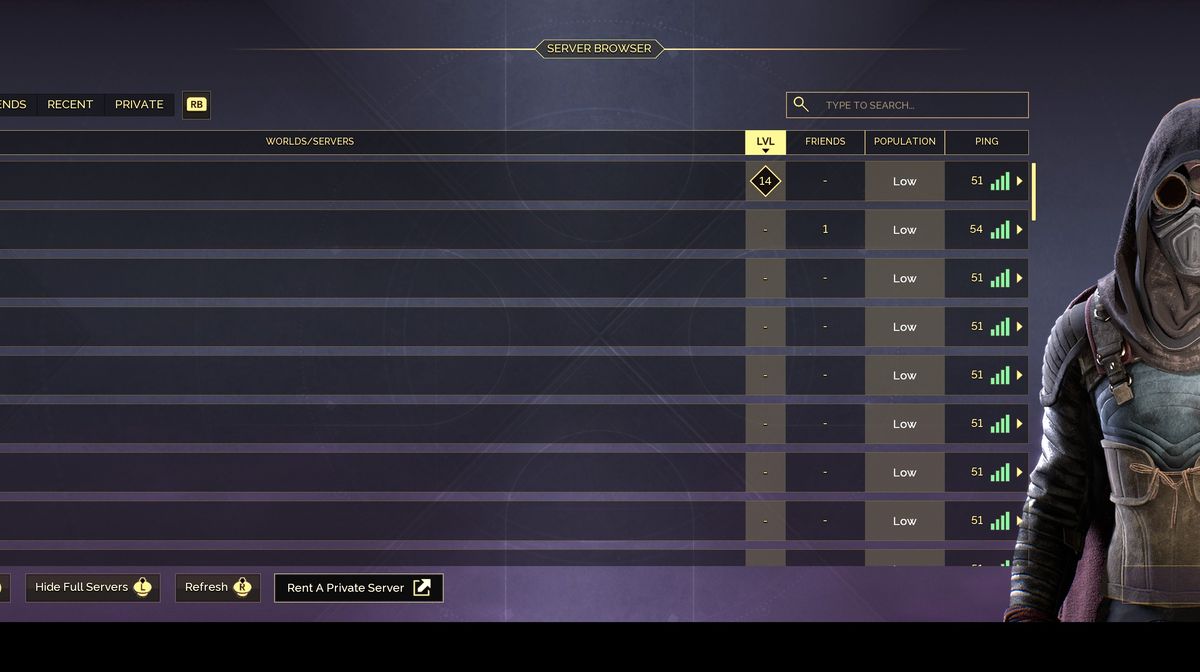
If you want to check out which genre Dune: Awakening belongs to, you'll see that this game is labelled as an MMO survival game. MMO most certainly means that the game under its label is a multiplayer title; the very label says so.
This survival game from Funcom is indeed a multiplayer title, even though the entire game can be played without connecting to multiplayer mode, even if only for a single time. This means that Dune: Awakening can be considered a single-player title as well.
In any case, if you want to connect with your friends and play the game in multiplayer, here are some tips on how to do it and what not to do to avoid some mistakes that can cost you your progress.

How to play Dune: Awakening in multiplayer
Dune: Awakening has some rules that are not usual for most multiplayer titles, and if you don't understand them properly, this multiplayer can confuse you sometimes. First of all, this game's multiplayer, especially co-op, is exclusive to your friends (the friends from your respective platform you play the game on).
However, you can play the game with strangers as well, but you must first send them a friend request, and once they accept, you can pair and play together. By strangers, we mean the random people you'll meet while playing the game. At times, you'll meet the other players, and if you want, you can interact with them and request to join their game or ask them to join yours.
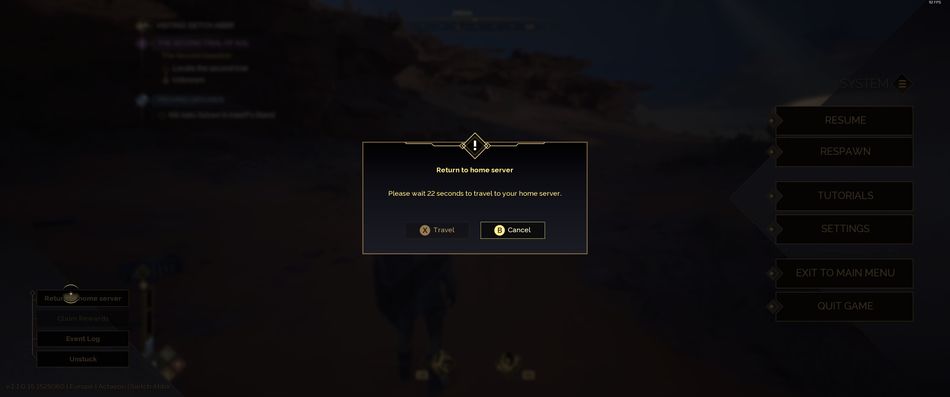
Moreover, you can play with your friends from your respective platform. In this case, you must make sure that you share the same server, or you can, from the main menu, visit their server and join their game. This action will consider you a guest on this server, and while there, you won't be able to set up the base or "claim the land" as the game suggests. As a guest on a server, you'll be able to join someone else's game and share their base; everything you do there, every item or piece of equipment you gather, will stay in your inventory, as will the skills and XP you earn.
Once the session with your friend is over, you can return to your home server, but try not to make a mistake here that happened to us, where we thought we had lost progress in the game. To return to your server, do not search for it from the server list; this action can confuse you and send you back to be someone's guest again; instead, choose the option on the left of your screen that reads "return to your home server". Once you click this option, you'll have to wait 30 seconds, and you'll be able to leave that game and return to your own.

DON'T MISS!
- Dune: Awakening - How to reset skills (respec)
- Dune: Awakening - How to get silicone blocks
- Dune: Awakening - How to start over after the death caused by the sandworm or a sandstorm
- Dune: Awakening Patch 1.1.0.15 Introduces PvP Changes, Exploit Fixes, and Stability Improvements
- Dune: Awakening - Five ways of hydrating your character