Trending
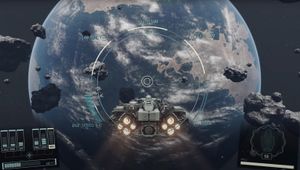
As you probably know, Starfield launched withouth Nvidia DLSS implementation which is a big shame, especially for such a massive release as Bethesda's sci-fi RPG is. The game only supports AMD FSR 2 at the moment, which is not the best upscaler on the market which is why, a working DLSS mode is already available for Starfield.
The mod is made by user called PureDark and can be downloaded for free on Nexus Mods and in this guide, we'll explain in detail how you can install it and activate DLSS 2 or Intel XeSS instead of FSR 2.
Make sure to follow the instructions closely and also refer to the posts on the mod page if you are having problems installing the mod.
How to install DLSS 2 and XeSS in Starfield?
Files that you need
First, download the Starfield Upscaler mod. Then, make sure to download nvngx_dlss.dll file if you want to use DLSS or libxess.dll if you prefer XeSS. Also, you will need to download Upscaler Base Plugin mod. All files are completly safe so don't freak out if Windows marks one of the DLLs as harmful.
Installation instructions
- Extract the Starfield Upscaler mod content to the game's root folder.
- Steam: SteamLibrary\steamapps\common\Starfield
- Xbox app: XboxGames\Starfield\Content
- Place PDPerfplugin.dll file from the Upscaler Base Plugin folder to mods/UpscalerBasePlugin folder, which you just extracted in the game's root folder.
- Place nvngx_dlss.dll and libxess.dll to mods/UpscalerBasePlugin folder.
- Start the game and turn ON FSR 2 in the game's settings. We need it on since the mod replaces FSR.
- Press END button when in game to open the upscaler tool menu and select your prefered solution.
Notes:
- We did our best to explain how to install this mod but if you're having troubles, check out the mod page for full details and troubleshooting.
- If the mod doesn't work for some reason, try placing nvngx_dlss.dll and libxess.dll files in the same folder as Starfield.exe.
- DLSS 2 may not give you more performance but it looks better than FSR 2 especially in motion.
- This is unofficial DLSS implementation so it may not work as intended. Keep that in mind!
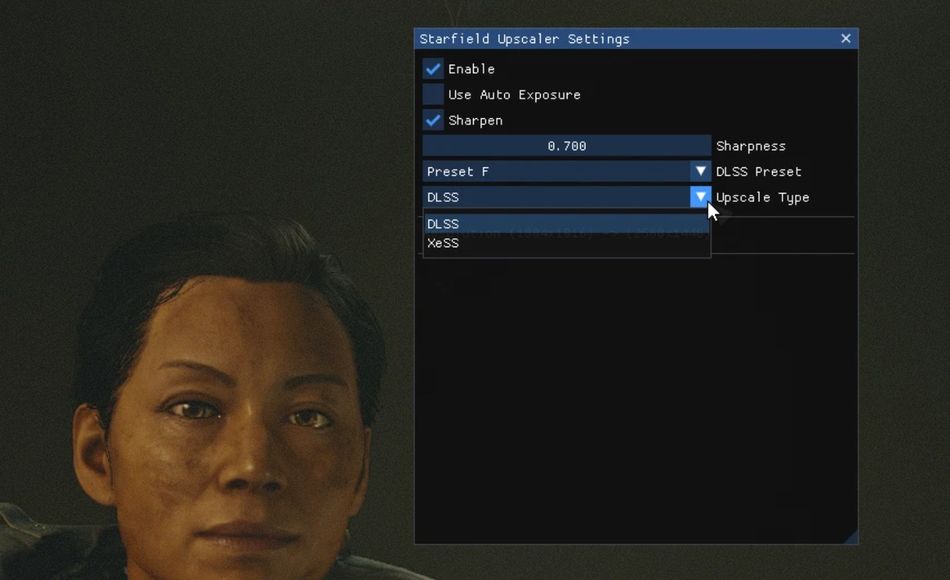
Hopefully, this guide was helpful and you now rock DLSS 2 in Starfield instead of FSR 2. In an ideal world, Starfield would launch with all three upscalers so players can choose themselves but it is what it is. Let's just hope we won't be waiting for too long for the official DLSS implementation.
DON'T MISS: