Trending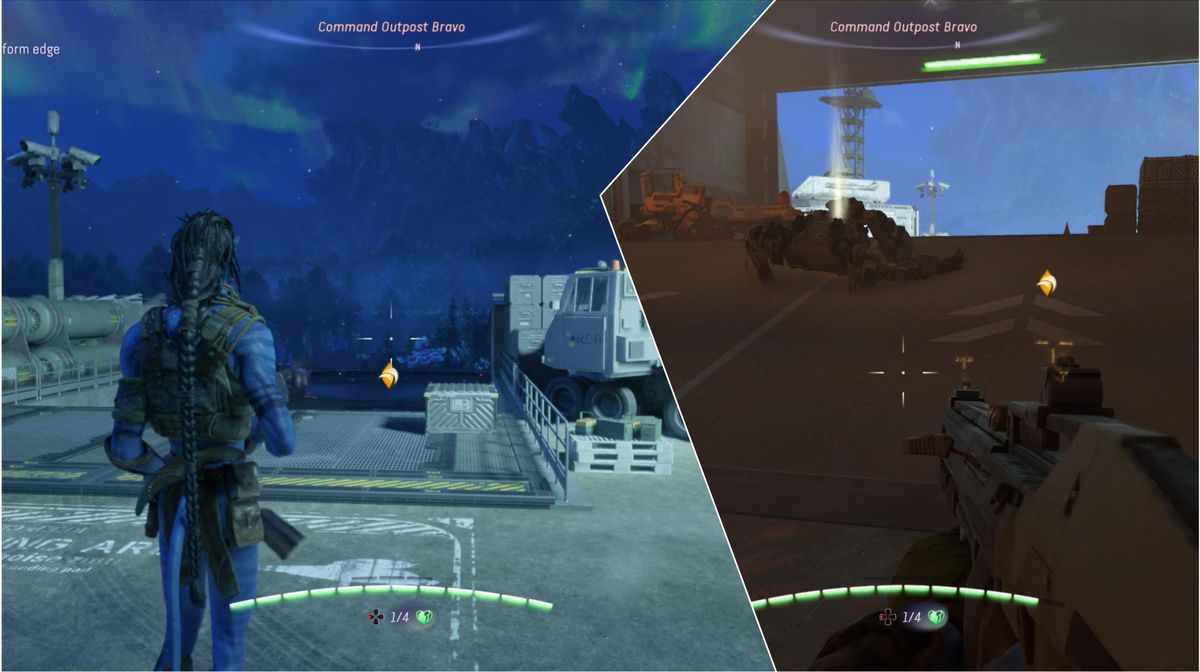
Avatar: Frontiers of Pandora – From the Ashes is a new expansion for Avatar: Frontiers of Pandora, Ubisoft's action adventure set in the world of James Cameron's Avatar. The original game was released two years ago, and now we have the opportunity to dive inside the world of Na'vi people once more in a brand-new expansion to the original story.
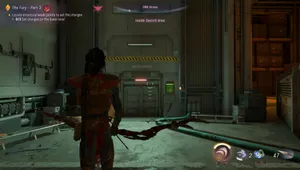
If you get your hands on the From the Ashes expansion, you've probably immediately noticed that the camera perspective is changed, and instead of the iconic first-person perspective, you will control your Na'vi hero in third person.
However, the camera perspective can be changed very easily in the game, and in this guide, we will show you how to do it effortlessly.

How to switch between third-person and first-person camera perspectives
By default, the From the Ashes expansion camera is set in third-person perspective; however, reverting back to the first-person view is as easy as pressing and holding a single button.
To switch easily between camera perspectives mid-game, you'll need to press and hold the Touchpad button (PlayStation controller). Just press and hold this button, and you'll get a smooth animation of switching between camera perspectives, and you can do it whenever you like.
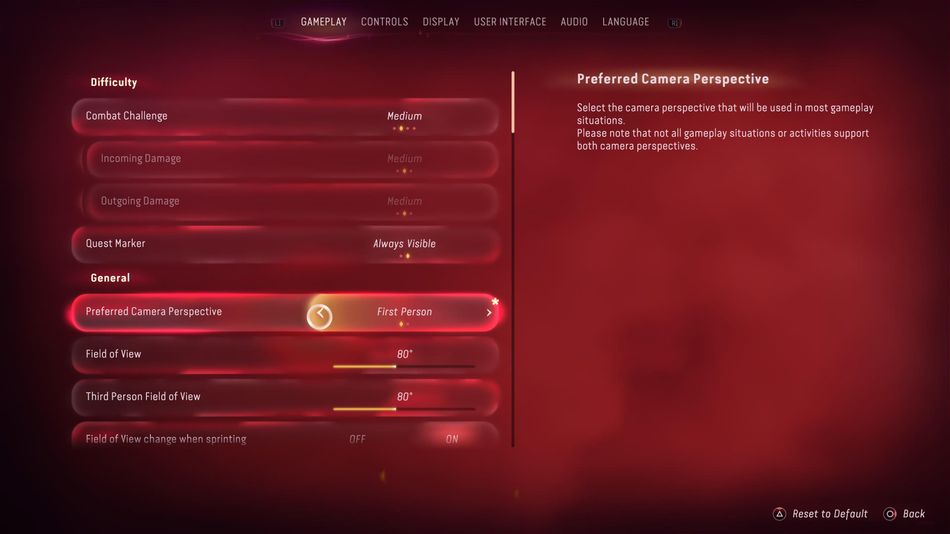
You can change camera perspective through the options menu as well. To do it, you can press the options button on the controller, press the left arrow on the D-Pad, enter the settings menu, and under the gameplay, look for the 'Preferred Camera Perspective' option. Here, you can choose between the third and the first person camera.
Is the gameplay affected by different camera perspectives?
When you try to switch between the camera perspectives inside the settings menu, the game will warn you that not all the situations and activities are supported by both camera perspectives, so in some cases, the game will change the camera view on its own; however, once those situations end, the camera will return to your preferred perspective again.
DON'T MISS!
- Avatar: Frontiers of Pandora - Laser Ore Processor Alpha RDA Base guide
- Avatar: Frontiers of Pandora - Stalking predators, who are they and how to deal with them?
- Avatar: Frontiers of Pandora - The best way to fly Ikran
- Avatar: Frontiers of Pandora - All weapon types
- Avatar: Frontiers of Pandora - Crafting gear process explained