Trending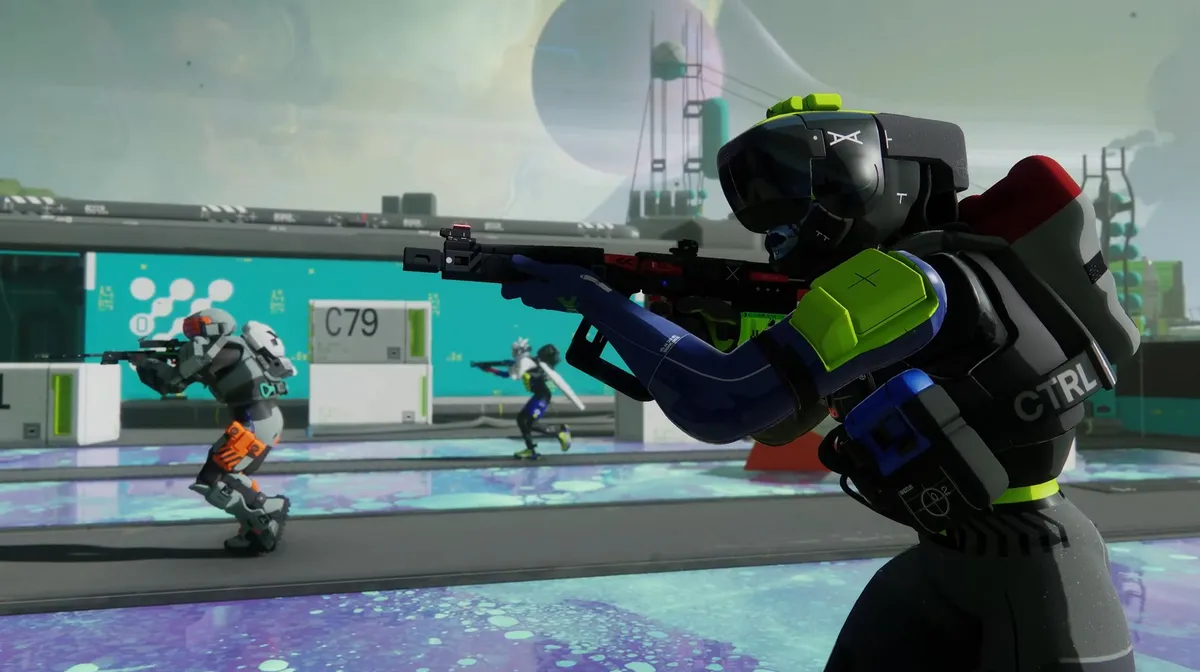
Marathon Server Slam has taken off as the game's open beta went live across all platforms on February 26, 2026. This is the first major public playtest of the game ahead of its slated release on March 5, 2026.
While the launch of the server slam has been fairly smooth sailing for most players, some players have reportedly faced a Currant error code and mouse input not working issue. If your mouse input is not working in Marathon Server Slam, then rest assured, as here are the best fixes you can use to solve this error.
How to Fix Mouse Not Working Error in Marathon Server Slam
According to Bungie, the mouse not working error is chained to streaming and launcher platforms like Discord, OBS, and Steam. You might end up facing this error if you are trying to stream Marathon or capture gameplay using software. Here are the fixes you can use to get rid of this issue in Marathon Server Slam:
- If streaming, try streaming the whole screen and not the Marathon game window specifically.
- If not streaming, or if the above doesn't work, try disabling Discord or Steam overlays.
- For Steam, click Settings → In Game and then toggle off "Enable the Steam Overlay while in-game".
- For Discord, click Settings → Game Overlay and then toggle off "Enable Overlay" or "Enable Legacy Overlay"
- Also turn off game detection through the Register Games tab.
- Some third-party utilities can also introduce this problem. Try closing any screen sharing, screen capture, or screen measurement utilities.
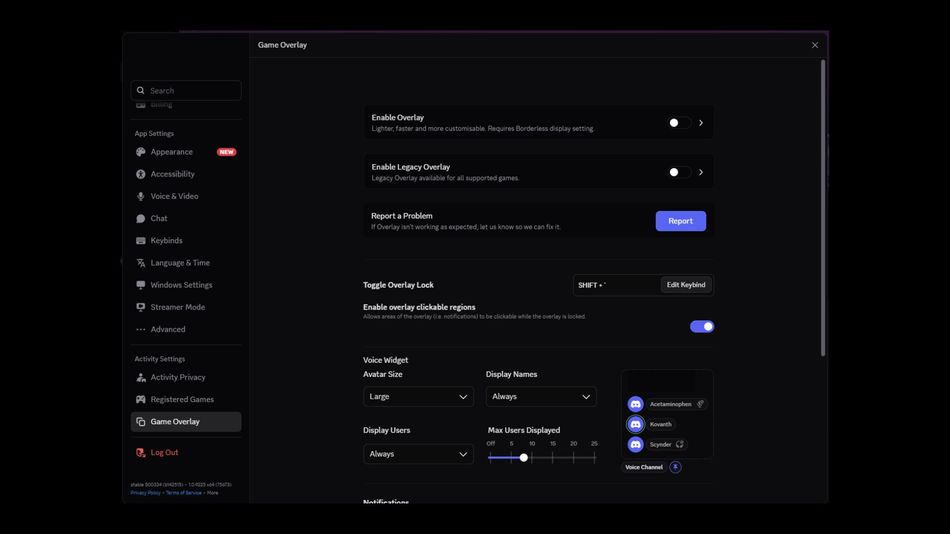
If you're still facing this issue after following the aforementioned steps, then try turning off Discord completely. Once you turn off Discord, you will notice that your mouse input is back to normal. Unfortunately, if the error is still persistent, keep your patience and wait for Bungie to drop a hotfix addressing this issue entirely.
DON'T MISS:
- Xbox Free Play Days adds Marathon (Server Slam), Atari 50, Anno 117: Pax Romana and more
- Marathon ‘Currant’ error code explained and possible fixes during Server Slam
- Marathon Server Slam: Start date, Platforms, Rewards and Everything you need to know
- Marathon: How to Get All the Server Slam Twitch Drops












![Marathon: Protect/Destroy [5/5] Quest Guide](https://media.altchar.com/prod/images/gm_medium_thumbnail/10ff401bb757-2026marathonlaunchpresskitcompressed004.webp)
![Marathon: Protect/Destroy [4/5] Quest Guide](https://media.altchar.com/prod/images/gm_medium_thumbnail/23cc0ff4f9ce-2026marathonlaunchpresskitcompressed002.webp)
![Marathon: Protect Destroy [3/5] Quest Guide](https://media.altchar.com/prod/images/gm_medium_thumbnail/b19c6f6d7c20-marathonlaunchcinematicselects01.webp)
![Marathon: Protect Destroy [2/5] Quest Guide](https://media.altchar.com/prod/images/gm_medium_thumbnail/b2685c265f9d-marathonlaunchcinematicselects03.webp)
![Marathon: Protect Destroy [1/5] Quest Guide](https://media.altchar.com/prod/images/gm_medium_thumbnail/9c843d59642a-marathon-protectdestroy-1.webp)