Trending
![Marathon: Protect Destroy [2/5] Quest Guide](https://media.altchar.com/prod/images/gm_featured_image/b2685c265f9d-marathonlaunchcinematicselects03.webp)
Protect/Destroy is a series of contracts you need to complete for the MIDA faction in Marathon. In Protect Destroy [2/5], you need to download malware, then submit a dropship request, and upload the malware to that dropship. Thanks to Buincey on YouTube, we were able to get a clear outline of the contract.
Here's how you can complete all the objectives in the Protect/Destroy [2/5] contract.
Download malware from terminal in West Gate gatehouse
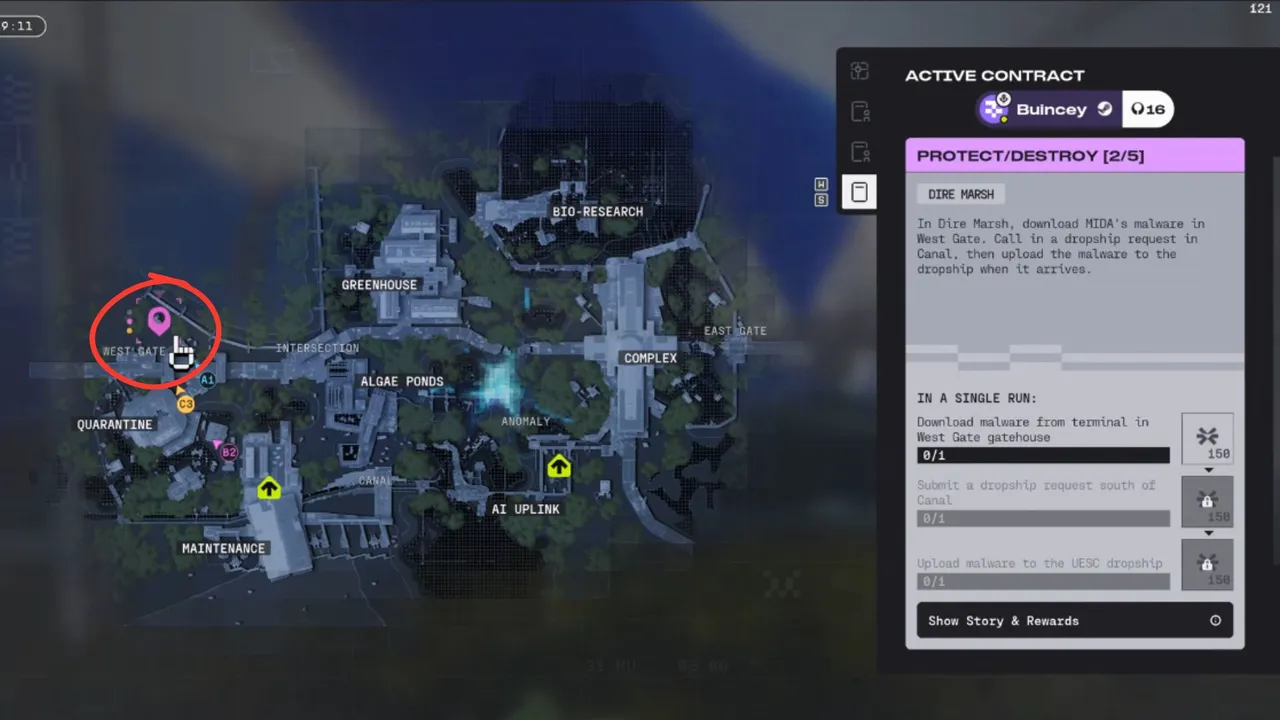
After deploying on Dire Marsh, head to the West Gate POI north of Quarantine. Now head to the building marked with the number "196"; you will easily spot it as the big blue structure in the middle of the road.
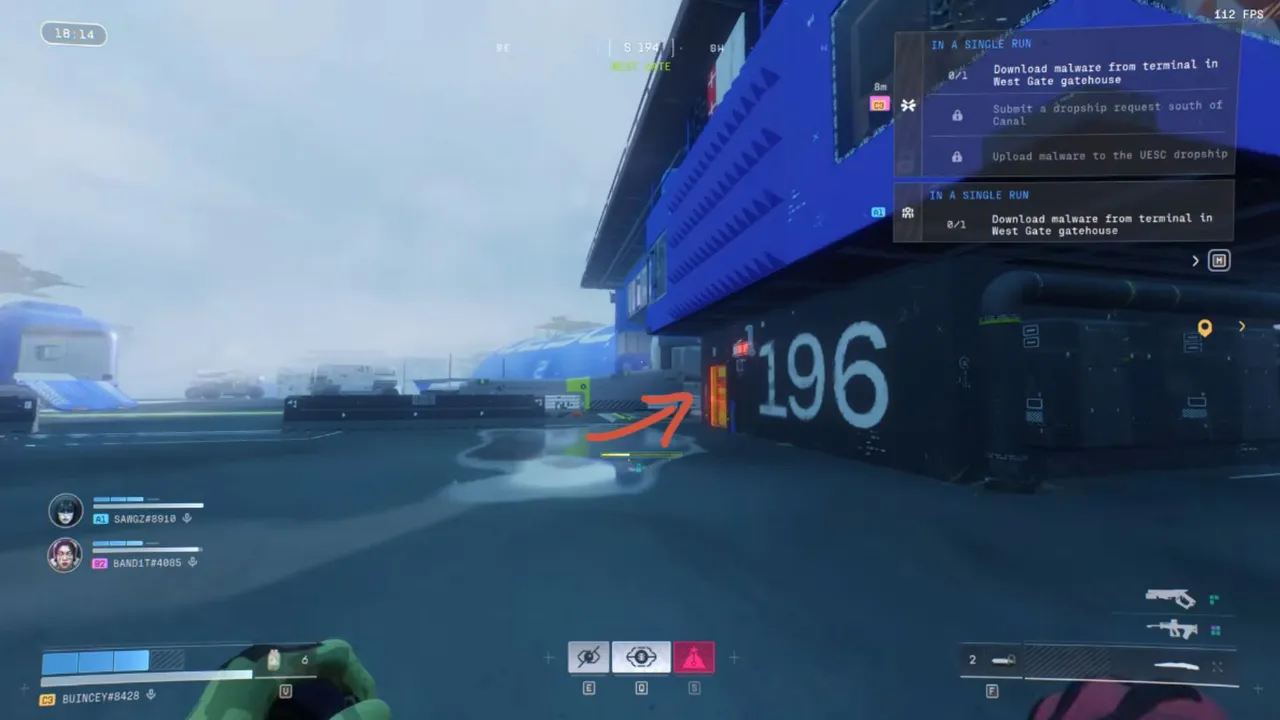
Head to the top floor of the building and look for a small vent to enter the building. Once inside, slowly navigate to the bottom floor, and you'll find the terminal marked with a green icon. Download the malware from the terminal.
Submit a dropship request south of Canal
After downloading the malware, head to the south of the Canal POI. Then enter the room shown below to submit a dropship request. Once the request goes through, some NPCs will spawn; make sure to take them out.
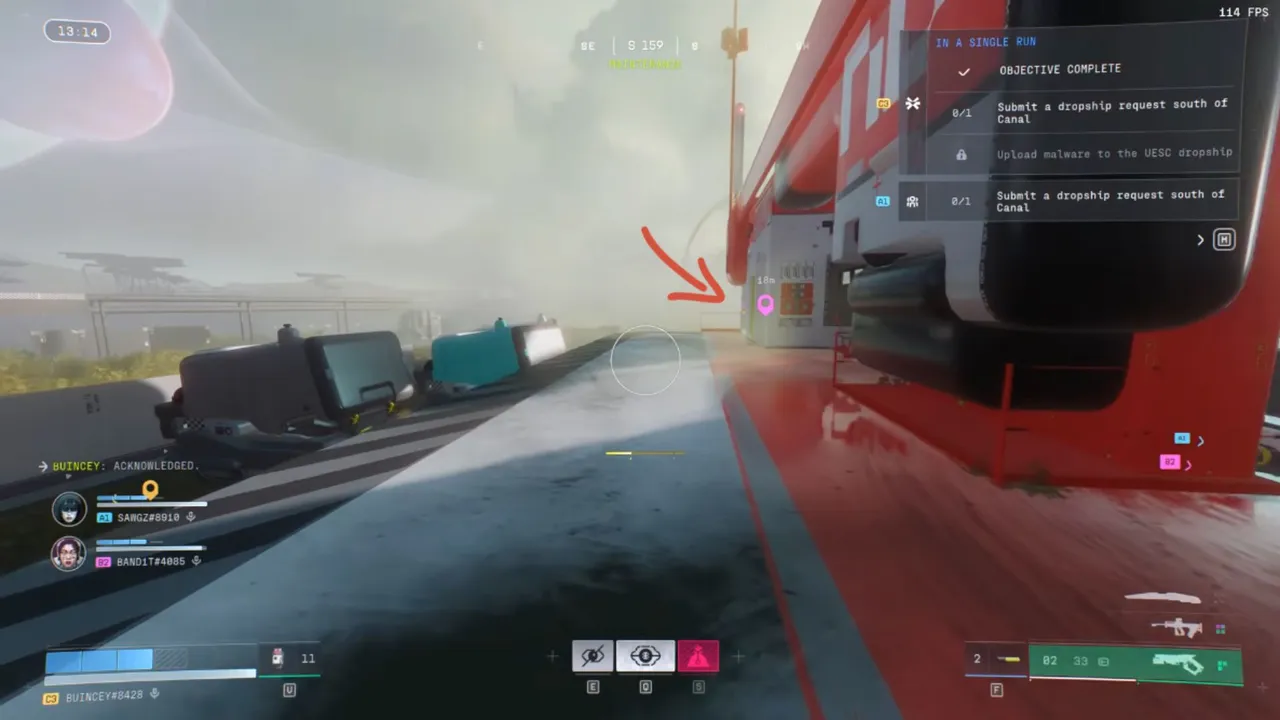
Upload malware to the USEC dropship
Once the dropship lands near the request point, you'll have around 3 minutes to complete the objective. Slowly make your way to the top of the dropship, and you will find a prompt for uploading the malware. Once initiated, wait for the download to complete, and your quest will be done.
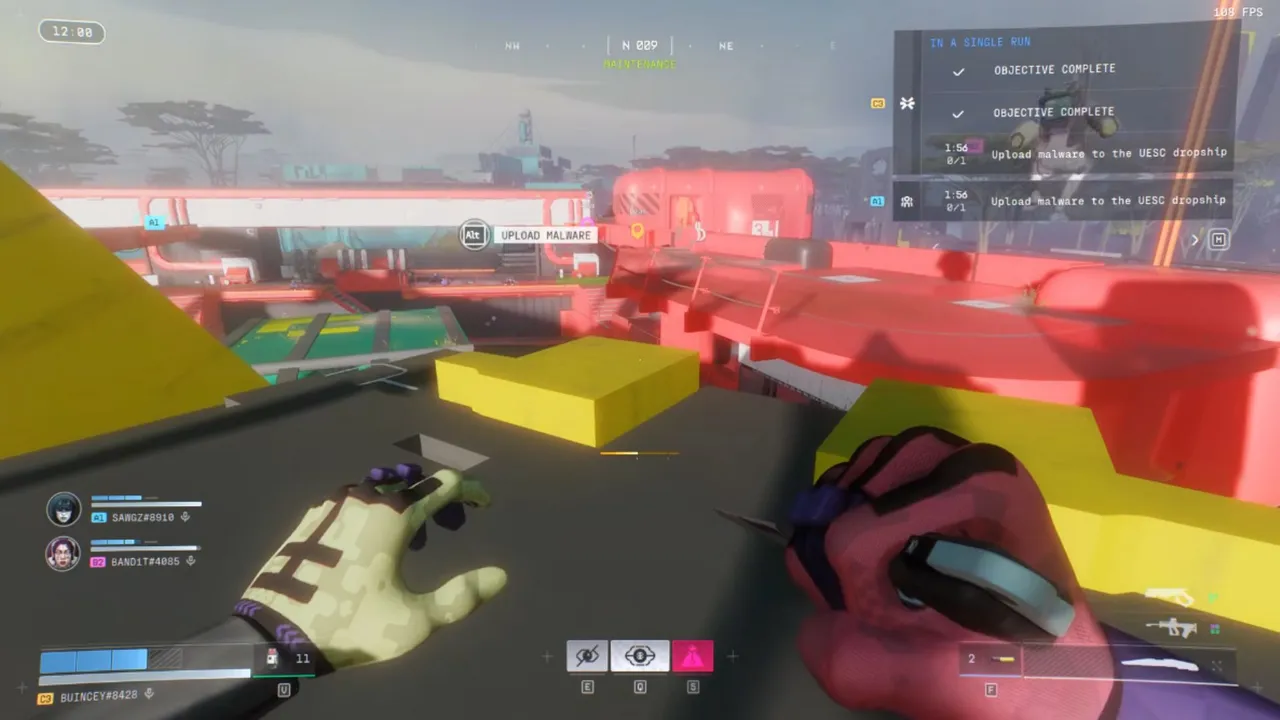
While this quest is fairly straightforward, there's a major chance of getting into combat at every POI before you complete the contract. Make sure to stay aware and not get killed, as you have to complete this contract in a single run.












![Marathon: Protect/Destroy [5/5] Quest Guide](https://media.altchar.com/prod/images/gm_medium_thumbnail/10ff401bb757-2026marathonlaunchpresskitcompressed004.webp)
![Marathon: Protect/Destroy [4/5] Quest Guide](https://media.altchar.com/prod/images/gm_medium_thumbnail/23cc0ff4f9ce-2026marathonlaunchpresskitcompressed002.webp)
![Marathon: Protect Destroy [3/5] Quest Guide](https://media.altchar.com/prod/images/gm_medium_thumbnail/b19c6f6d7c20-marathonlaunchcinematicselects01.webp)
![Marathon: Protect Destroy [1/5] Quest Guide](https://media.altchar.com/prod/images/gm_medium_thumbnail/9c843d59642a-marathon-protectdestroy-1.webp)