Trending
![Marathon: Protect/Destroy [4/5] Quest Guide](https://media.altchar.com/prod/images/gm_featured_image/23cc0ff4f9ce-2026marathonlaunchpresskitcompressed002.webp)
Protect/Destroy is a series of contracts you need to complete for the MIDA faction in Marathon. In Protect Destroy [4/5], you need to first download a shipping manifest from a terminal, scan tagged containers, and then hack a terminal. Thanks to Buincey on YouTube, we were able to get a clear outline of the contract.
Here's how you can complete all the objectives in the Protect/Destroy [4/5] contract.
Download Shipping manifest from terminal in Northwest Processing
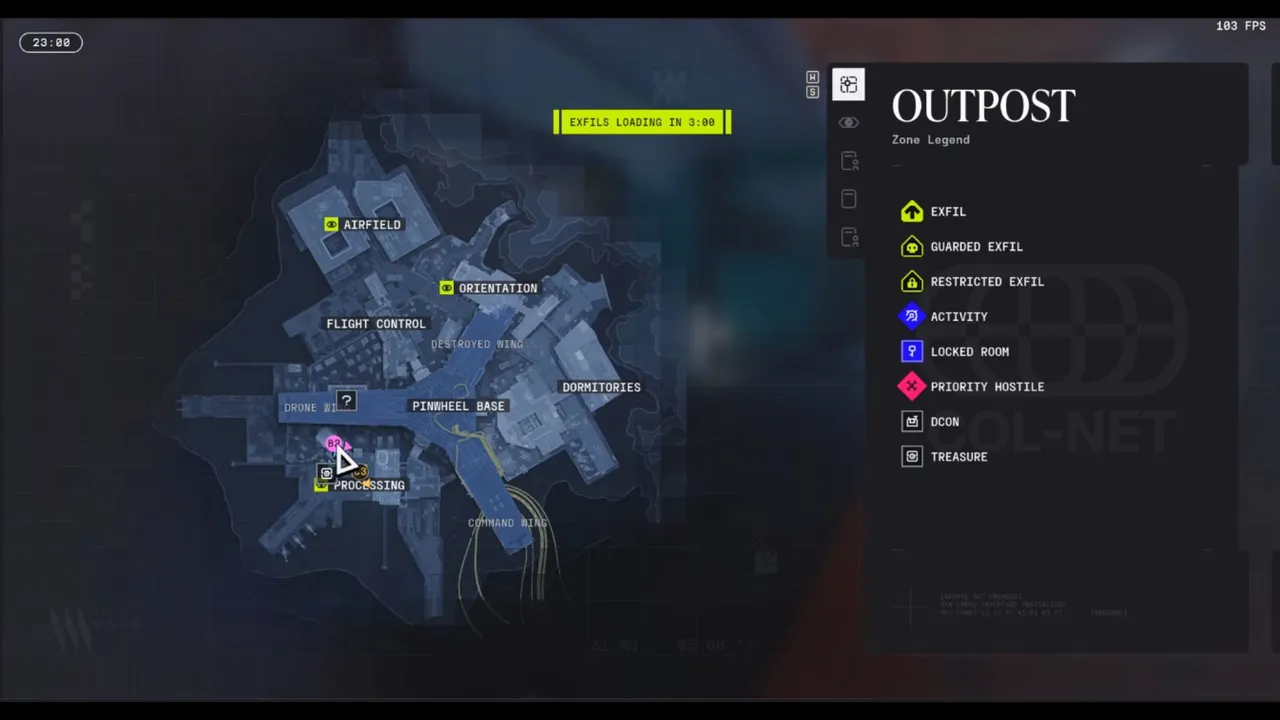
First, head to Processing in the Outpost map. Head inside the marked building on the map and head to the second floor. You will see a green icon indicating the terminal you need to interact with for the shipping manifest. Once you obtain the shipping manifest, move on to the next objective.
Scan tagged containers in Airfield
With the shipping manifest, head to the Airfield POI north of the Outpost map. Then head into building 2 to find white-coloured shipping containers marked by a green icon.
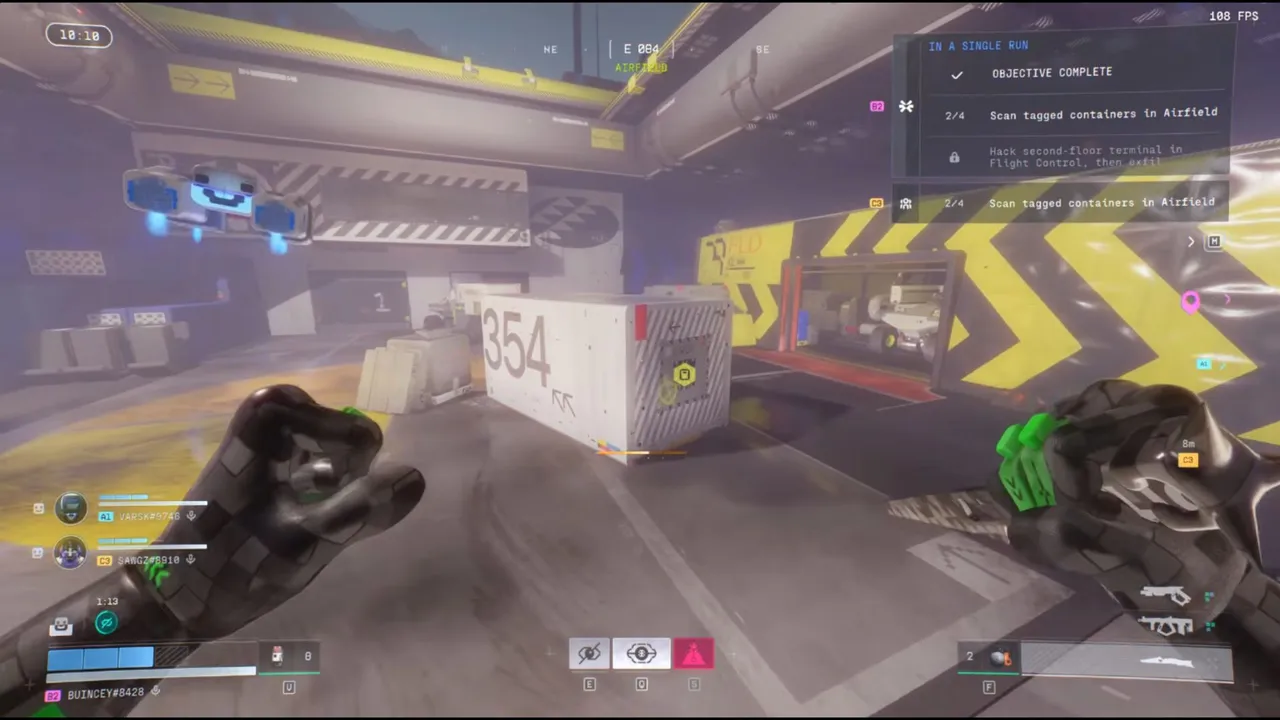
After scanning the two containers in building 2, head outside to scan the remaining two containers. As soon as you're done scanning the containers, move on to the last part of the contract.
Hack second-floor terminal in Flight Control, then exfil
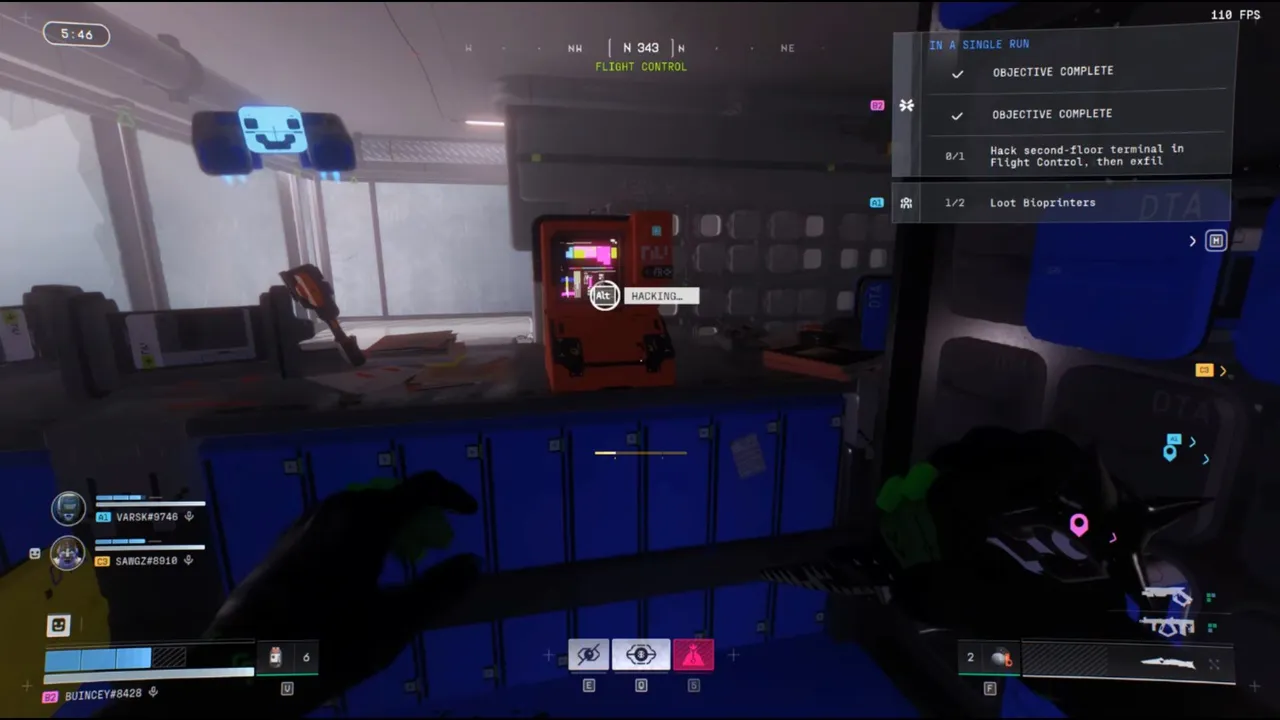
Now make your way to the Flight Control POI on Outpost and head to the second floor of the building to look for the terminal. You will find the terminal marked with the same green icon in the northwest corner of the second floor. Interact with the terminal to complete the hack and then successfully exfil to complete the contract.
As you're going to be moving through 3 POIs, you're going to face a lot of USEC AI and actual players on the way. Make sure to come prepared, as you need to complete this contract in a single run, without dying and then getting out by successfully extracting.












![Marathon: Protect/Destroy [5/5] Quest Guide](https://media.altchar.com/prod/images/gm_medium_thumbnail/10ff401bb757-2026marathonlaunchpresskitcompressed004.webp)
![Marathon: Protect Destroy [3/5] Quest Guide](https://media.altchar.com/prod/images/gm_medium_thumbnail/b19c6f6d7c20-marathonlaunchcinematicselects01.webp)
![Marathon: Protect Destroy [2/5] Quest Guide](https://media.altchar.com/prod/images/gm_medium_thumbnail/b2685c265f9d-marathonlaunchcinematicselects03.webp)
![Marathon: Protect Destroy [1/5] Quest Guide](https://media.altchar.com/prod/images/gm_medium_thumbnail/9c843d59642a-marathon-protectdestroy-1.webp)