Trending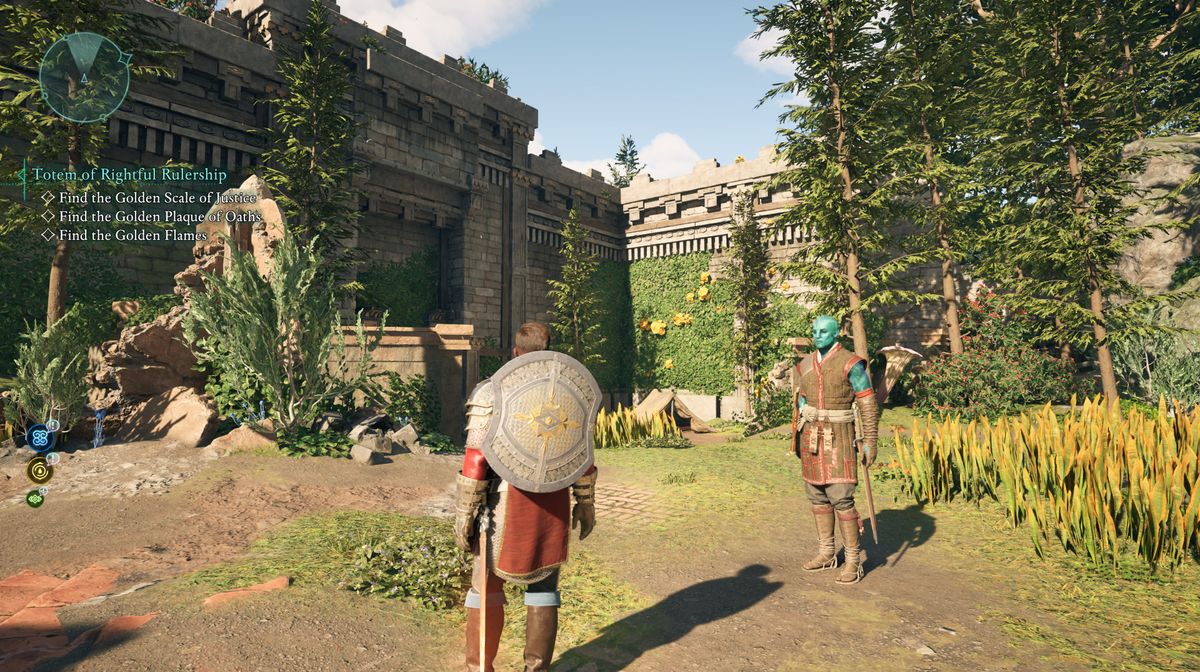
Avowed is Obsidian Entertainment's biggest RPG yet, with the world full of things to do, secrets to discover, and all that using either the first or third perspective—yes, if you didn't know, the game can be played as the first-person RPG, or in a more classic way, watching your character in the third person.
Contrary to other mechanics that are explained in detail at the beginning of the game, this isn't mentioned even once, and there are a lot of players who don't even know that this option exists in the first place.
If you don't know how to swith perspectives in Avowed, we've prepared a guide for you to explain you this in-game mechanic.
How to switch perspectives in Avowed
There aren't many games in general that support the switching between perspectives, and in those that do support this feature, one of the perspectives usually works well, while the other is clunky and sometimes even hardly playable.
However, in the case of Avowed, we must inform you that regardless of which of the two perspectives you choose, both work like a charm. Even better news is that you can easily switch between them—with no more than the pressing of a single button.
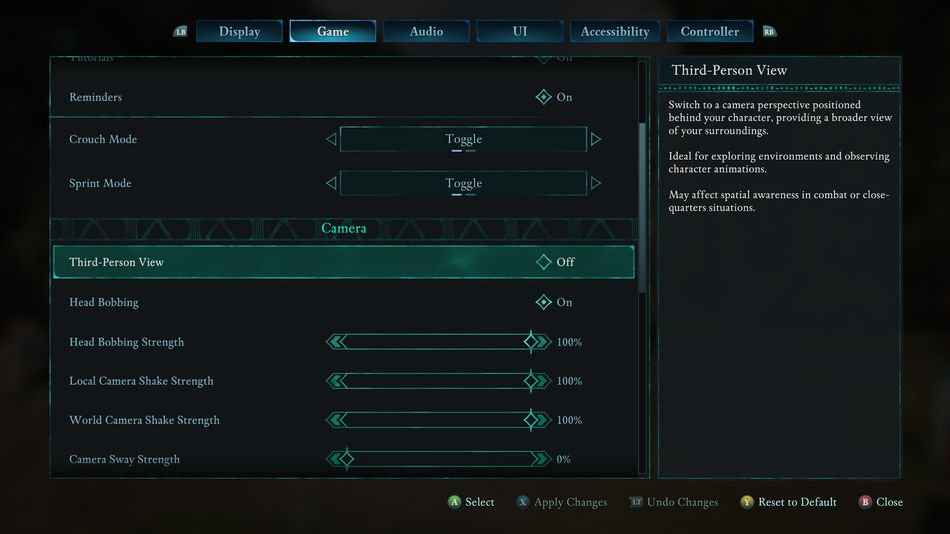
Switching between perspectives can be done in the options menu, and that's the harder way, but if you want to do it mid-game, all you need to do is hold the RS (right stick) button on the Xbox controller, or the U key on your keyboard, as simple as that.
Doing so, you can play the game from one perspective for as long as you like, and if you want to get back to the other perspective, just hold the same command again, and it will switch back.

DON'T MISS!