Trending
Riot Games, the developer of the popular online game League of Legends, is currently working to resolve a critical error bug that has been affecting players.
The bug causes the game to crash and display an error message, which has frustrated many users. Riot Games has acknowledged the issue and is working to fix it as quickly as possible.
They have also advised players to update their graphics drivers and disable any third-party software that may be causing conflicts. The company has apologized for any inconvenience caused and is committed to providing a stable and enjoyable gaming experience for its users.

Fixing the Critical Error
There are several possible solutions for the critical error bug in League of Legends, here is one of the best solutions:
- Set LoLClient.exe properties in Windows: “disable Full-screen optimizations.”
- Set the LoLClient.exe properties in Windows: “Run as Administrator.”
- In the League client, click the settings icon -> General -> Set Close client during the game to ALWAYS
- In the League client, click the settings icon -> Game -> select “Prefer DX9 Legacy Mode.”
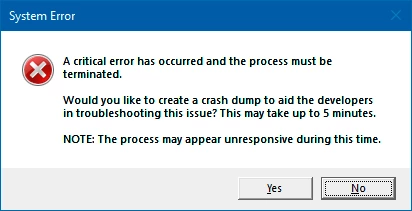
Riot Games has apologized for the issue and is working to resolve it as quickly as possible. They have suggested some solutions to mitigate the problem, including updating graphics drivers and disabling conflicting third-party software.
The company is committed to providing a stable and enjoyable gaming experience for its players and is actively addressing the issue.

DON'T MISS:
- League of Legends: Aram turrets receive major overhaul in patch 13.5
- League of Legends - Azir mini-rework: Abilities, Release date and more
- League of Legends: Game mode 2v2v2v2 - Everything you need to know
- League of Legends 2023: Clash schedule is officially out
- League of Legends: ARAM Clash is returning in 2023