Trending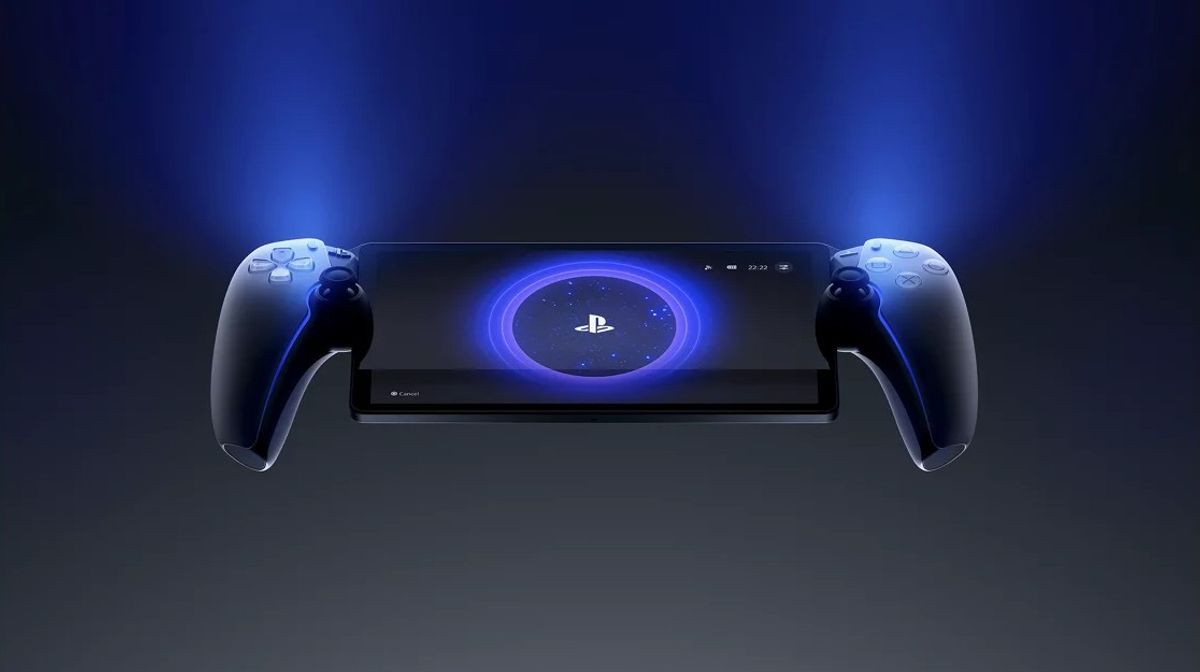

Update 6.0.0 for the PlayStation Portal is now available, and it's the biggest update the PlayStation Portal has gotten since release. The first big feature is PS5 Cloud Streaming support for PlayStation Plus Premium members, which lets you stream certain PS5 games to your Portal, even if your console is turned off. You can view the list of cloud-enabled games, purchase games while you're streaming, and join games without having to return to the dashboard.
The PlayStation Portal's interface is also getting a visual overhaul, with a new home screen designed to make navigation between games easier and the device more responsive overall. System-wide, the Portal is now capable of 3D audio when streaming through Remote Play or cloud streaming when a supported headset is plugged into the device, giving it an edge over other handhelds.
You can also now view the profiles of other users on the device, view network-status information, and send feedback for Remote Play directly to Sony. The system has also gained a new optional passcode to protect access to your device as well. Version 6.0.0 is available to download now.

PS5 Cloud Streaming Features
PS5 cloud streaming is available now for PlayStation Plus Premium members on the Portal, allowing users to:
- Stream certain titles from the PS5 library without having to turn on their console
- Search for cloud-enabled games through new search features
- Purchase in-stream
- Accept multiplayer invitations to games from the quick menu
The feature provides an easier way to access games remotely on PS5 and enter games faster with less requirements on the user’s side device.
Accessibility Improvements
Sony has also introduced new accessibility features for cloud streaming, such as text size support and the Screen Reader tool.
You can find those under:
- Settings > Cloud Streaming > Accessibility Settings for Cloud Streaming
You can also view other user profiles while in a cloud streaming session.

System Enhancements
In addition to features for cloud streaming, the following features have been improved or introduced:
- Home screen has been redesigned for ease of use
- PS Button quick menu can be accessed from most screens
- 3D audio support when playing with a compatible headset
- Submit feedback directly from your Remote Play experience
- Network-status readout available under: Quick Menu > Troubleshoot > Show Network Status
- Passcode lock available under: Settings > System > Passcode
General system performance and stability have been improved for faster transitions and clearer on-screen messaging.
Full Patch Notes - Version 6.0.0
New Features
- PS5 Cloud Streaming for PlayStation Plus Premium
- Search tools for cloud titlesIn-stream purchases enabled
- Multiplayer session joining via quick menu
- View player profiles while streaming
- New accessibility tools: Text Size, Screen Reader
System and UI Changes
- Home screen redesign
- Widespread quick-menu access
- 3D audio compatibility via Remote Play / Cloud Streaming
- Remote Play feedback submission
- Network-status check
- Passcode lock option
Performance
- General performance and stability upgrades
- Improved usability and messaging

DON'T MISS: