Trending
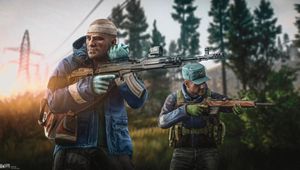
For a while now, a lot of the players have complained about Escape from Tarkov having a weird issue causing players to lag and the game to stutter when the player shoots.
Battlestate games did tackle this issue but the solution is very hard to dig up. The following steps will enable you to run your favourite shooter as smoothly as butter.
1. Check if the monitor is connected to the integrated graphics card.
2. Close all running programs.
3. Install Display Driver Uninstaller: https://www.guru3d.com/files-details/display-driver-uninstaller-download.html
4. Launch the installed program.
5. In the Options window that appears, clear all the checkboxes except those in the "NVidia Specific Options" section.
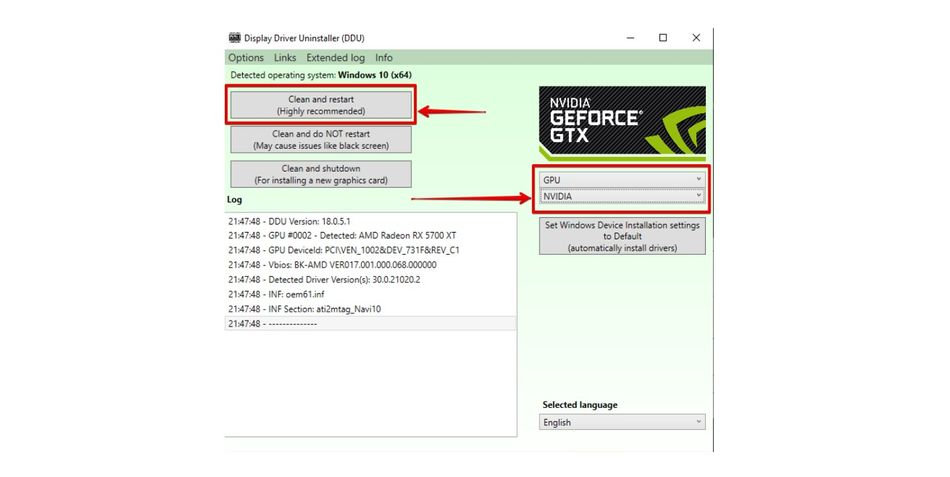
6. The checkboxes in the "NVidia Specific Options" section should be left as is: all except Remove PhysX are highlighted.
7. Click "Close" in the "Options" window.8. In the main program window choose "GPU" in the "Select device type" line.
9. In the line "Select device" select "NVidia".
10. Press the "Clean and restart" button.
11. Wait until the program finishes.
The program will automatically restart your computer upon completion.
Once this is done and your computer has restarted, the lag and stuttering should stop and your game should run as nicely as intended.
DON'T MISS:
- How to do the letter quest in Escape From Tarkov - Postman Pat
- Rainbow Six Siege - Ghosteyes squad revealed, battlepass rework and more
- Escape From Tarkov - How to fix "Local problems on POST"
- All operators who are part of Rainbow Six Siege's Wolfguard squad
- Rainbow Six Siege - How to fix error code 0-0x00000001
- Rainbow Six Siege - List of all playable maps for each game mode
- What is the Sanitar Letter Quest and how to do it - Escape from Tarkov