Trending
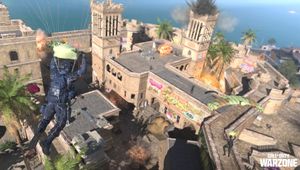
As Season 5 kicks off, ensuring the best Call of Duty: Warzone 2 PC settings can greatly enhance your gaming experience. Whether it's avoiding stutters or frame drops, having the right settings is crucial for seamless gameplay.
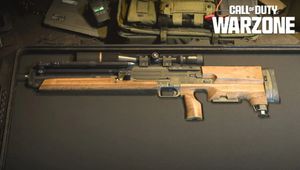
The new season introduces the FR Avancer and Carrack .300 weapons, along with the addition of the Nicki Minaj and Snoop Dogg Operators.

Best Warzone 2 PC Settings
Here's a breakdown of the recommended settings to fine-tune based on your preferences:
Display:
- Display Mode: Full Screen
- Display Monitor: Your chosen monitor
- Display Adapter: Your graphics card
- Screen Refresh Rate: Match your monitor's rate (e.g., 360 fps for a 360Hz monitor)
- Render Resolution: 100%
- Aspect Ratio: Automatic
- V-Sync: Disabled
- Custom Framerate Limit: Custom
- NVIDIA Highlights: Disabled
- NVIDIA Reflex Low Latency: Enabled + Boost
Shadows and Lighting:
- Shadow Map Resolution: Low
- Cache Spot Shadows: Enabled
- Cache Sun Shadows: Enabled
- Particle Lighting: Low
- DirectX Raytracing: Disabled
- Ambient Occlusion: Disabled
- Screen Space Reflection (SSR): Disabled
Post Processing Effects:
- NVIDIA DLSS (NVIDIA RTX cards only): Performance
- Anti-Aliasing: Off
- Depth of Field: Disabled
- Filmic Strength: 0.00
- World Motion Blur: Disabled
- Weapon Motion Blur: Disabled
- Film Grain: 0.00
Details and Textures:
- Streaming Quality: Low
- Texture Resolution: Low
- Texture Filter Anisotropic: Low
- Particle Quality: Low
- Bullet Impacts and Sprays: Disabled
- Tessellation: Disabled
- On-demand Texture Streaming: Disabled
While these settings start at low levels, you can adjust them according to your PC's capabilities for better visuals. For those with robust hardware, consider raising them to medium or high for enhanced graphics.
DON'T MISS: