Trending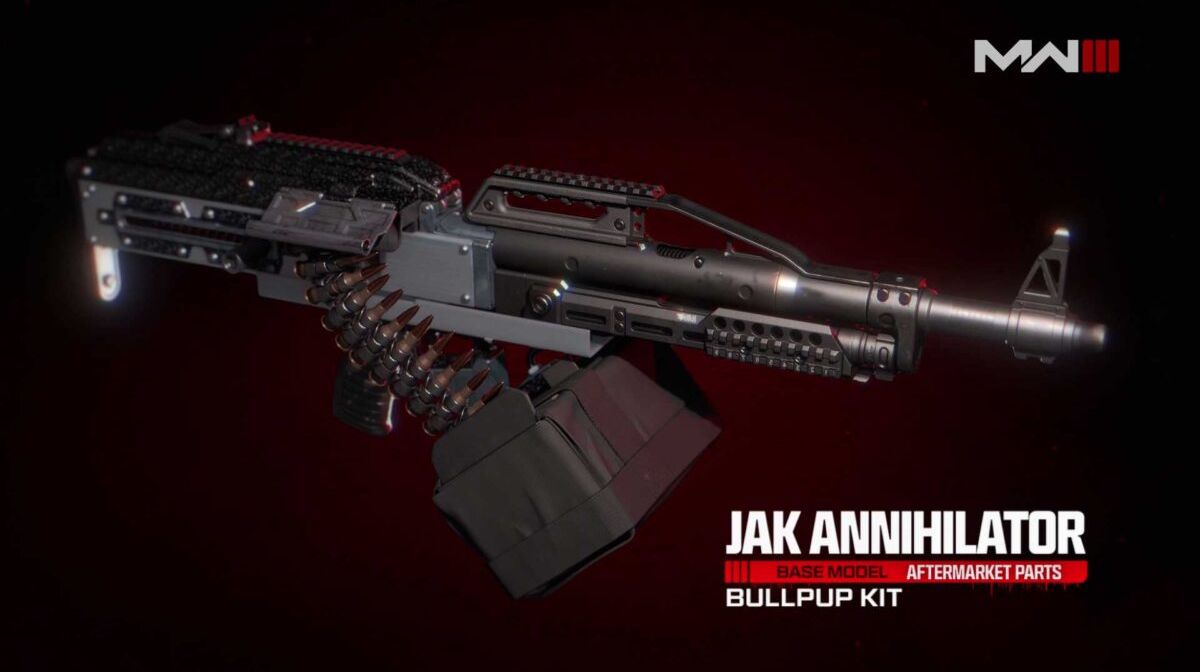
Call of Duty: Modern Warfare 3, the latest installment in the rebooted MW series, brings with it a range of new and returning in-game mechanics. One such addition is the introduction of Aftermarket Parts for weapons, which will provide players with new customization options. Let's delve into the details of this exciting new mechanic.
In Modern Warfare 3, the gunsmith system functions similarly to its predecessor in MW2. Players earn Weapon XP to unlock attachments specific to a weapon and its associated Weapons Platform. These attachments open up alternative progression routes for the weapon.
However, Aftermarket Parts offer a unique twist. Players can now modify their weapons' designs using these parts, but there's a catch: Aftermarket Parts are reserved for weapons that have reached their maximum level. At launch, the game will feature several sets of Aftermarket Parts, taking the form of weapon Conversion Kits.
Unlocking Conversion Kits
To access these Conversion Kits, players must complete in-game challenges that become available once a supported weapon reaches its maximum level.
Once you've successfully tackled that final challenge, the corresponding Conversion Kit is unlocked for use in both Modern Warfare 3 and Warzone 2.0.
Examples of Conversion Kit Challenges
Let's illustrate how the challenge and Conversion Kit unlock process works in Modern Warfare 3:
Example: Aftermarket Parts Loadout for Pulemyot LMG
- Weapon: Pulemyot LMG
- Challenge: Get 25 Kills while hip-firing or using Tac-Stance.
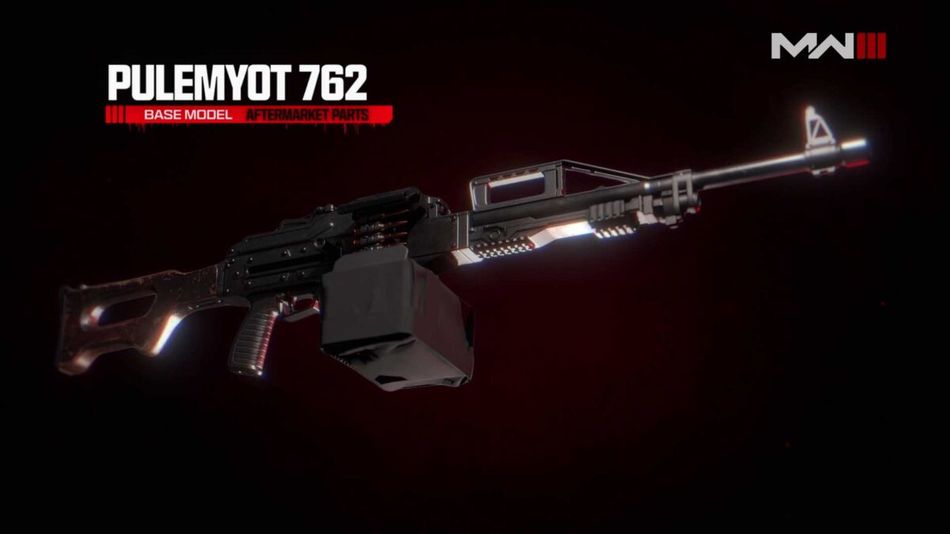
Upon completing this challenge, players can transform the Pulemyot LMG using the Bullpup Conversion Kit. This kit brings significant improvements to the weapon's mobility, handling, rate of fire, and hip-fire recoil, making it a versatile choice for players.
These Aftermarket Parts and conversion kits allow players to tailor their weapons to suit their in-game playstyle, providing flexibility to adjust mobility and stats, ultimately enhancing their performance in Modern Warfare 3 and Warzone 2.0.
DON'T MISS:
- Call of Duty: Warzone 2 - Best M4 loadout in Season 6
- Call of Duty: Warzone 2 - Best .50 GS loadout in Season 6
- How to fix 'Goldflake' error in Call of Duty: Warzone 2.0 and Modern Warfare 2?
- Call of Duty: Warzone 2 - Fort Resurgence explained
- How to fix error code 14515 in Call of Duty: Warzone 2.0 and Modern Warfare 2?