Trending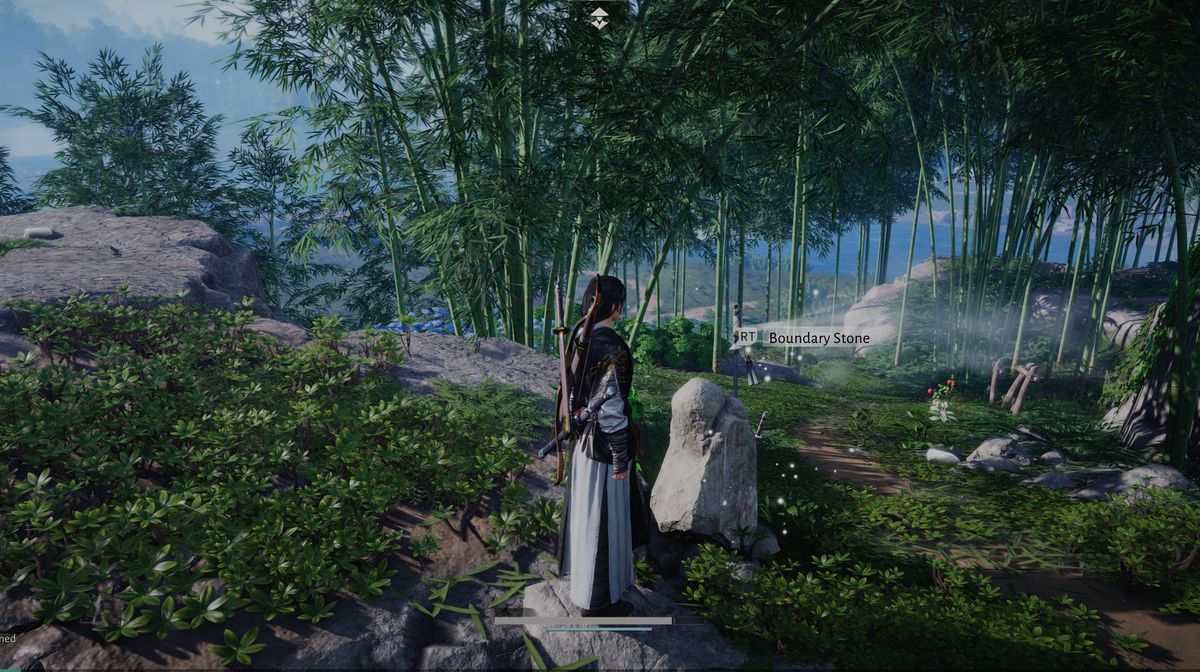
Fast travelling is a widely recognised feature in many games nowadays, especially if a game features a big open world, so Where Winds Meet is not an exception.
Since this RPG from NetEase is doing a great job explaining everything the game has to offer, it is very strange that the fast-travelling feature isn't explained, not even vaguely. Perhaps, since this is a common feat, the game assumes you already know how those things work.
In any case, if you find this mechanic confusing and want to know how to use fast travelling in this game, we've prepared a guide that will explain this mechanic step-by-step.

How to fast travel in Where Winds Meet
In Where Winds Meet, you'll be able to fast travel using two types of landmarks: Wayfarers and Boundary Stones, where the latter is way more frequent than the former.
Visit Wayfarers
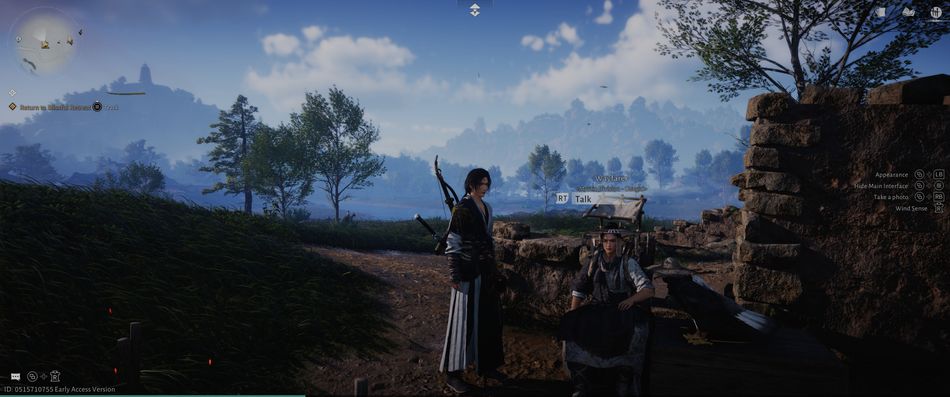
Wayfarers are NPCs located throughout the game, and each portion of the map contains one wayfarer.
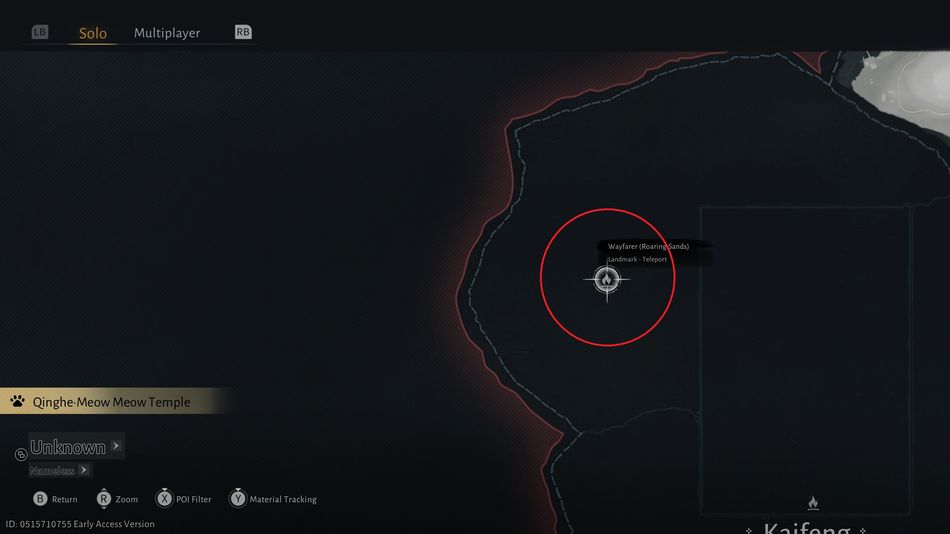
You can recognise a wayfarer by the campfire icon on the map; this is actually the only icon available on the undiscovered map. Once you enter the new area, open the map and locate the wayfarer. It is advisable to visit him as soon as possible to get your bearings before proceeding any further through a new region. Once you get to a new region, the map will stay black until you speak to the wayfarer, so this should be your first priority.
Once you unlock the map, you'll notice that each map features three different levels: ground level, 1st, and 2nd level. Those can be switched by pressing D-pad keys up and down (controller).
Activate Boundary Stones
Once you reach a wayfarer, he will unlock that area's map for you, and all boundary stones will be shown on the map immediately. However, you won't be able to use them just yet because they will be greyed out on the map. To use a boundary stone as a fast travel point, you'll have to activate each one first.
Once a specific boundary stone is activated, all you need to do is open the map, hover your cursor over it, and press the action key twice to travel to that specific location.
Boundary Stones Also Act as Healing and Respawn Points
Apart from being fast travel points, boundary stones will replenish your health as well once you get close to them, and if you get killed during exploration or enemy encounters, you'll get respawned to the nearest boundary stone.
DON'T MISS!