Trending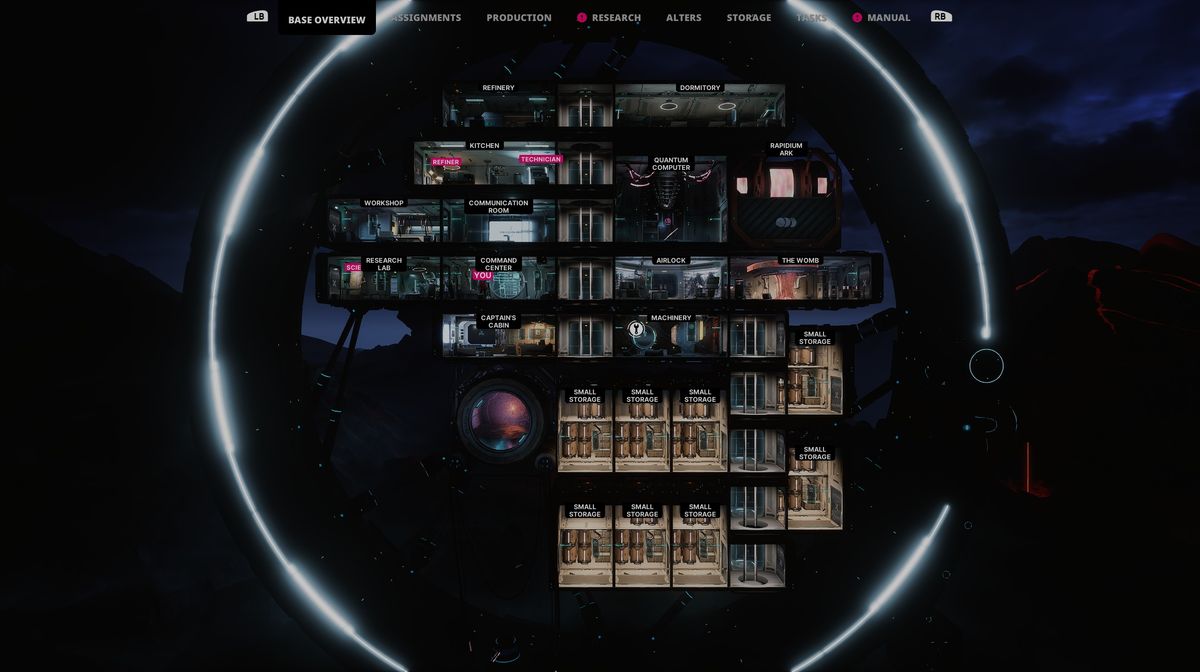
The Alters, the latest action survival from 11 Bit Studios, is a game that will almost certainly confuse you with its overwhelming mechanics, bombarding you with so much to do that you'll definitely get lost in the game at some point.
As is the case with almost every survival game, managing your base where you store resources for survival is a crucial aspect, and The Alters definitely follows this very formula.
In this game, your ship is your base, and if you fail to upkeep it throughout your game, you'll be doomed and meet your demise. Luckily, we are here to show you how to do it, in case you don't know, especially how to upgrade your base and extend its capacity.

How to extend the capacity of the base in The Alters
Once you start to build additional modules to your base, you'll notice that it is only a matter of time before you run out of space for every one of them. If you want to survive a long journey home from an unknown planet, every bit of free space will be required.
If you want to enlarge your base, making it bigger to accommodate additional modules, you'll need to do several tasks. First, you'll need to produce a research lab. To do so, go to the command centre and build it from there.
Once you have the research lab, the best course of action is to create the scientist alter because he will be much more efficient while doing stuff in the lab than any other alter.
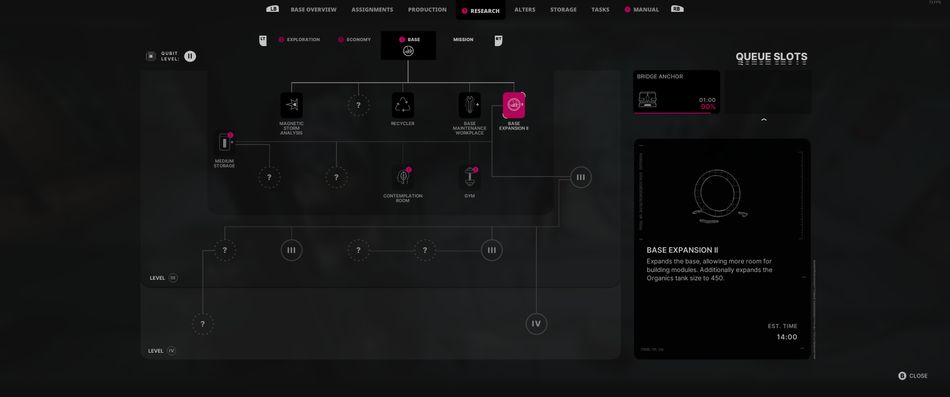
Now go to the lab, choose the base tab, and click on "base expansion II". You'll need to wait at least two workdays for the upgrade to be finished. Employ a scientist to work in the lab to speed up the process.
Once the research is done, go to the command centre and instead of choosing the build option, choose to expand the base. Now simply click to expand it, and with a bit of regular resources, your base will get additional space.
DON'T MISS!