Trending

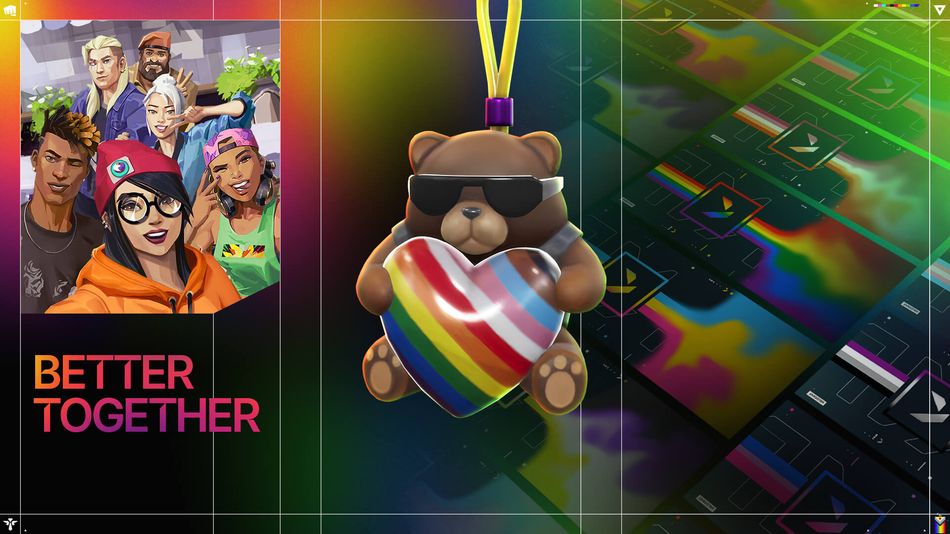
June marks the beginning of Pride Month for members of the Valorant gaming community, as well as employees at Riot Games. You too can show your support for the LGBTQ+ community in Valorant and beyond with special Pride Player Cards, a unique Tactibear Gun Buddy, and a special title.
From beautiful skins to banners and gun buddies, there are plenty of in-game goodies for players to collect. However, these often require money or are obtainable through Redeem Codes. Here’s a complete guide on how to use these Redeem Codes in Valorant.

How to Redeem Codes in Valorant?
Riot Games consistently delivers new content in Valorant on a weekly or biweekly basis to keep the player base engaged. Among the most frequent updates are weapon skins, some of which are made available through Redeem Codes.
Here's a step-by-step guide on how to redeem it in Valorant:
- Visit the Official Redemption Page: Start by navigating to the official VALORANT redemption page provided by Riot Games.
- Log In to Your Riot Games Account: Use your credentials to log into the Riot Games account where you want to receive the item.
- Enter Your Code: Input your redeem code into the designated text box on the page.
- Click Redeem Code: After entering the code, click on the "Redeem Code" button to submit it.
- Check Your Inventory: Once redeemed, log into Valorant and you will find the new item in your inventory.
Important Notes:
- Make sure you log into the correct Riot Games account, as the item will be directly credited to it and cannot be transferred to another account.
- While most items are non-transferable, some skins can be refunded according to Riot Games' refund policy.
Here are some codes for you to try out:
- All 8 Pride Player Cards: CC-VAL24-PLAYR-CARDS
- Tactibear Gun Buddy: CC-VAL24-HEART-BUDDY
- “BETTER TOGETHER”: CC-VAL24-BETTR-2GTHR

By following these steps, you can easily redeem your code and enjoy the new in-game content.
DON'T MISS: