Trending
Error code 2-0x00019008 in Rainbow Six Siege can occur for various reasons, and there is no one-size-fits-all solution. We have compiled a list of everything you can try before going through the teedious process of getting help from Ubisoft support.
Here are some methods you can try:
1. Restart Your Game and Uplay/Steam: Sometimes, simple issues can be resolved by restarting the game and the client you are using.
2. Check Server Status: Before trying any troubleshooting, it's a good idea to check the server status for Rainbow Six Siege. If the servers are down or experiencing issues, it might not be a problem on your end.
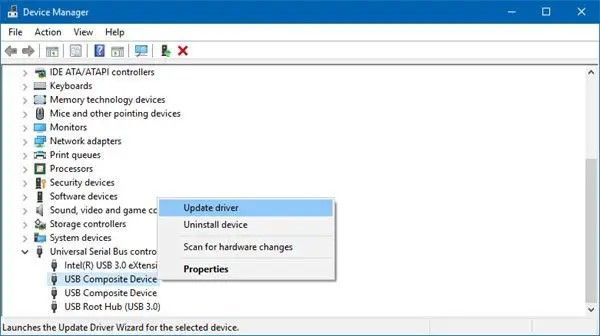
3. Update Graphics Drivers: Make sure that your graphics drivers are up-to-date. Outdated drivers can cause various issues, including connectivity problems.
4. Port Forwarding: Rainbow Six Siege requires specific ports to be open for a stable connection. You may need to configure port forwarding on your router. The required ports are as follows:
TCP: 3074
UDP: 3074
5. Verify Game Files: Rainbow Six Siege to make sure none of them are corrupted. To do this:
For Uplay: Open Uplay, go to your game library, right-click on Rainbow Six Siege, and select "Verify files."
For Steam: Open Steam, go to your game library, right-click on Rainbow Six Siege, select "Properties," go to the "Local Files" tab, and click "Verify Integrity of Game Files."
6. Check if your firewall is blocking Rainbow or Ubisoft: Your firewall could be blocking the game so make sure that Rainbow Six Siege is allowed through your firewall.
- Rainbow Six Siege - How to fix mouse stuck on screen
- Is there aim assist in the console version of Rainbow Six Siege?
- Rainbow Six Siege - How to fix error code 8-0x00003700
- Rainbow Six Siege - How to fix error code 2-0x0000d00a
- Rainbow Six Siege - How to fix error code 3-0x00050001
- Cyberpunk 2077 elaborates on vehicle combat feature