


 Trending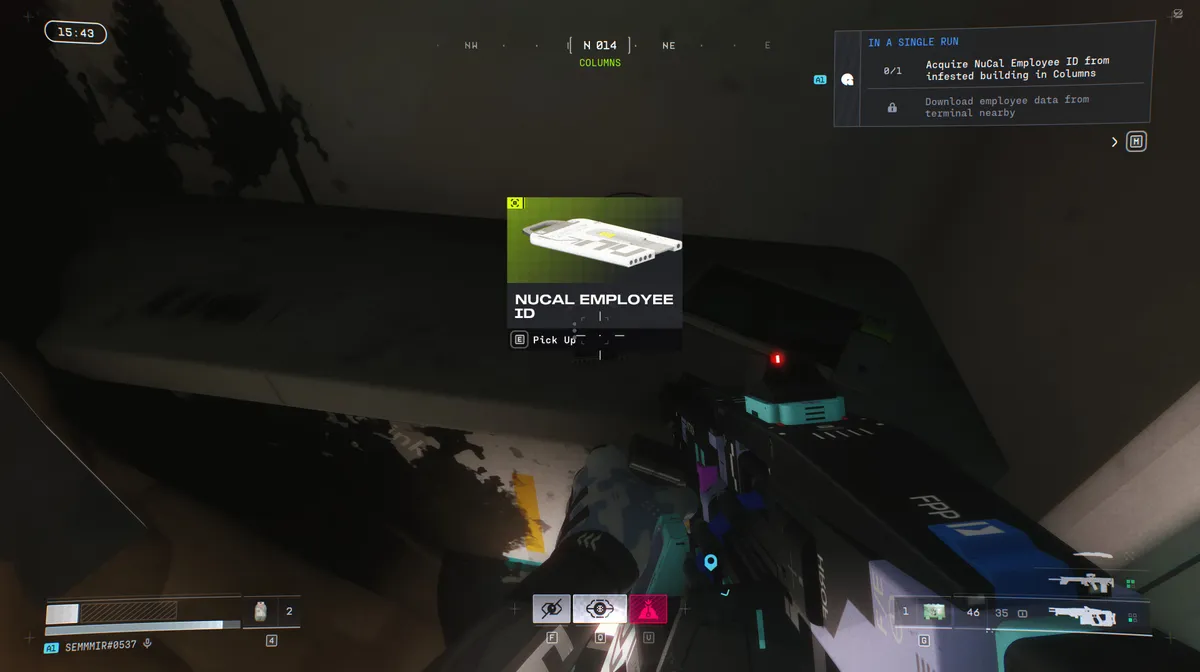
The Introducing: NuCaloric contract is one of Marathon's early Liaison contracts, tasking you with infiltrating a tick-infested building in the Columns area to recover a NuCal employee ID and download sensitive data from a nearby terminal. Crucially, both objectives must be completed in a single run, so plan accordingly before you deploy.
Where to Go
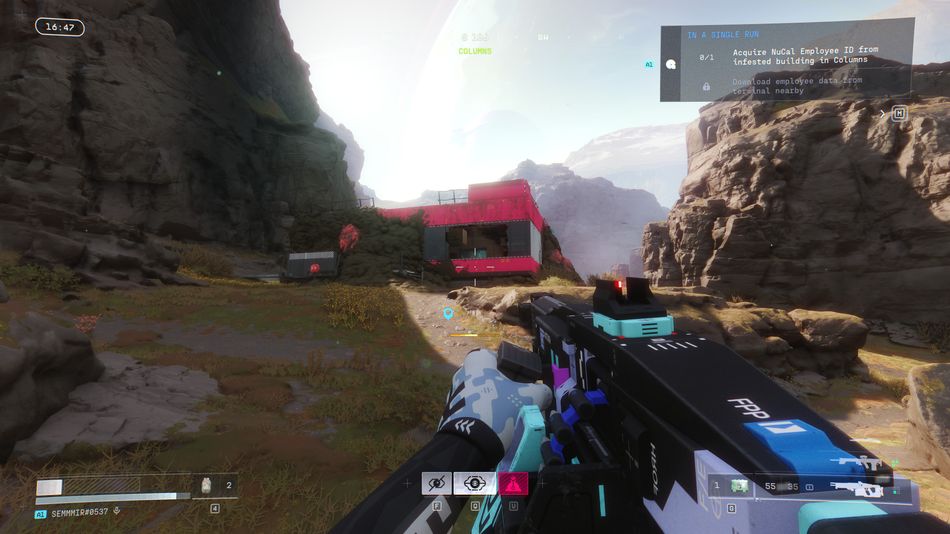
Head to Columns, a canyon-like area situated in the southern portion of the Perimeter map, nestled between Overflow to the west and South Relay to the east. You're looking for a distinctive pink building tucked into the ravine, which is really hard to miss given its bold colour against the rocky terrain.
Step 1: Clear the Ticks
Before you even think about stepping inside, deal with the ticks and thick sacks surrounding the building's exterior. The sacks are the source of new spawns, so prioritise destroying those first to stop the infestation from overwhelming you. Once the area outside is clear, you can move in safely. Enter the building via the ventilation shaft on the roof.
Step 2: Acquire the NuCal Employee ID
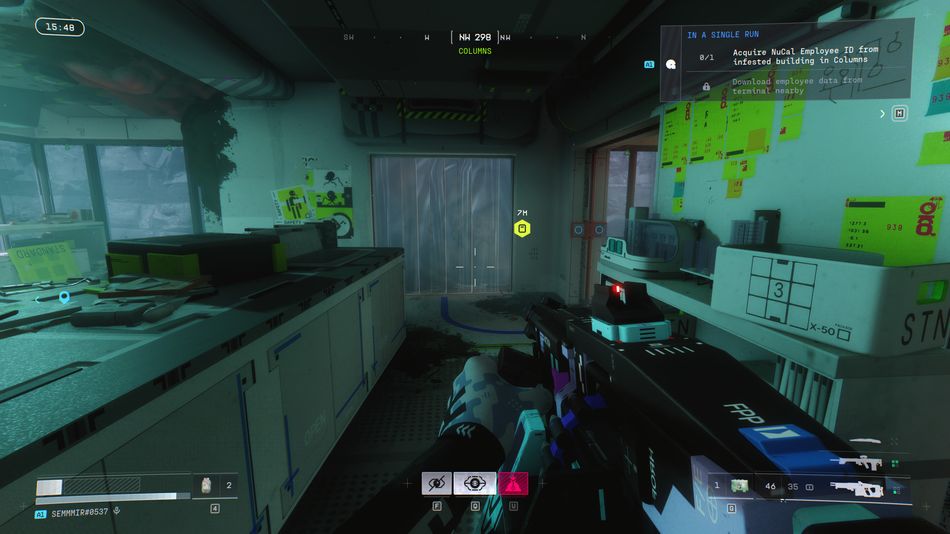
Enter the building and head inside. Once you're in, keep an eye out for your objective marker - a green polygon icon - which will point you toward a small room sectioned off by a plastic strip curtain. The employee ID card is located in there. Pick it up to complete the first objective.
Step 3: Download the Employee Data
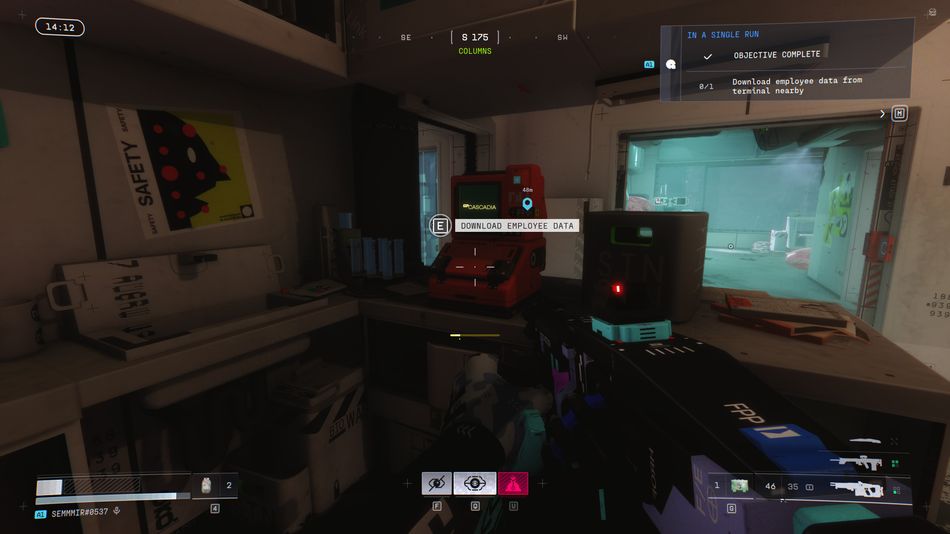
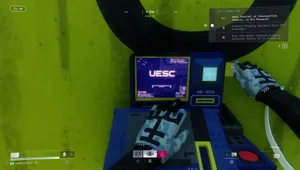
With the ID secured, the second objective unlocks. The terminal you need is in the same building, so there's no need to venture back outside. Look for what appears to be a chunky red retro-style PC unit on a desk - approach it and press E to Download Employee Data. Job done.
Rewards
Completing both objectives nets you a solid haul: med packs, armour packs, 1,000 credits, and a shield gadget - well worth the detour into tick territory.











![Marathon - Equitable Distribution [1/4] Contract Guide](https://media.altchar.com/prod/images/gm_medium_thumbnail/9fab4eb0d441-marathon-equitable-distribution-guide.webp)
![Marathon - Data Reconstruction [2/3] Contract Guide](https://media.altchar.com/prod/images/gm_medium_thumbnail/263a2fa242a8-marathon-dire-marsh-data-reconstruction.webp)
![Marathon - Data Reconstruction [1/3] Contract Guide](https://media.altchar.com/prod/images/gm_medium_thumbnail/13fdd3b0a9d1-202602272239481.webp)
![Marathon: Protect/Destroy [5/5] Quest Guide](https://media.altchar.com/prod/images/gm_medium_thumbnail/10ff401bb757-2026marathonlaunchpresskitcompressed004.webp)
![Marathon: Protect/Destroy [4/5] Quest Guide](https://media.altchar.com/prod/images/gm_medium_thumbnail/23cc0ff4f9ce-2026marathonlaunchpresskitcompressed002.webp)
![Marathon: Protect Destroy [3/5] Quest Guide](https://media.altchar.com/prod/images/gm_medium_thumbnail/b19c6f6d7c20-marathonlaunchcinematicselects01.webp)
![Marathon: Protect Destroy [2/5] Quest Guide](https://media.altchar.com/prod/images/gm_medium_thumbnail/b2685c265f9d-marathonlaunchcinematicselects03.webp)







