Trending
EA and Respawn brought something new to Apex Legends Season 15. Now, you can send and receive gifts from your friends. To send a gift to your friend, you need to be level 10 or higher. Also, you should:
- be friends with them for at least two weeks
- have sent no more than five gifts in the past 24 hours
- have an account in good standing
In order to receive gifts from your friends, you have to be friends with them for at least two weeks and have an account without any bans. You can gift either single items or bundles of Legend and weapon skins, charms, and more.
Gifts will be added to your inventory automatically and you’ll get a notification in your inbox. If you’re not seeing your gift, try going back to the lobby, then back to your inventory, to find your gift.

Follow these seven steps if you want to send a gift to your friend:
- From the lobby, go to the Store
- Find the item or bundle you want to gift
- Click Gift
- Choose your friend from the friend list
- Confirm the final Apex Coin amount and click Gift
- Under Unlock, click on the Apex Coins to buy the gift
- The message will read as Success to confirm you sent your gift
Gifts are automatically added to your inventory after your friend sends them. To see what gift your friend sent to you, follow these steps:
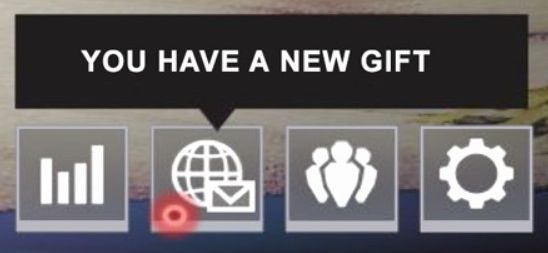
- From the lobby, you’ll see a notification saying You have a new gift
- Click on the News icon under the notification
- Click on the Inbox tab at the top of the screen
- To see the gift and who it was from, click Check gift
- Click Continue to be taken back to your inbox
You can be uneligible to send or receive gifts due to regional requirements and restrictions. If you get the "0 gifts left" message, it is because you sent more than five gifts in the last 24 hours.
If you can't send a gift at all, it might be because of the server error. This can also happen when there’s a game or server issue. You’ll need to wait until it’s fixed before trying to send a gift again.
DON'T MISS: