Trending

Dealing with bugs and glitches is inevitable in gaming, and Apex Legends is no exception. Since the EA's and Respawn's launch in 2019, the game has faced various issues, and the Easy Anti-Cheat error is one of them.
This error causes the game to crash, rendering it unplayable. However, there are solutions to tackle this frustrating problem.
If you encounter persistent problems, consider reaching out to the gaming community for additional support or insights.
How to resolve Apex Legends Easy Anti-Cheat error
If you're encountering the Easy Anti-Cheat error in Apex Legends, there are seven potential fixes to explore.
You may not need to try them all; simply proceed down the list until you find the solution that works for you:
1. Update Device Drivers
- Outdated or incorrect device drivers can contribute to the error. Use Driver Easy to automatically update your drivers.
2. Repair Apex Legends in Origin
- Faulty or corrupt game files might be causing the error. Utilize Origin's repair feature by right-clicking on Apex Legends in My Game Library and selecting Repair.
3. Run Apex Legends and Origin as Administrator
- Ensure that both Apex Legends and Origin have administrator privileges to access system resources. Right-click and run as administrator.
4. Verify Connectivity to Easy Anti-Cheat
Confirm that your connection to Easy Anti-Cheat is healthy by visiting:
- https://download.eac-cdn.com/
- https://download-alt.easyanticheat.net/
If the connection is stable, move on to the next fix.
5. Add Easy Anti-Cheat and Apex Legends to Firewall Exceptions
- Allow Easy Anti-Cheat and Apex Legends through Windows Defender Firewall to prevent connection issues.
6. Install the Latest Patch
- Check for the latest patch in Origin. Updating the game might address unintended bugs associated with the Easy Anti-Cheat error.
7. Reinstall Apex Legends and Origin
- If all else fails, consider reinstalling both Apex Legends and the Origin game launcher.
Remember to restart your computer after making changes for them to take effect.

DON'T MISS:
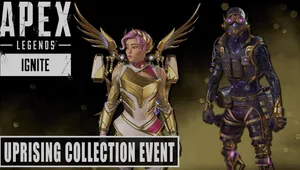
- Apex Legends - Uprising Collection Event: Loba's prestige skin and more
- Apex Legends: Season 19 brings exciting ranked changes along with the new promotion trials
- Apex Legends Season 19 Ignite Battle Pass: First look, price and release date
- Apex Legends Season 19: Storm Point changes, ranked updates and weapon crafting explained
- Apex Legends Season 19: New legend Conduit - Backstory and abilities