Trending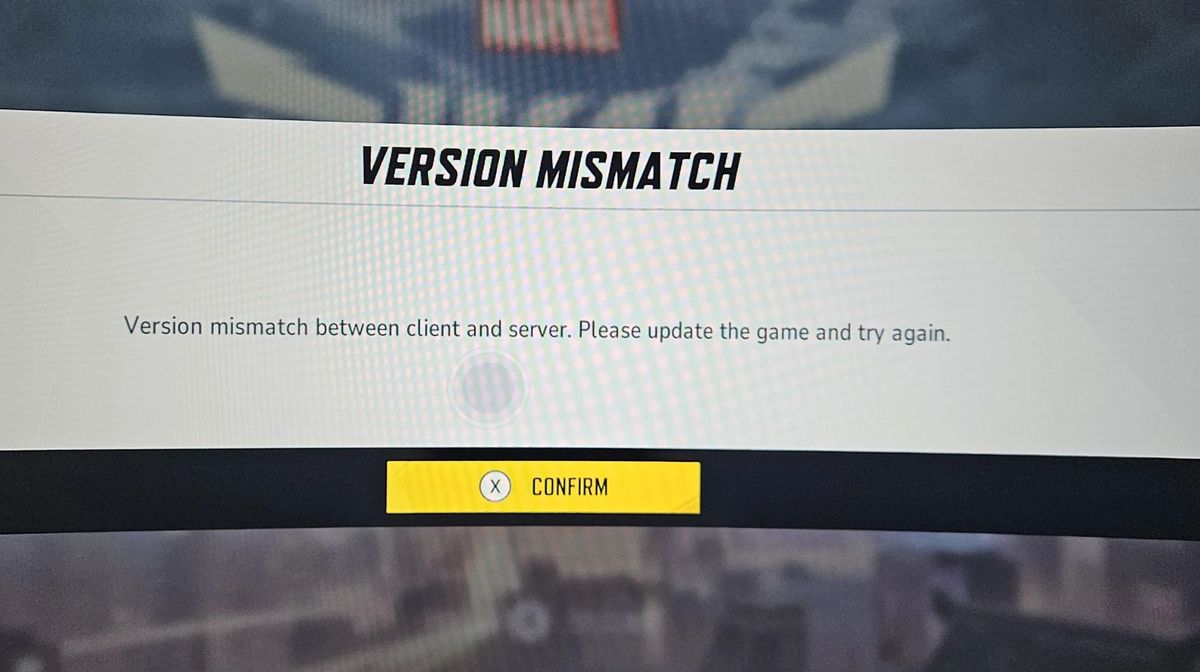

Marvel Rivals is a hero shooter from NetEase Games based on the characters from Marvel comics and media. Since its release last year, Marvel Rivals has managed to become one of the most played live-service titles out there.
While Marvel Rivals is heavily optimised, with players facing little to no issues when playing the game, there have been some complaints of facing the version mismatch error. If you're facing this error while playing the game, here are the best fixes you can use to get rid of this issue.
What is the Version Mismatch Error?
The version mismatch error is an issue that arises when the game's client version and server version are not the same. This error is persistent across all platforms, including PC, PlayStation 5, and Xbox. If you're facing this issue, then don't stress out; it is a fixable issue that can be solved by following a few simple methods.
How to Fix the Version Mismatch Error
The version mismatch error typically shows up when you're launching the game on any platform. If you face this error when you start playing the game, here's what you can do:
Verify Game Files
If you're facing this error on Steam or Epic Games, then try to verify the game files by closing all instances of the game. Here's how you can verify the game files for Marvel Rivals:
- Head to the game's page through your game library.
- Click on Manage, then select Properties
- Now select Installed Files
- Click on Verify Integrity of Game Files
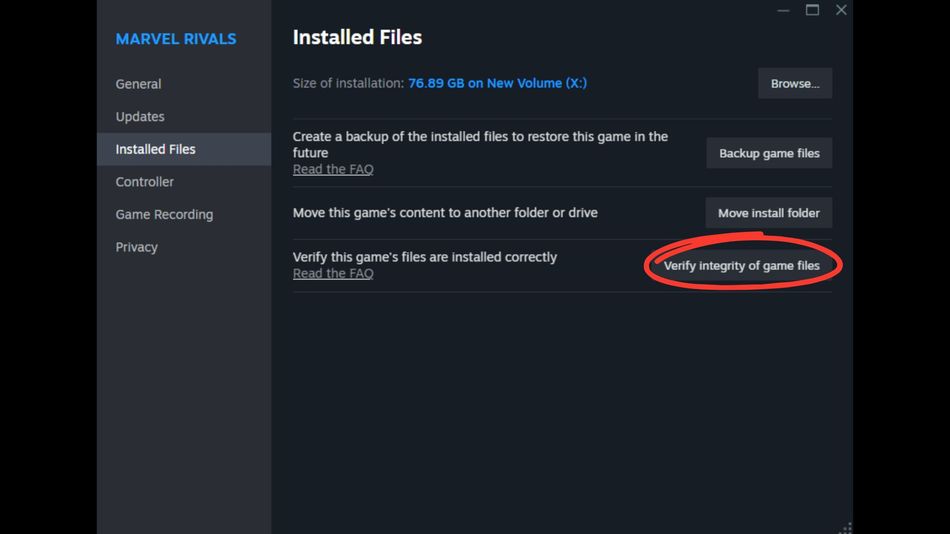
Steam will verify the game files, delete corrupt files, and automatically update the game with the latest game files. Once you are done with the game file verification, launch the game, and it should be running properly now. If the error is still persistent, then move on to the next fix.
Check for Update
If the version mismatch error is still there, check if your game is updated or not. This fix is applicable for all platforms, especially PlayStation 5 and Xbox. Hover over your game on the home screen, then press on game options and check for updates. If a game update is available, let your console download the update. Once the update is done, launch the game, and the error will most likely not pop up again.
Reinstall Marvel Rivals
If the aforementioned methods do not work for you, then simply uninstall Marvel Rivals and reinstall it again. A fresh download and reinstall of the game will surely fix the error for you.
In a worst-case scenario, if you are still facing the error, contact the game support through Discord or their official X account for more information. A future major update or hotfix will be the best solution for any players facing the error even after trying our fixes mentioned above.
DON'T MISS: