Trending

Ever wondered how much you’ve spent on League of Legends? Whether you’re curious or just need a reality check, Riot Games makes it easy to view how much you’ve spent on the game.
Here’s a quick guide to finding out exactly how much you’ve spent on skins, champions, and other in-game items.

How to check your League of Legends spending
Riot Games has a built-in feature in their support system that lets players see their purchase history.
Follow these steps to access it:
- Go to Riot’s Support Page
- Visit the League of Legends Support website.
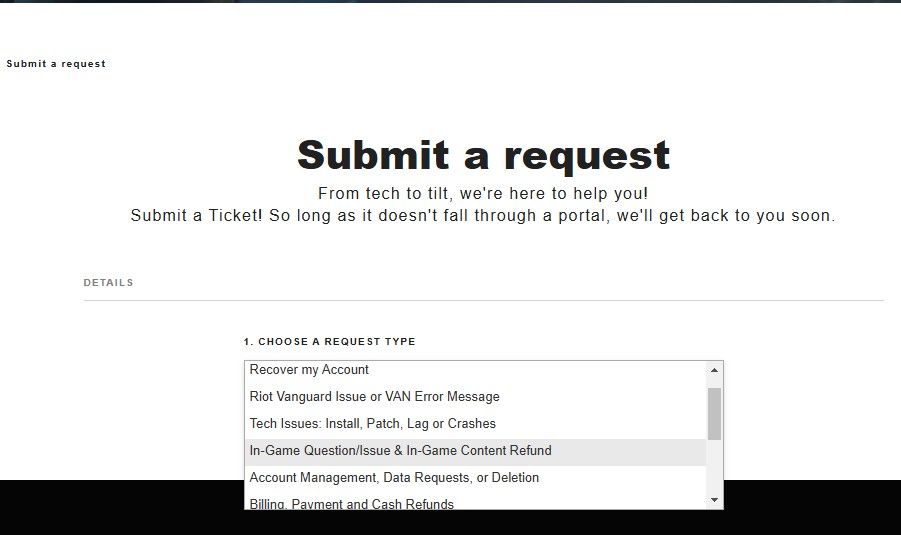
- Look for the Submit a Request section.
- Select the Right Category
- In the dropdown menu labeled “PLEASE SELECT YOUR INQUIRY,” choose: “Formal personal data request.” This option is meant for players who want to request account-related details.
- Request your spending history
- Another dropdown will appear after selecting personal data request.
- Choose “I want to know how much I’ve spent on League of Legends.”
- Click "Show Me the Money". Once the correct options are selected, a “Show Me The Money” button will appear.
- Click it, and Riot Games will generate a report with your total spending history.
What's included in the report?
The report provides you with a summary of your total spending linked to your Riot account. With that said, it does not include any purchases you might have made via third parties, RP gifts, or region-specific promotions.
Monitoring your spending can be a great way of managing your gaming expense and working out precisely how much you've spent on Riot's ever-expanding skin collection!

DON'T MISS: