Trending

Designed to be experienced in co-op, Gangs of Sherwood, the latest action adventure from Nacon, truly comes to life when played with others for an authentic gaming experience.
However, playing the game solo is entirely possible, and if you decide to do so, you'll need to select one of the four characters to play with. However, the game also provides the flexibility to switch between characters during gameplay.
If you're unsure about the process of selecting another hero and playing with them, the answer to that question is provided in this guide, so without further ado, let's get to it.

How to switch to another hero in Gangs of Sherwood
Before choosing to play with a different hero, it's crucial to understand that new moves and skills aren't transferred across characters. You'll need to unlock these moves individually for each hero.
Switching heroes is exclusively possible between missions and cannot be done mid-mission. To change your hero, visit Major Oak, the hub area. Near the table where you select a new mission, you'll notice icons on the compass representing the other available heroes.
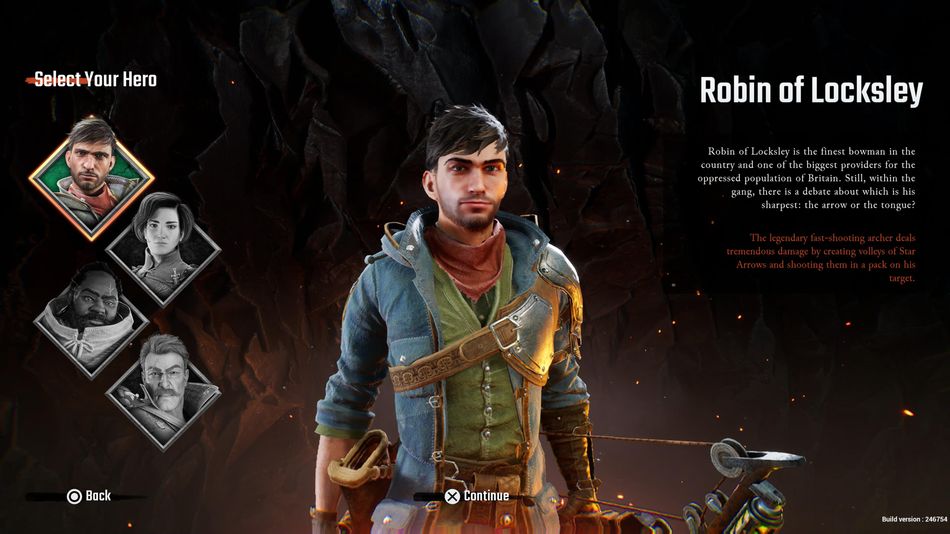
One of them is seated right at the table, another is located by the door on the left, and the third is busy mixing something in a huge cauldron to the right of the table. Approach them and press and hold the square button on the PlayStation controller to initiate the next mission while controlling a new character.
Each character possesses unique attack sets, and certain areas in the game can only be accessed by specific heroes. Therefore, consider bringing different heroes on various missions to explore exclusive locations.

DON'T MISS!