Trending
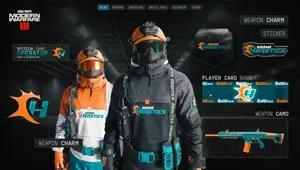
Call of Duty: Warzone 2.0, developed by Raven Software, has captivated players with its battle royale gameplay. Whether on PC, PS4, or PS5, you can now share the fun by gifting bundles to your friends.
Here's how you can do it, whether you're using the Call of Duty Companion App or playing directly on your gaming platform. On the other hand, if you're deeply engrossed in the gaming world on your PC or console, the process is just as simple.

Gifting with the Call of Duty Companion App
- Download the Call of Duty Companion app from the appropriate app store.
- Select the desired bundle from the app and click "Gift."
- Choose your friend from the dropdown menu.
- Click "Gift and Buy" to purchase the bundle for your chosen friend.
- A confirmation message will pop up once the purchase is complete.
Gifting on PC or Console
Activision
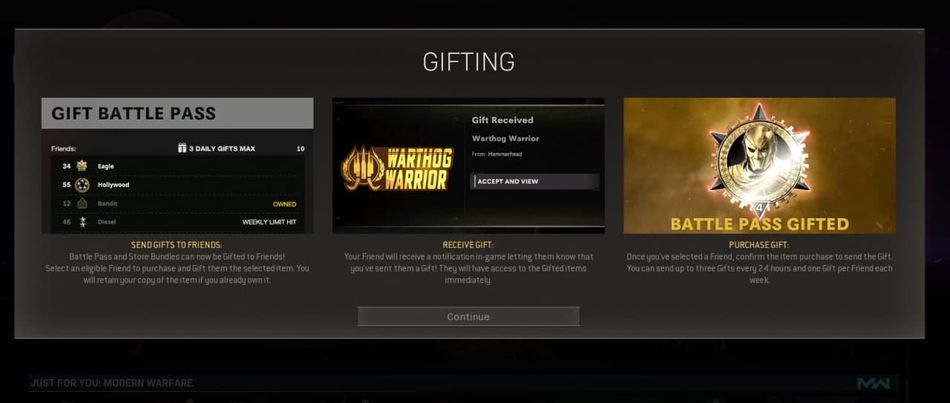
Besides using the CoD app, you can also gift bundle if you are playing Warzone 2.0 with your PC, PS4, or PS5
- Launch your Warzone game on PC, PS4, or PS5.
- Head to the in-game store tab and locate the bundle you want to gift.
- On the bundle, you'll find options to buy and gift. Use the designated buttons (R button for PC, X button for consoles) to proceed.
- If you haven't enabled two-factor authentication, you'll receive a prompt to activate it.
- With two-factor authentication already enabled, you'll receive a message explaining the process. Continue to the next step.
- Your friends will receive an in-game notification once you've gifted them a bundle, and they'll instantly get the bundle.
- Note that there's a daily limit of gifting three bundles to friends.
- A list will appear on the left side of the screen. Select the friend you want to gift the bundle to, and you're done!

DON'T MISS:
- Call of Duty: Warzone 2.0 - The best RAAL LMG loadout in Season 5
- Call of Duty Warzone 2.0 - Best sniper class loadouts: Attachments, perks and equipment
- How to unlock the FR Avancer in Call of Duty: Modern Warfare 2 and Warzone 2.0
- First look at the Call of Duty: Warzone 2.0 and Modern Warfare 2 Season 5 - New maps, operators and more
- Call of Duty: Warzone 2.0 server status - How to check if Warzone is down