Trending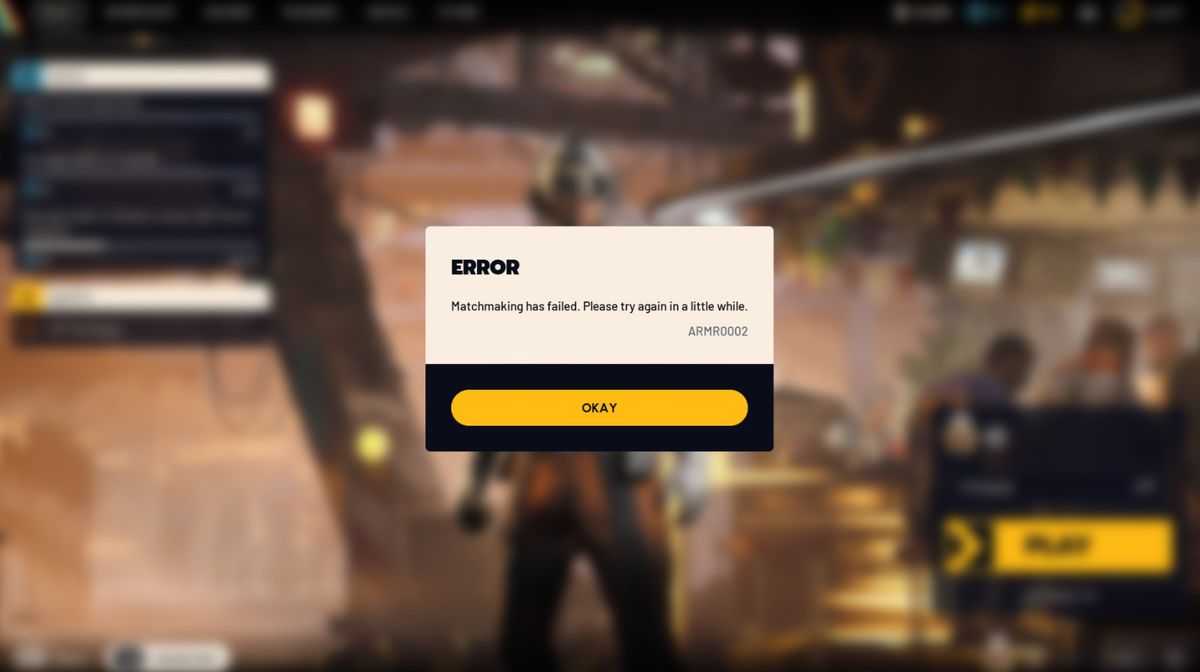

You have probably been dying to jump into ARC Raiders since its launch, but you keep on getting the ARMR0002 (Matchmaking has failed) error. In fact, if you go into any ARC Raiders forum or Discord, you will notice that this is one of the most common errors for the game since day 1.
ARMR0002 error is one of the more common errors for ARC Raiders players on any platform. You will generally see this error if the game cannot connect to the servers and before you are able to even join your friends on a raid.
Fortunately, you have some options that could help you out in case you find yourself with this issue. This error is almost always a sign of a server issue on Embark Studios’ end, but here are some workarounds that might allow you to reconnect quicker.
What Is the ARMR0002 Error in ARC Raiders?
ARMR0002 indicates that the game client is not able to properly reach the game servers, or in layman’s terms that there’s an issue connecting to the internet with ARC Raiders.
The error has been in the game since the early playtests, and persists for some players in release.The short of it is that when you see this error message, the game client is unable to reach the servers in a way that the servers can accept (this may be because the servers are temporarily down for maintenance or an equivalent reason, or because your connection is not stable enough to be used at the time).
How to Fix ARC Raiders Error ARMR0002
There is no guaranteed solution to the ARMR0002 error code, but the following steps have helped other players:
- Restart the game: Close ARC Raiders entirely and launch it again. This may fix a temporary glitch that caused your connection to drop.
- Restart your internet router/modem: Turning off and on your internet router/modem resets your connection, possibly solving any lingering network issues. Connecting your PC to your router via ethernet cable also provides a more stable connection than Wi-Fi.
- Try the servers: If restarting the game or your internet router/modem doesn’t work, the problem is likely on Embark Studios' end. Official announcements are made on the ARC Raiders Discord server and the game’s social media accounts if their servers are down.
- Try not to play during high traffic periods: High traffic on the game servers can sometimes cause a temporary disconnection.
When to Contact Support
If none of these solutions have worked, it may be a good idea to contact official ARC Raiders support or write in community Discord. Reporting your experience can help the developers discover widespread server issues and release a patch more quickly.
DON'T MISS: