Trending

Marvel Rivals is a hero shooter from NetEase Games based on the characters from Marvel comics and media. Since the game's launch, it has become one of the most played games out there, with players logging in every day to get their daily dose of hero shooter goodness.
While Marvel Rivals is heavily polished with almost no issues, sometimes players might not be able to get into the game due to regional server issues. So, here's how you can check the game's server status to figure out the issue you're facing.
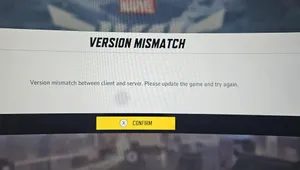
How to Check Server Status for Marvel Rivals
If you're unable to get into the game or getting constantly disconnected during your matches, you might need to check server status to figure out if the issue is client-sided or not. Here are a few methods to check the game's server status:
Marvel Rivals Official X Account
The Marvel Rivals official X account is the main platform devs use to communicate game-related news to the player base. So, the best way to know if the server is facing any issues is to check the official X account for updates.
Marvel Rivals Discord Server
The second best place to check for game-related news is the Marvel Rivals official Discord server. There is an official announcement text channel that features all recent news regarding the game, which includes all server and network-related issues. Moreover, you can ask other players in the general chat to figure out if there is a regional server outage or not.
If you have no luck getting server news from the official channels, then you can head to the Down Detector website to check if there are any issues with the Marvel Rivals servers. While the website is a third-party source, you can expect to see other players report a server issue there as soon as it pops up.
If there are server issues and you're still unable to enter the game or play matches properly, then we recommend calling our ISP to figure out if they are facing issues with their network. You can also reinstall Marvel Rivals to start playing the game with fresh files.

DON'T MISS: