Trending
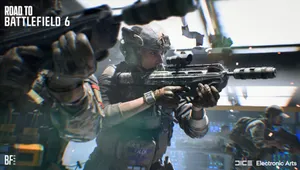
DICE has gone all out with the new entrant to the Battlefield series, Battlefield 6. The large-scale shooter title has taken the gaming scene by storm since its worldwide reveal a few days ago.
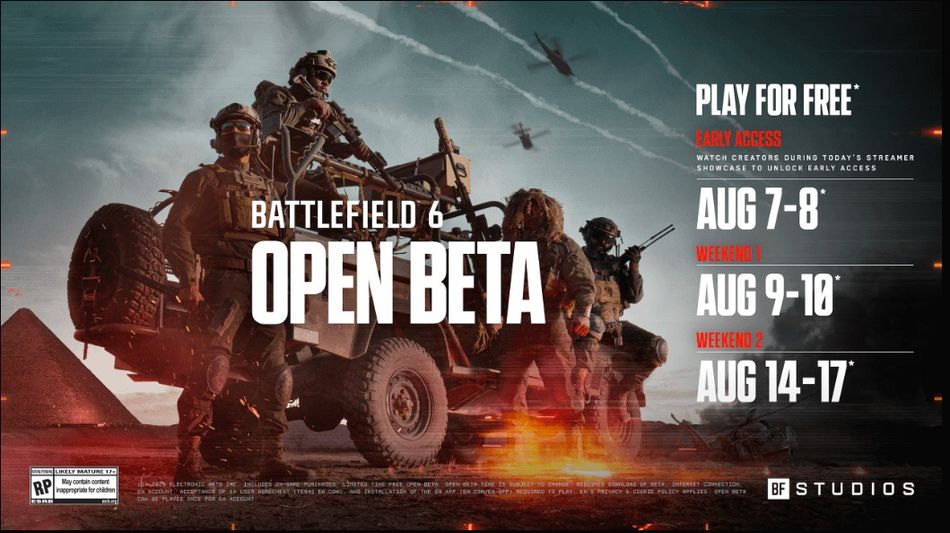
Since the reveal of the game, players have been eager to get into action and test out the new game on their own. EA has announced that the open beta for Battlefield 6 will start on August 7 with early access and on August 9 for players who failed to get early access.
As there are a few days left to the most-awaited open beta of the shooter title, players can now preload the game on all platforms. Here's how you can preload Battlefield 6's open beta on all platforms.

Battlefield 6: How to Preload Battlefield 6's Open Beta
Battlefield 6's open beta early access will run from August 7 at 1am PDT/4am EDT/9am BST and end on August 8. The first weekend with free access for all players will begin on August 9 at 1am PDT/4am EDT/9am BST and run up to August 10.
On the contrary, the open beta weekend 2 will remain open for all and will start on August 14 at 1am PDT/4am EDT/9am BST and end on August 17.
The preload for the open beta weekend is live now across all platforms. For PC players, simply head to the Battlefield 6 game page on Steam, Epic Games, or the EA App, and you'll see a prompt for preloading the Battlefield 6 open beta.
Now for Xbox and PlayStation users, the process will be a lot easier. The open beta preload will be up on your store home page by now; you can head to the page from there and preload the game in no time.
However, if you're not finding the open beta preload on your home page. Then simply search Battlefield 6, and you'll find the open beta page in no time. Just add it to your library and download the game to preload the open beta.
DON'T MISS: