Trending

Marvel Rivals is finally out on all platforms. It is a third-person hero shooter developed by NetEase Games in collaboration with Marvel Games. The game is free-to-play with a 33-character lineup inspired by Marvel comics and movies.
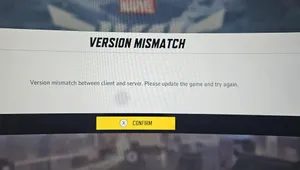
NetEase Games finally released the games after a long period of gameplay testing across all platforms and regions. While the Marvel Rivals had a smooth launch unlike many other online titles, some players have reported to face a DX12 not supported error.
If you're facing the DX12 not supported error in Marvel Rivals, here are some probable fixes for you.
How to fix DX12 not supported error in Marvel Rivals
To resolve the DX12 not supported issue, please update your Windows 10 64-bit operating system to version 1909 or later and make sure your graphics card driver is up to date. Additionally, verify that your graphics card meets the minimum requirements, which include an NVIDIA GTX 1060 or AMD RX 580. However, if you are still facing the error after meeting the requirements, here are some fixes for you.
Restart your PC
One of the most common fixes to all errors across all games is to simply restart your PC. If you're getting the DX12 not supported error, just restart your PC and relaunch Marvel Rivals to fix the error code.
Verify Game Files
If you're still facing the error after restarting your PC, try verifying your game files in Steam. Here's how to verify game files in Steam:
- Head to your Steam library
- Right-click on Marvel Rivals
- Select "Properties"
- Now click on "Manage Files"
- Select "Verify Integrity of Game Files"
While these two fixes will end up fixing the error code for good, if you still end up facing the error constantly, we recommend deleting and reinstalling Marvel Rivals once again. A fresh install of the game might fix all persistent errors in Marvel Rivals. In the worst-case scenario, if no fixes are working for you, we recommend waiting for the developers to release a hotfix addressing the issue.
DON'T MISS: