Trending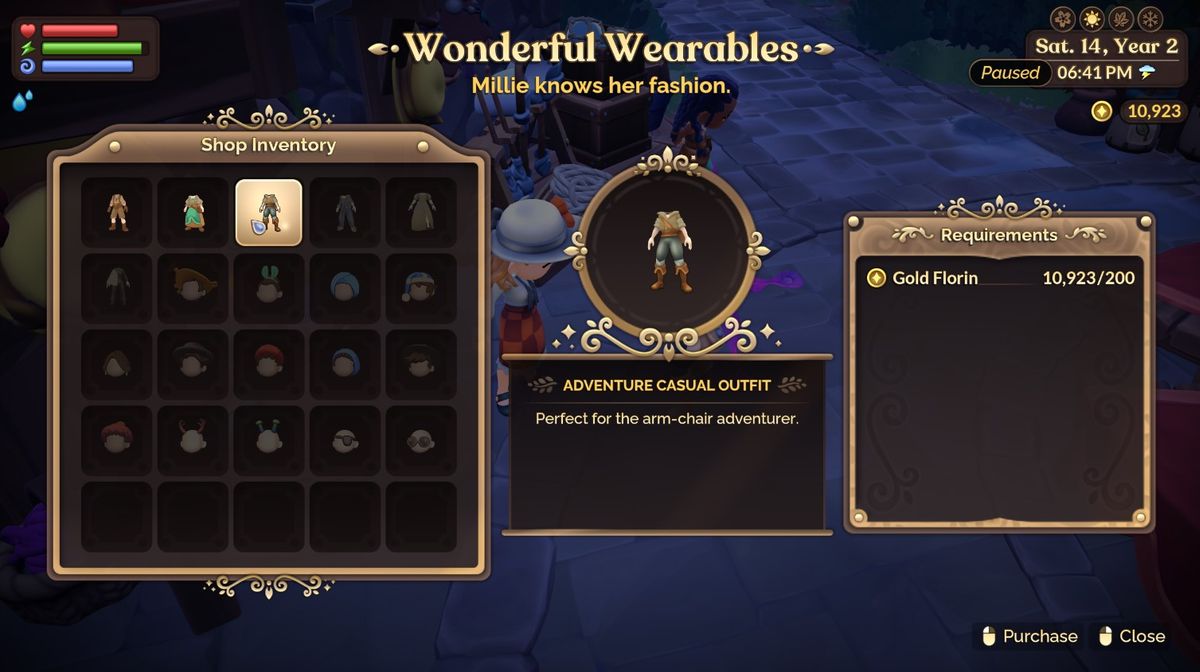
In Fae Farm, style meets simplicity when it comes to changing your attire. Whether you're aiming for a casual look or dreaming of dressing up in the finest gowns, Fae Farm has you covered.
In this guide, we'll walk you through the steps to purchase and transform your wardrobe in this whimsical world. So, join us as we embark on a fashion journey within the magical confines of Fae Farm, Phoenix Labs' finest farming sim.
How to purchase and change your clothes
When you want to change outfits in Fae Farm, it's pretty simple. First, open your map. You do this by pressing m on the keyboard or the options button on the controller, then select Millie in the town centre and follow the directions.
Millie is on the left of the market tables. Her cheapest outfit is 50 florins, going up to 200 florins for her basic outfits, or another option is that you can gather some other items easily to get the fancier outfits, for example.
You'll need 1,000 florins and 5 silk for her cozy nighttime outfit, or 5.000 florins, 5 silk and 3 polished emeralds to get the evening gown. But it's easy enough to get a basic outfit. Once you have bought your outfit off Millie.
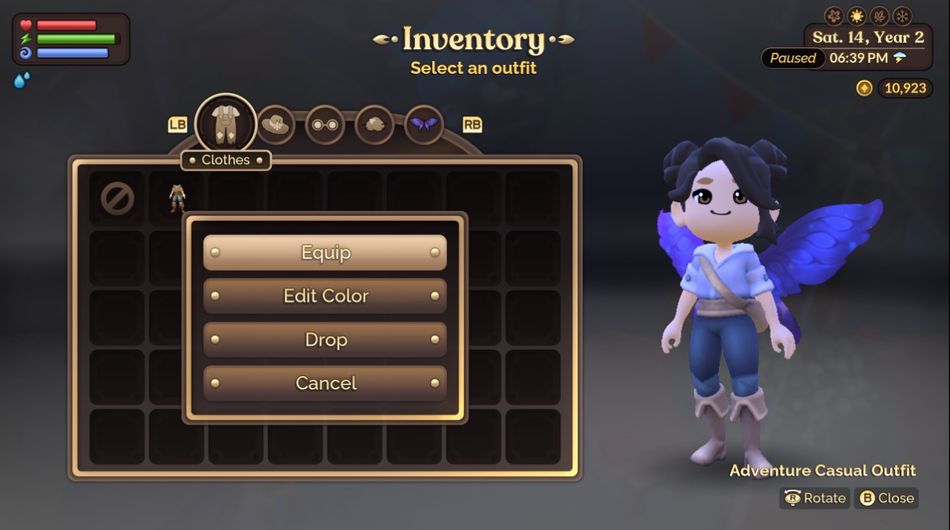
To equip the outfit, you have to open up your inventory. You can do that by pressing “I” on the keyboard or “up” on the Dpad on a controller. On the bottom right-hand side of your inventory, there is a button that says edit out. Click that with your mouse or “x” on the controller.
Once you’ve done that, you will see all the items you have either bought or made. Click on the items you want to change. You can either click equip or, if you have some colours unlocked, you can press edit colours and choose a different color scheme if you would like. Once you’ve done that, make sure you equip to save.