Trending

Xbox Game Pass Ultimate subscribers can snag two Legendary skins and an Epic skin in Overwatch 2 with the Season 10 Perks bundle. Similar to other free-to-play games, Overwatch 2 regularly introduces new skins obtainable through various means like the Item Shop or Battle Pass.
Additionally, subscribers with services such as Prime Gaming and Xbox Game Pass Ultimate may enjoy complimentary Legendary or Epic skins from time to time.
The Overwatch 2 Season 10 perks for Xbox Game Pass Ultimate subscribers have been unveiled, and here's a guide on how to acquire them.

Connecting Your Accounts
- Visit the official Battle.net website and log in using your OW2 account credentials.
- Navigate to Account Settings by hovering over your account name at the top right corner.
- Proceed to Connections and locate Xbox Network, then click on +Connect to link your Xbox and Battle.net accounts.
Claiming the Skins
- Head to the Game Pass Ultimate section on the official Xbox website or through the Xbox app.
- Log in with your account and access the Perks tab.
- Select the Overwatch 2 Season 10 Perks Bundle to receive a redemption code, which you should copy.
- Visit the official Microsoft code redemption website or use the Xbox app to redeem the code.
- Launch Overwatch 2, and voila! Your skins should be waiting for you in the Hero Gallery.
Important Dates
You have until June 19 to claim the Overwatch 2 Season 10 Perks bundle, and remember to redeem the code before June 26 to ensure you don't miss out on these exclusive skins.
Introducing the Overwatch 2 Season 10 Game Pass Ultimate Perks Skins
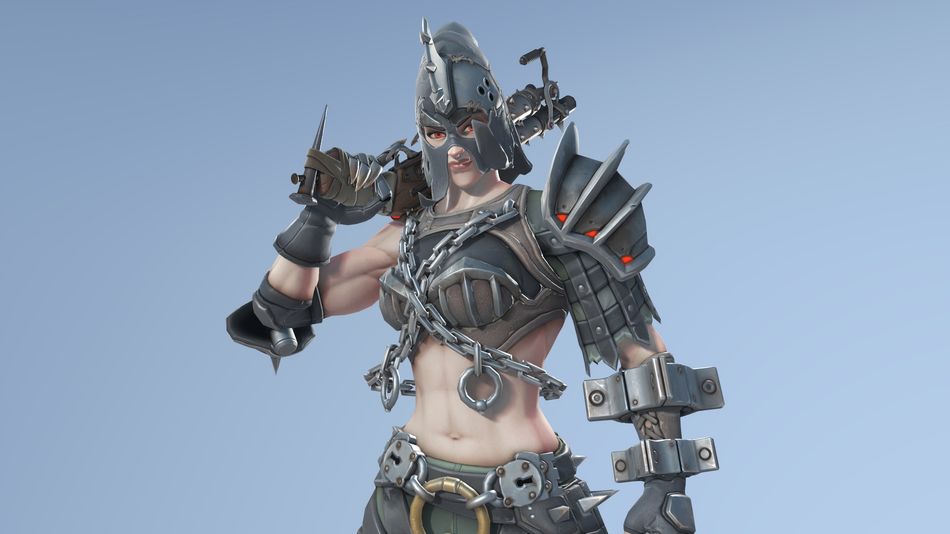
- Legendary Medusa Widowmaker Skin
- Legendary Executioner Junker Queen Skin
- Epic Visual Kei Kiriko Skin
Our Take
As gaming enthusiasts, we can't help but appreciate the perks that come with subscriptions like Xbox Game Pass Ultimate. While some may argue about the exclusivity of these skins, it's undeniable that they add an extra layer of excitement for subscribers.
Plus, who doesn't love adding new cosmetics to their collection? So, if you're an Overwatch 2 fan and a Game Pass Ultimate subscriber, don't miss out on the chance to snag these stunning skins before they're gone!
DON'T MISS:
- Overwatch 2: Mirrorwatch event - Details, abilities, heroes, challenges, rewards and more
- Overwatch 2 Season 11 - New heroes, maps and more
- Overwatch 2 Season 10's limited-time game mode: Clash Trial Explained
- Overwatch 2 players are facing severe queue delays after recent updates
- Overwatch's profanity filter is backfiring and causing major issues