Trending

Fortnite is one of the most played games in the world. With its popularity, there is an increased chance of falling prey of hackers and scammers who will try to take over your account by using various methods.
The most robust way of protecting your Epic Games and Fortnite accounts from hackers and scammers alike is by enabling the two-factor authentication method. While enabling two-factor authentication is not something you need to do to play Fortnite, we recommend keeping it on to protect your account from all forms of security risks.
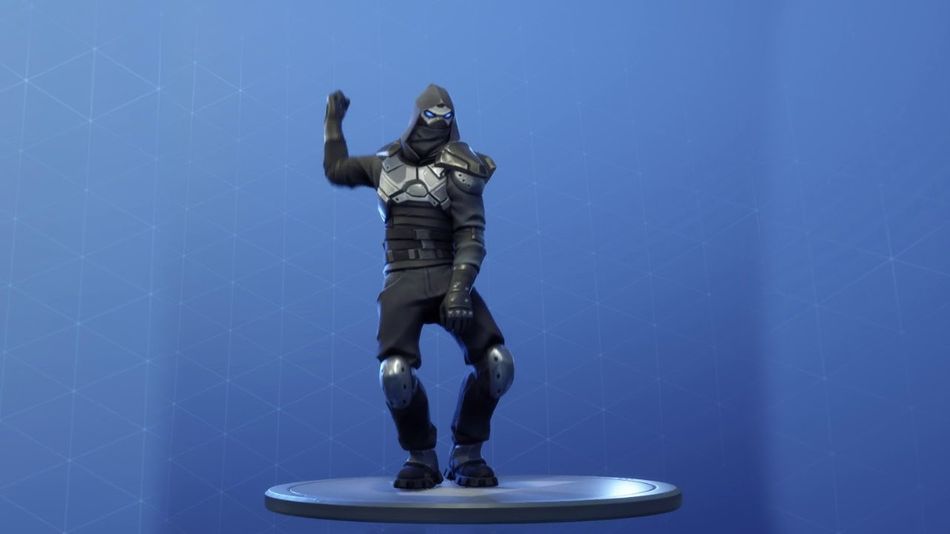
Moreover, by enabling two-factor authentication, you'll be able to unlock an exclusive emote. So, here's a complete guide on how you can enable two-factor authentication for your Epic Games and Fortnite accounts.
How to enable two-factor authentication in Fortnite
Two-factor authentication is a double-layer of protection that requires you or anyone else to complete a second factor of authentication after successfully filling in the credentials on the login page.
Once Epic Games detects that your account is being logged into a new device, it'll ask you to enter an authentication code, which can be obtained by your email, phone number or an authentication app.
Here's how you can enable two-factor authentication in Fortnite:
- Head to fortnite.com/2FA.
- Enter your login credentials.
- After logging into your account, you'll see a prompt for enabling 2FA through email or the authenticator app.
- Pick the one you're comfortable with and follow the instructions on the screen to enable 2FA.
After enabling two-factor authentication, you'll get the Boogie Down emote as a reward. If you're a Save the World player, you'll get 50 armory slots, 10 backpack slots, and one Legendary Troll Stash Llama.
We recommend turning on your two-factor authentication as soon as you can, as it is the best method of protecting your precious account. Moreover, we recommend using the Google Authenticator app for 2FA, as it constantly generates codes for your account.

DON'T MISS: