Trending

Despite being weeks after the launch of Call of Duty: Modern Warfare 3, players are consistently encountering various errors, disrupting their gaming experiences.
Among these challenges, one of the most recurrent problems causing frustration is the "Join failed because you are on a different version" error, hampering players from enjoying this Activision's game to the fullest.
One of the simplest yet effective solutions to address this issue is restarting Modern Warfare 3. Given that the game undergoes periodic updates on the server side, performing a restart synchronizes the game, ensuring that all players are on the latest version. This resolves potential version mismatch issues among you and your friends.
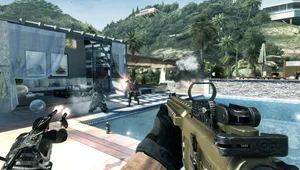
Update the Game
An alternate solution involves checking for a game update. Closing down Modern Warfare 3 and reloading it prompts the system to check for and apply any pending updates.
Ensuring everyone does this will harmonize versions and resolve the "Join Failed: You Are On A Different Version" error. Additionally, manual scanning for updates on PCs or consoles can be performed.
Restart Your System
If the error persists, an additional step involves restarting your PC or console. While it might be a long shot, this method has proved successful in the past.
Restarting the system may force any updates that were previously missed and subsequently resolve the error. After the system reboot, relaunch Modern Warfare 3 to verify if the error persists.

Final Steps and Further Assistance
Upon attempting these solutions, the "Join Failed: You Are On A Different Version" error should ideally be resolved. However, if the problem persists, seeking assistance from Activision support is advisable. They are equipped to address and provide guidance on any persisting issues you encounter.
DON'T MISS:
- How to fix Call of Duty: Modern Warfare 3 Vault edition not working?
- Does Soap die in Call of Duty Modern Warfare 3? - Revealing Soap's fate in the game
- How to enable 120 FPS Mode in Call of Duty: Modern Warfare 3 on PS5
- Call of Duty: Modern Warfare 3 campaign duration sparks criticism
- Call of Duty: Modern Warfare 3 - List of all available killstreaks