Trending

Palworld is a survival game developed by the Japanese game studio Pocket Pair that currently features single-player, coop, and multiplayer game modes.
The coop and multiplayer parts of the game are playable on Pocket Pair's official servers, servers hosted by players, and dedicated servers.
Dedicated servers are great for hosting multiplayer sessions, as anyone can start them with admin privileges. So, if you're playing Palworld on a dedicated server, here's a list of console commands you should check out to make your time in-game easier.

All Console Commands for Dedicated Server in Palworld
In a dedicated server, the host is usually the admin. If you're hosting a dedicated server, then console commands will help you manage different things on the server, including issuing announcements, saving data, and maintaining members.
To enter console command, press Enter to open up the chat box, then type in any of the following commands to fulfil your task:
- /Shutdown {Seconds} {MessageText} – Shut down the server at set time.
- /DoExit – Shut down the server immediately.
- /Broadcast {MessageText} – Broadcast a message to all players on the server.
- /KickPlayer {SteamID} – Kick a player out of the server.
- /BanPlayer {SteamID} – Ban a player from the server.
- /TeleportToPlayer {SteamID} – Teleport to a player in the server.
- /TeleportToMe {SteamID} – Bring a player to your location on the server.
- /ShowPlayers – List all players active on the server.
- /Info – Shows server name, current game version, and other related information.
- /Save – Save all data.
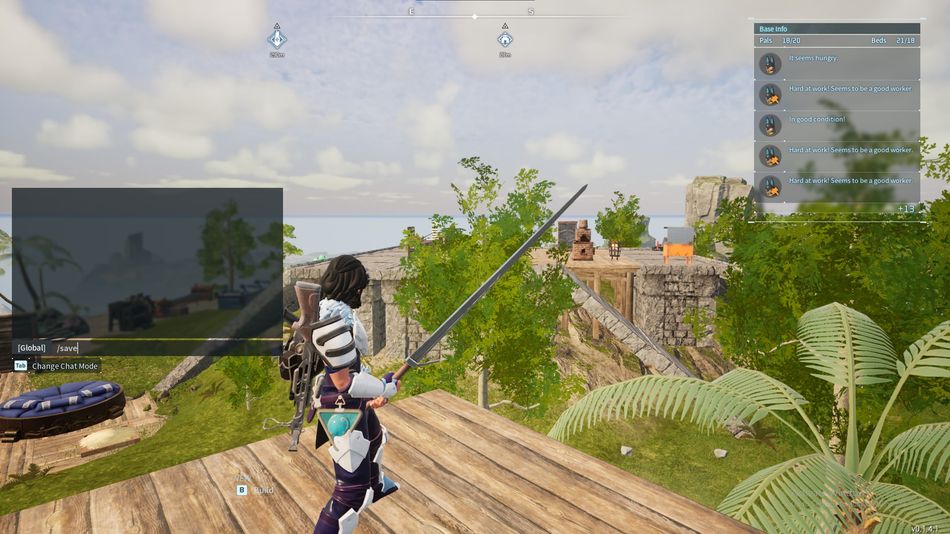
The parts in parenthesis must be edited to the certain thing you want to complete, such as - /Broadcast {Please be respectful to each other on the server; don't interrupt a rival Guild during their time in the wild.}. This console command will help you reach all players on the server without issues.
So, try out all the console commands and manage your dedicated server easily in no time.

DON'T MISS: