Trending

Playing Pro Clubs is still one of the best ways to enjoy EA SPORTS FC 27 with your friends. However, this year EA has changed how the mode works somewhat: rather than being accessible via the game’s main menu, Pro Clubs is now incorporated into The Grounds, EA FC 27’s social hub.
So if you’re wondering how to create or join a club and then get into a match, we’ve got you covered.

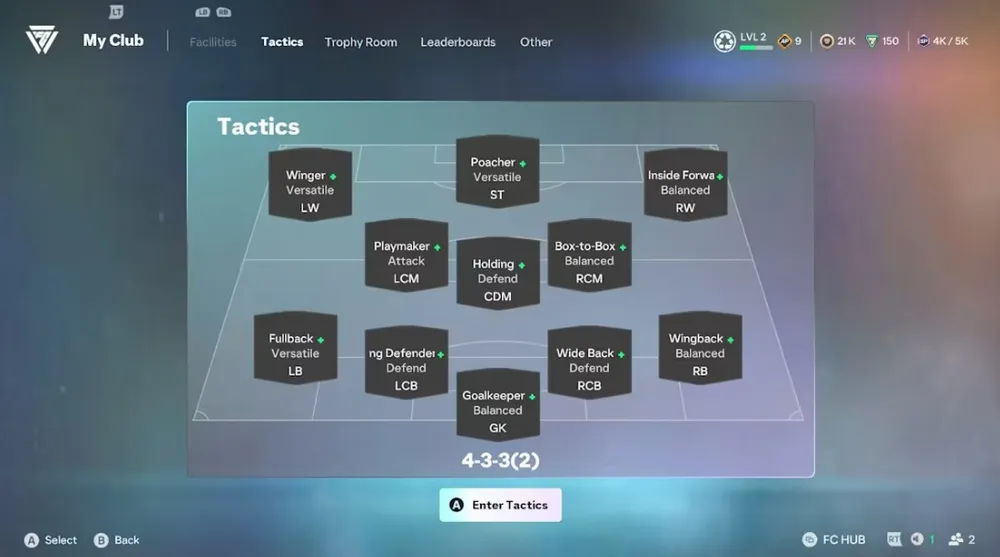
Before you do anything else, head into The Grounds from the main menu and complete the intro tutorials. From there, when you’re allowed to roam free, hit the Menu button ( Xbox) or Options ( PlayStation) to open up the menu, then head to My Club tab.
You will then be able to:
- Create your club
- Join another club
- Pick your club name and abbreviation
- Make your club public or private
- Invite friends
- Manage members
- Change your tactics and facilities
- View your reputation, trophies and leaderboards
You can also use the My Clubs menu to accept invitations to clubs as well as join friends directly.
Note that while this menu allows you to create or manage clubs, you won’t be able to actually start a Pro Clubs match from here. If you want to play, you’ll need to head to the Clubhouse, also located in The Grounds.
How to Start a Pro Clubs Match
Locate the Clubhouse by heading southwest from where you spawn when you first enter The Grounds, near the large football-shaped dome in the centre of the hub.
Walk along the small bridge toward the building, and keep an eye out for your club badge on the left-hand side. The badge will also show up on the doors when you get close enough.
Press interact with the doors to access the Pro Clubs menus. From there, select Play and you’ll be in the lobby, where you can then pick your position in the starting XI.
You can then wait in the lobby for your teammates to join you and get ready to start a match.
How to Join a Match Already in Progress
One of the great features of Pro Clubs in EA FC 27 is that players can now dive into matches that their teammates are already playing. Assuming that allowed by the club’s settings, you can join your teammates’ game and take control of an AI player in any free position.
You won’t be able to directly replace a human player that is already playing though.
So that’s everything you need to know about starting and joining Pro Clubs matches. Remember, your new starting location is The Grounds, while you’ll want to head to the Clubhouse when you’re ready to play.

DON'T MISS: