Trending

Connectivity issues in Modern Warfare 3 persist, with players encountering the 0x887a0005 error code, famously known as the "Travis-Rilea" error.
This problem arises when the game client's requests fail to reach the Call of Duty servers, leading to Connection Failed or Timed Out messages, and sometimes resulting in MW3 crashes.
While server-related issues require developers to implement a permanent solution, there are temporary workarounds that players can try to address the "Travis-Rilea" problem.
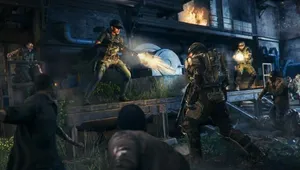
How to Fix the "Travis-Rilea" Error Code in Modern Warfare 3
- Check the MW3 Server Status:
- Verify if Call of Duty servers are down for maintenance by checking their official Twitter handle or using Downdetector.
- If servers are down, wait for them to resume normal operation.
- Log in at Another Time:
- If login requests overwhelm the servers, causing the "Travis-Rilea" error, try logging in at a different time or in another region.
- Note: Changing regions may result in higher latency.
- Restart Your Router:
- Issues may arise from your Internet Service Provider (ISP), so restart your router and change the gateway to address connectivity problems.
- If problems persist across multiple multiplayer titles, contact your internet provider.
- Re-start the Game:
- Some players report that restarting the game multiple times resolves the "Travis-Rilea" issue.
- If the problem persists, attempting several game restarts might be worth a try.
- Wait for a Patch:
- Since performance issues in Modern Warfare 3 are widespread, waiting for a patch is a viable solution.
- Reach out to Activision Support to report the issue, urging developers to address it.
While these steps may offer temporary relief, players experiencing the "Travis-Rilea" error are advised to remain patient and keep an eye on official channels for updates on patches and resolutions.
DON'T MISS:
- Call of Duty MW3 Zombies: How to complete the Chessboard Easter Egg quest
- How to fix "Your data is corrupt" and "You must reset your rank and unlocks to continue" errors in Call of Duty: MW3
- Call of Duty: MW3 introduces ranked play - Everything you need to know
- Call of Duty: MW3 - How to unlock the "Yellow Jacket Akimbo Brace" stock
- Call of Duty MW3 - Double XP event end times for every region