Trending

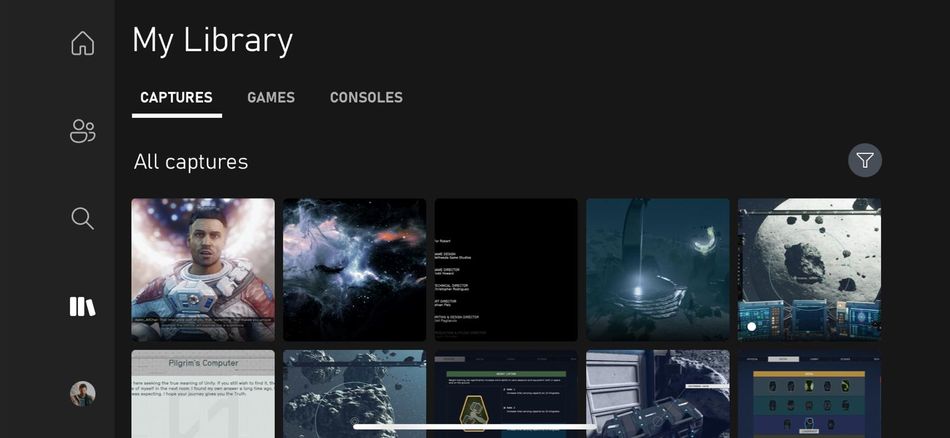
Starting January 9, a new set of rules governing content uploaded to the Xbox Network will come into effect. This means that any captures, including screenshots and video clips, stored on the platform for more than 90 days will be automatically removed from the system.
The introduction of this policy is presumably aimed at reducing strain on Microsoft's servers. It's crucial for all Xbox users to be aware that this change impacts anyone with 'historic' captures stored on the Xbox Network. If captures older than 90 days are not backed up, they will be automatically scrubbed from the system starting January 9.
This new policy poses a potential risk to users who have not backed up their captures within the 90-day window. The 90-day period is a rolling window, meaning that if you have captures stored for longer than this duration at any point, they will be subject to automatic removal. The specifics of whether it will be an instant, complete wipe or a gradual wave of deletions have not been confirmed. However, what is certain is that your content will be deleted if it falls outside the 90-day timeframe.

How to save your screenshots and videos from deletion on Xbox Network
To preserve your digital content on the Xbox Network, there are two primary methods: uploading content to OneDrive, Microsoft's cloud service, and backing up digital content to your local drive or portable digital storage.
However, the free space on OneDrive tends to fill up rapidly, requiring an additional cost for extra storage, ultimately favouring Microsoft. With January 9 just around the corner, act swiftly, regardless of the method you choose, if you wish to safeguard your digital content from permanent deletion.

DON'T MISS!