Trending
Xbox fans are looking at some new updates coming their way this month. The latest Xbox update will bring party chat with speech-to-text and text-to-speech, official posts from your favourite games in the Xbox mobile app, the ability to reorder groups in the guide, and more.
Party Chat: Speech-to-Text and Text-to-Speech
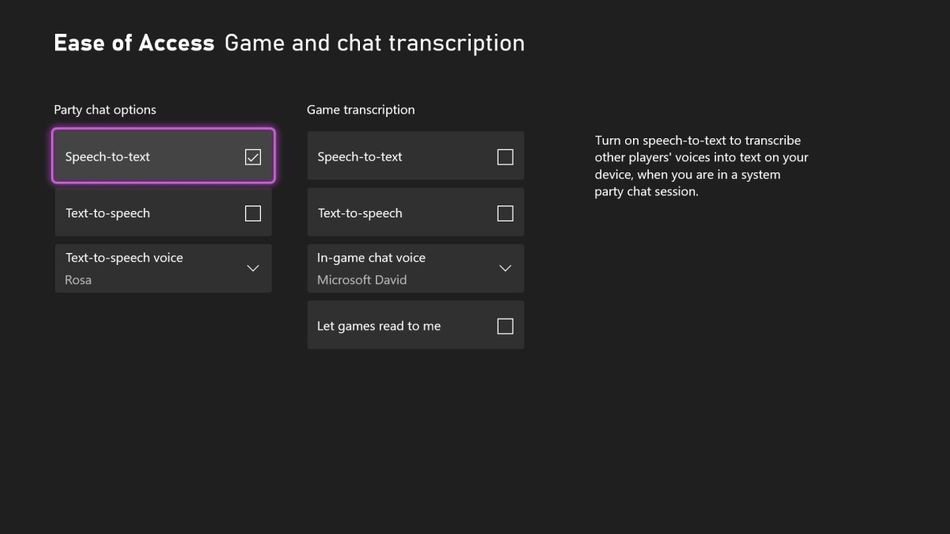
Party chat will now accommodate converting speech into text and text into speech. Each of these features can be used to help gamers who are deaf or hard of hearing and/or cannot or choose not to speak.
Xbox Speech-to-Text: Enabling speech-to-text transcription will allow gamers to read all words spoken by the people in a party. The text will be displayed in an adjustable overlay on top of gameplay.
Xbox Text-to-Speech: By enabling text-to-speech synthesis, gamers can type into party text chat and have that read by a synthetic voice to the rest of the people in the party (with a choice of several voices per language).
How to enable speech-to-text and text-to-speech on Xbox:
- Access Settings under Ease of Access > Game and chat transcription.
- When in a party, you can also access this screen under Options > Configure Ease of Access settings.
Official Posts in the Xbox Mobile App
During June, the Xbox Mobile App will start displaying official posts from your favourite games.
The posts will be viewable from the app homepage and you can like, share, or comment on them. Stay tuned for more updates to the Xbox mobile app in the near future.
Reorder Groups in the Guide
Groups let you create lists in the guide for quick access to your favourite games and apps.
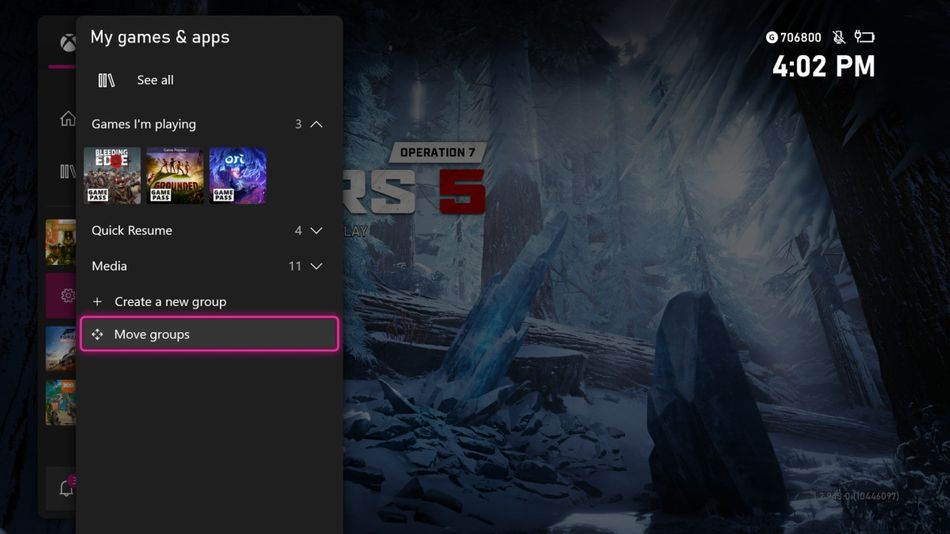
Now, this feature also offers a "Move groups" button built right into the "My games & apps" screen in the guide, letting you customize the order of your groups.
How to use the "Move groups" on Xbox
- Open the guide, select My games & apps, and then select Move groups to rearrange your groups.
Review and Approve Your Family’s Cross-Network Play Requests
It's now easier to review and approve your kids’ requests to play with people on other game platforms and Windows PCs.
Kids who use Xbox child accounts as part of a family group can now ask for their parent or caregiver’s approval to play games like Minecraft with others who play on other gaming services.
Parents can approve or decline their kids’ request using the Xbox Family Settings app on Android or iOS or right from the console.