Trending

Gamepad market has a fantastic new entry in X10 Mechanic Master from EasySMX, a controller that offers reliability, flexibility and impeccable precision without having to rely on gimmicks like an increased dead zone. On top of everything else, it boasts a price point that will put most of the competition to shame.
Just in case all those selling points are not enough, the X10 is chock full of great features that make it even more desirable.
Mechanical sounds and other features
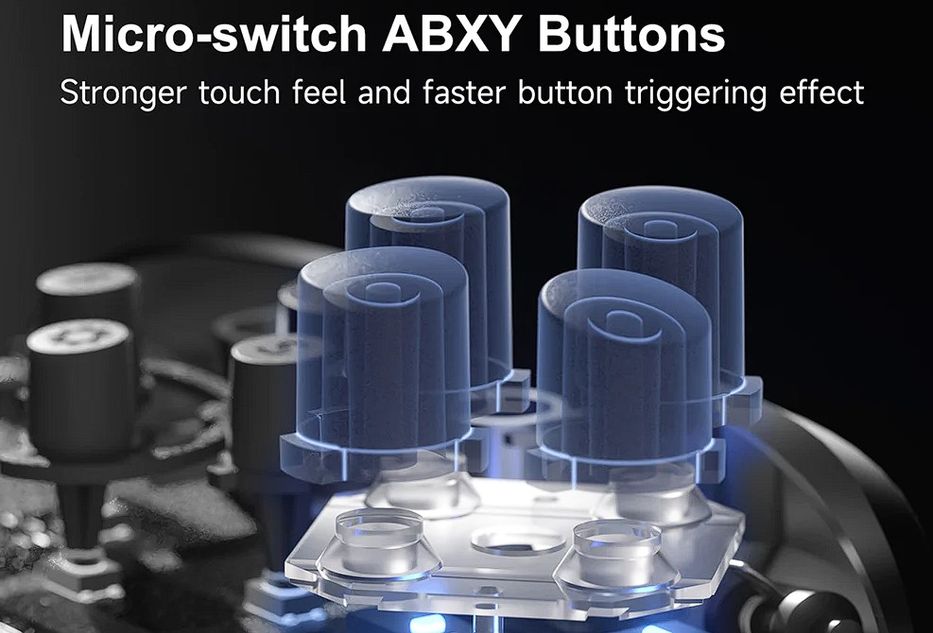
Mechanical sounds are likely to be one of the most frequently used selling points for X10 even though I personally prioritised other features. In any case, the mechanical buttons are ABXY and they produce a satisfying sound akin to a mechanical pencil when pushed. More importantly, I found all the buttons to be highly responsive during the testing.
Programmable buttons are also highly responsive but unfortunately, they are very sensitive to touch so it can result in unwanted inputs from time to time. That said, if you don't want them to meddle in your gameplay, you can always leave them unassigned so they don't do anything. In that case, there are no drawbacks since they don't loosen your grip.
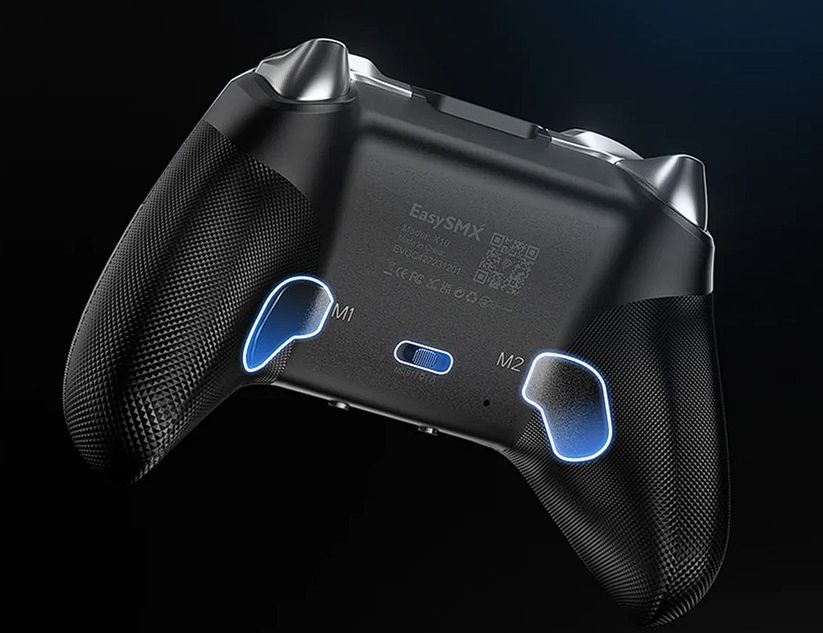
The main reason why the programmable buttons, or any other obstacle for that matter, don't interfere with holding the gamepad in place is the textured grip. You will find a criss-cross texture at every point where you normally hold the controller and also on all four trigger buttons. Meanwhile, the sticks have a comfortable dip in the middle which contributes to less fatigue while gaming and more control at the same time.
For additional customisation, it is possible to swap faceplates and front grip which offers additional customisation by changing the colour of your gamepad. They are all held by tiny magnets so swapping is very easy but this also means the plates can come off easier than you might expect. One would also guess this could result in easily breakable pieces of the gamepad but the build quality is high so this didn't happen even remotely during shock testing.
X10 Mechanic Master comes with the possibility of wireless and wired connections, depending on what you want to do with it. The wired connection is USB / USB-C while the wireless options are set for Nintendo Switch, Bluetooth and USB 2.4 GHz dongle. As such, you can use the controller for PC, Switch, iOS and Android devices.
I found the wired connection to be the most reliable as it eliminated any input lag but while testing the wireless ones, the lag was also close to nonexistent. In other words, you are free to enjoy the gamepad any way you like it without worrying about it ruining your match.
One overlooked feature that I found quite handy is the vibration controls. The button for them is found on the bridge between the grips and below the right stick and directional arrows. Simply pressing the button changes the vibration intensity by 25 per cent and you can also shut it off completely in the same manner. This is incredibly helpful for someone who doesn't like vibration as it saves you the effort of going through options on every different launcher and possibly individual games just to turn it off.
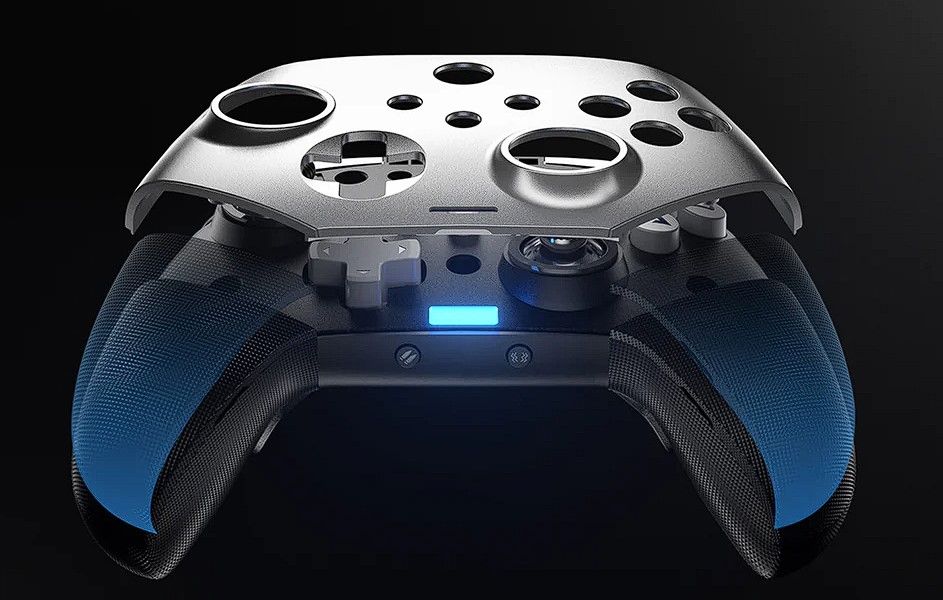
Next to the vibration control is the Turbo button, which is familiar to anyone who used a controller by now but I found its placement fantastic since I no longer have to worry about pressing it accidentally while going for Start, Select and Menu buttons in the middle of the gamepad.
Games and tools used for testing
- Dark Souls trilogy (PC)
- Destiny 2 (PC)
- Bubble Shooter! Extreme (Android)
- Hardware Tester
- With a brief Street Fighter 4 test
Wireless tests were conducted on the PC games.
Test Results
Dark Souls games are pretty good for testing a gamepad's responsiveness and precision overall but I conducted a few specific tests as well. Early in the first Dark Souls, you can encounter Havel, an overpowered enemy for your level that can be beaten by a series of dodges and backstabs which require precision and reflexes to be in perfect working order. Any minute mistake means you are getting one-shot and sent to the last bonfire you visited. In this scenario, X10 proved flawless - not a single dodge went awry as I tested the sticks, mechanical buttons and triggers all in the same encounter.
Additionally, the programmable buttons can act as two separate button presses at the same time which was fantastic for button combinations such as Kick and Jump Attack (L-Stick up + RB or RT) to eliminate the possibility of mistiming the inputs.
In Dark Souls 2, low Agility means your dodge roll provides a very short window of invulnerability which then tests your reflexes and the gamepad's responsiveness even further. Once again, X10 proved to be the perfect companion as the ergonomics and responsiveness worked in tandem to keep me safe as long as I didn't mess up on my own end. Or until an Ogre walked up and From Software decided my character should teleport into its grab.
In Dark Souls 3, I just put the gamepad through a general test by facing the Nameless King, widely accepted as one of the hardest bosses in the trilogy. During the first half of the encounter, X10's precise sticks allowed me to track the dragon's flight with no issue in order to avoid devastating plunge and breath attacks. In the second half, the gamepad's responsiveness came in clutch once again as I managed to avoid Nameless King's quick and powerful attacks without a hiccup.
Destiny 2 was my shooter game of choice for testing since it is a rare example where the developers struck a great balance between KBM and gamepad inputs, meaning neither had an advantage due to too much or too little aim assist on the latter. Having gone through multiple matches in Crucible (Control), I held my own and landed headshots constantly even though don't normally play shooters with a controller. Every movement and crosshair placement went smoothly, split-second encounters in close quarters went my way as long as I didn't mess up and X10 proved perfectly reliable during the ride.
For Android, I chose Bubble Shooter! Extreme to test the controller's precision as a single small movement can mess up the ball's flight path and ruin your attempt at popping a large group of bubbles. Once again, X10's sticks were extremely precise and didn't allow for any faulty launches, which felt weird since I occasionally misfired when using my own thumbs.
Hardware Tester eventually showed the sticks' precision in a quantifiable manner where I was shown visually and through numbers that stick drift is virtually non-existent with X10 Mechanic Master.
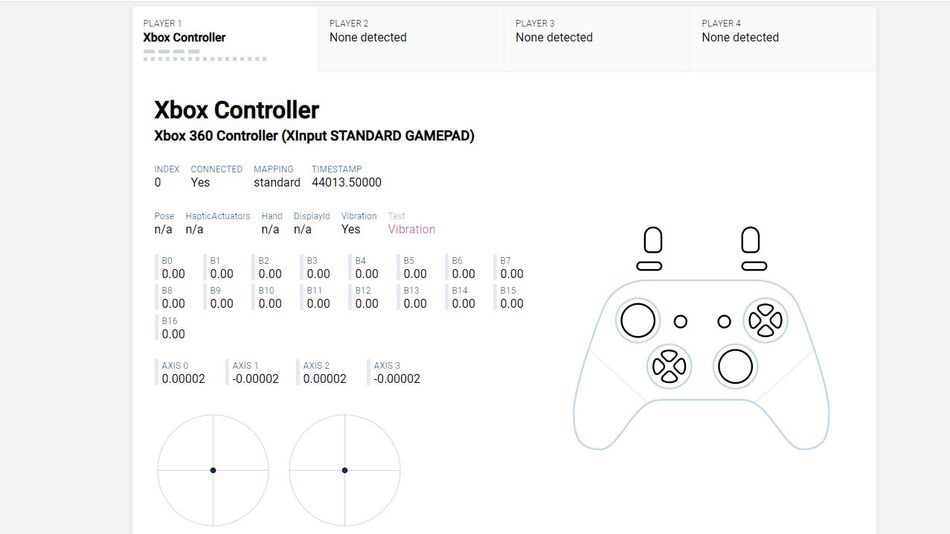
Circularity error was 13.9 per cent for both left and right sticks which is neither great nor bad but this metric is a bit shifty. Getting near-perfect circularity is mostly software manipulation rather than actual quality hardware, meaning such devices lie to the user testing them, for a lack of better word. That said, X10 has almost twice the error of what is considered good circularity but as I've noted in the Destiny 2 test, I had no issues aiming precisely with it.
The sticks' limits paint what is better described as a square with rounded corners rather than a proper circle but it didn't end up messing with the controller's precision. To put this claim to the test, I briefly downloaded and booted up Street Fighter 4. Zangief's Spinning Piledriver requires a smooth circular motion to be executed properly and X10 had absolutely no issues with pulling it off.
Pricing
EasySMX priced M10 at €45 which is higher than their lower budget counterparts but considering the build quality, precision, responsiveness, sheer number of features and customisation this gamepad offers, it is priced way below the competition that offers the same.
Conclusion
M10 was clearly designed by people who have games at their heart. While it has numerous features and customisation options, it doesn't go overboard. Holding it in the palm of the hand immediately gives the same impression - EasySMX clearly knew which parts need to be textured for the best ergonomics and the mechanical button clicks are all the ASMR you will need. Their volume is also fantastic because they are loud enough to be heard and silent enough not to annoy the user.
I would recommend it in a heartbeat - if you want customisation, high quality and precise inputs, M10 is the way to go.
The Good
 Extremely precise sticks
- All buttons are highly responsive
- Programmable buttons are highly useful
- Durable and swappable face plates
- High number of features
The Bad
 Back paddles are easy to press involuntarily
- Faceplate comes off easy