Trending

Looking to learn how to save your progress in No Rest For The Wicked? In this challenging action RPG, players must manually save their game at specific points known as Cerim Whispers.
These save points are identifiable by their glowing blue wisps scattered throughout the game world.
To save your game manually in No Rest For The Wicked, you'll need to interact with Cerim Whispers, which appear as luminous blue orbs. These save points are distributed across various locations throughout this Moon Studios' game.

Cerim Whisper Locations in Mariner's Keep
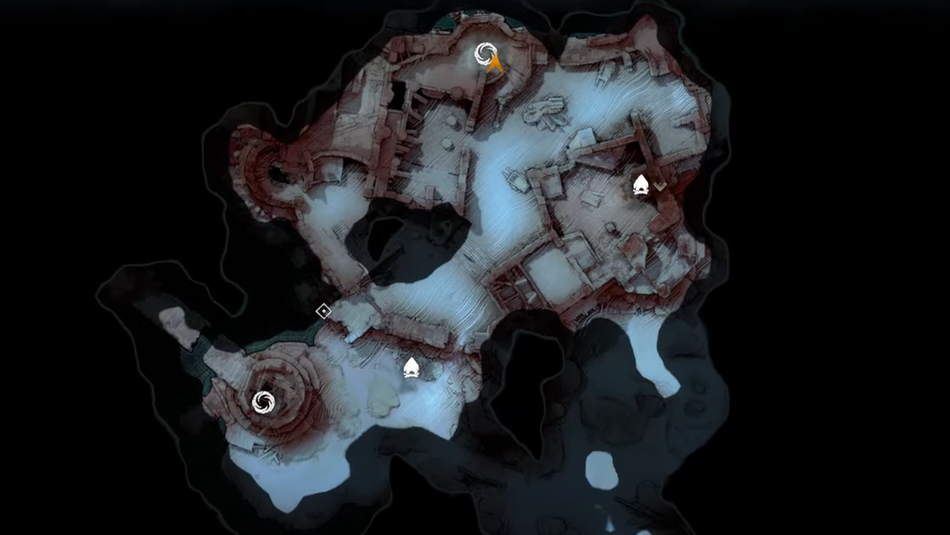
In the opening area of Mariner's Keep, you'll encounter the first Cerim Whispers.
Locating Cerim Whispers:
- Identify the Wisps: Cerim Whispers are glowing blue wisps scattered throughout the game world. These serve as your save points.
- Interaction Required: To save your progress, approach a Cerim Whisper and interact with it. This action triggers the save process.
- Map Markers: Once discovered, Cerim Whispers appear as white whirlpools on your map, aiding in navigation and saving your game efficiently
Equipment Degradation and Repair
Each death and respawn accelerates the degradation of your equipment, necessitating repairs. Be mindful of your gear's condition and maintain it regularly to ensure optimal performance.
Health Restoration and Food
While Cerim Whispers restore your health upon respawn, they don't provide on-the-go healing. You'll need to consume food for that purpose. Cooking food at campfires yields more significant health benefits than raw ingredients.
Saving Before Quitting
Before exiting the game, interact with a Cerim Whisper, even if it's one you've already activated. Failure to do so will result in lost progress. Access the main menu using TAB on PC or Start on a controller, then select the door icon to quit the game.
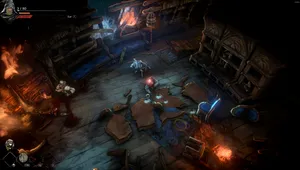
With this guide, you're equipped to navigate the world of No Rest for the Wicked wisely, utilizing Cerim Whispers to safeguard your progress effectively. Stay vigilant, save regularly, and embark on your journey with confidence!
DON'T MISS:
- No Rest for the Wicked to launch at a lower price on Steam
- No Rest for the Wicked: Types of Bosses, encounter dynamics, rewards of victory and more
- No Rest for the Wicked: Release date, platforms, gameplay, co-op, multiplayer and more
- No Rest for the Wicked: List of all recipes, where to find and how to prepare them
- No Rest for the Wicked: Best stats to level up early game