Trending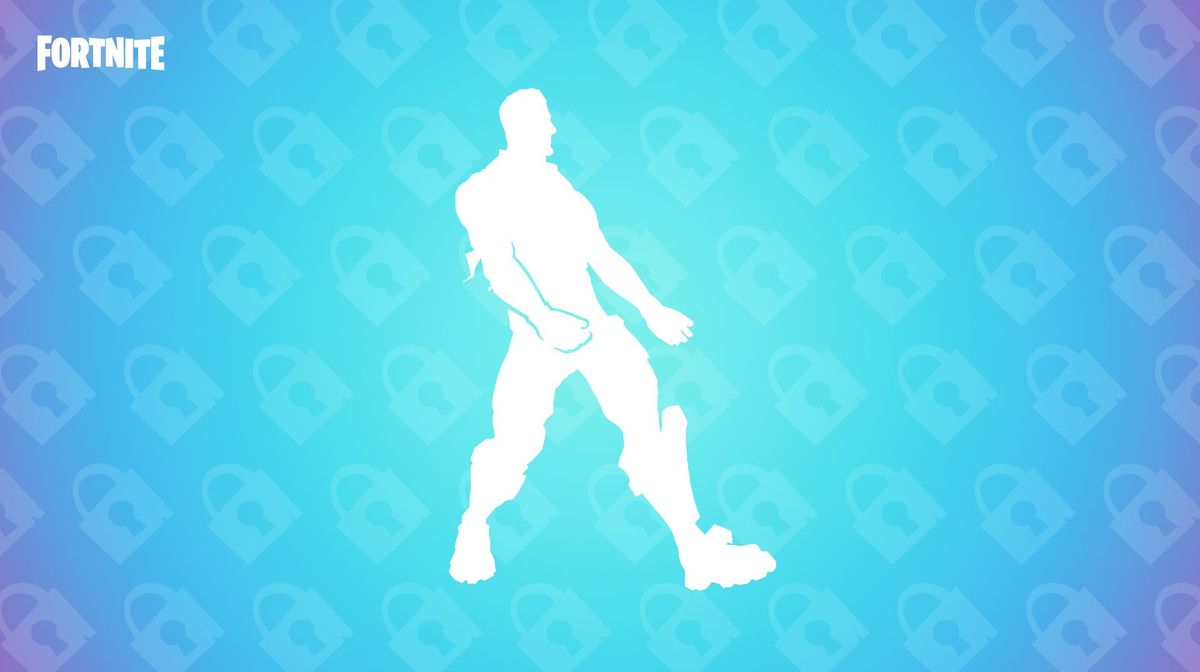

Fortnite is one of the largest games worldwide. Since its release in 2017, the game has slowly evolved into a game with endless potential. However, with the fame, there came various issues like scams and account hacking.
To counter these issues at bay and keep the game safe worldwide, Epic Games has enforced a two-factor authentication system. Fortnite players must enable 2FA to compete in tournaments and Epic-hosted in-game events. Here's a guide on how to enable Two-Factor authentication in Fortnite.

What is Two-Factor authentication (2FA)?
Two-factor authentication is a double-layer security measurement that requires you to enter your password first, then use an additional security code or app to grant you access to your account. Essentially, 2FA introduces two forms of identification to access resources and data.
This adds an extra layer of protection, making it much harder for unauthorised users to gain access to your sensitive data, even if they manage to steal your password. Epic Games requires players to enable two-factor authentication to take part in Fortnite tournaments, send gifts in Fortnite, and claim some free items through the Epic Games store.
How to Enable Two-Factor authentication (2FA)
To enable Two-Factor authentication (2FA) can be enabled through the Epic Games account management menu. Here's a step-by-step guide on how to enable 2FA for Fortnite:
- Sign in to your Epic Games account.
- Go to Password and security section in your Account page.
- Under the 'Two-Factor Authentication' section, you will see the available 2FA options:
- Two-factor Authenticator App: Use an Authenticator App as your Two-Factor Authentication (2FA). When you sign in, you’ll be required to use the security code provided by your Authenticator App. If you opt to use an authenticator app for 2FA, these third-party authenticator apps can be found in your mobile device app store:
- Google Authenticator
- LastPass Authenticator
- Microsoft Authenticator
- Authy
- Email For Two-Factor Authentication: Use a security code sent to your email address as your Two-Factor Authentication (2FA). The security code will be sent to the address associated with your Epic Games account. You’ll need to use it in when you sign in.
- SMS Code For Two-Factor Authentication: Use your phone as your Two-Factor Authentication (2FA). When you sign in, you’ll be required to use the security code we send you via SMS message.
- Two-factor Authenticator App: Use an Authenticator App as your Two-Factor Authentication (2FA). When you sign in, you’ll be required to use the security code provided by your Authenticator App. If you opt to use an authenticator app for 2FA, these third-party authenticator apps can be found in your mobile device app store:
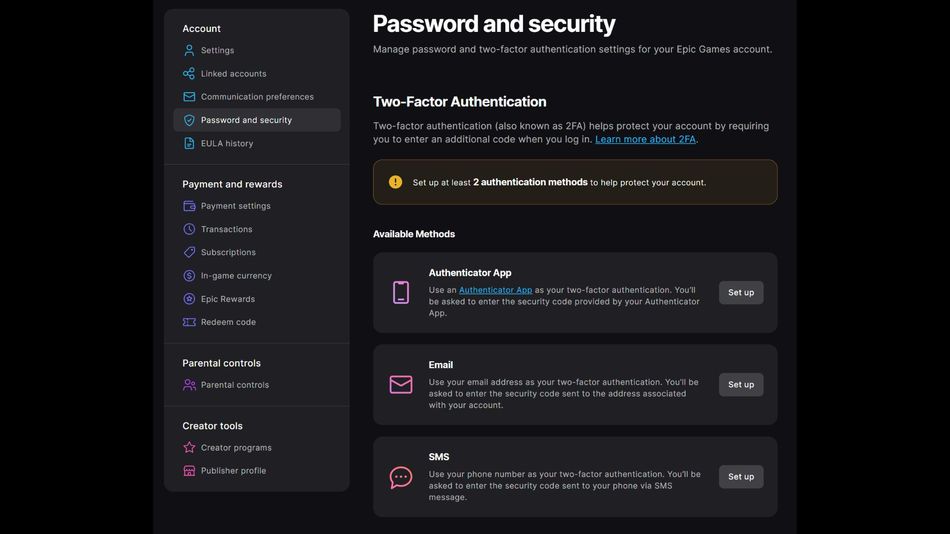
- Click "Set up" to enable your preferred 2FA method.
- After you select your authentication method, you should receive a code from Epic Games for email and SMS, or the App should generate a code for you. Input the code, and you should see a success message on the website.
- Your account page will be automatically updated to confirm that the authentication method is active.
As a reward for securing your Epic Games account with two-factor authentication (2FA), you’ll unlock the Boogie Down emote in Fortnite: Battle Royale. If you own Fortnite: Save the World, you'll also receive 50 Armoury Slots, 10 Backpack Slots, and 1 Legendary Troll Stash Llama.
DON'T MISS: